

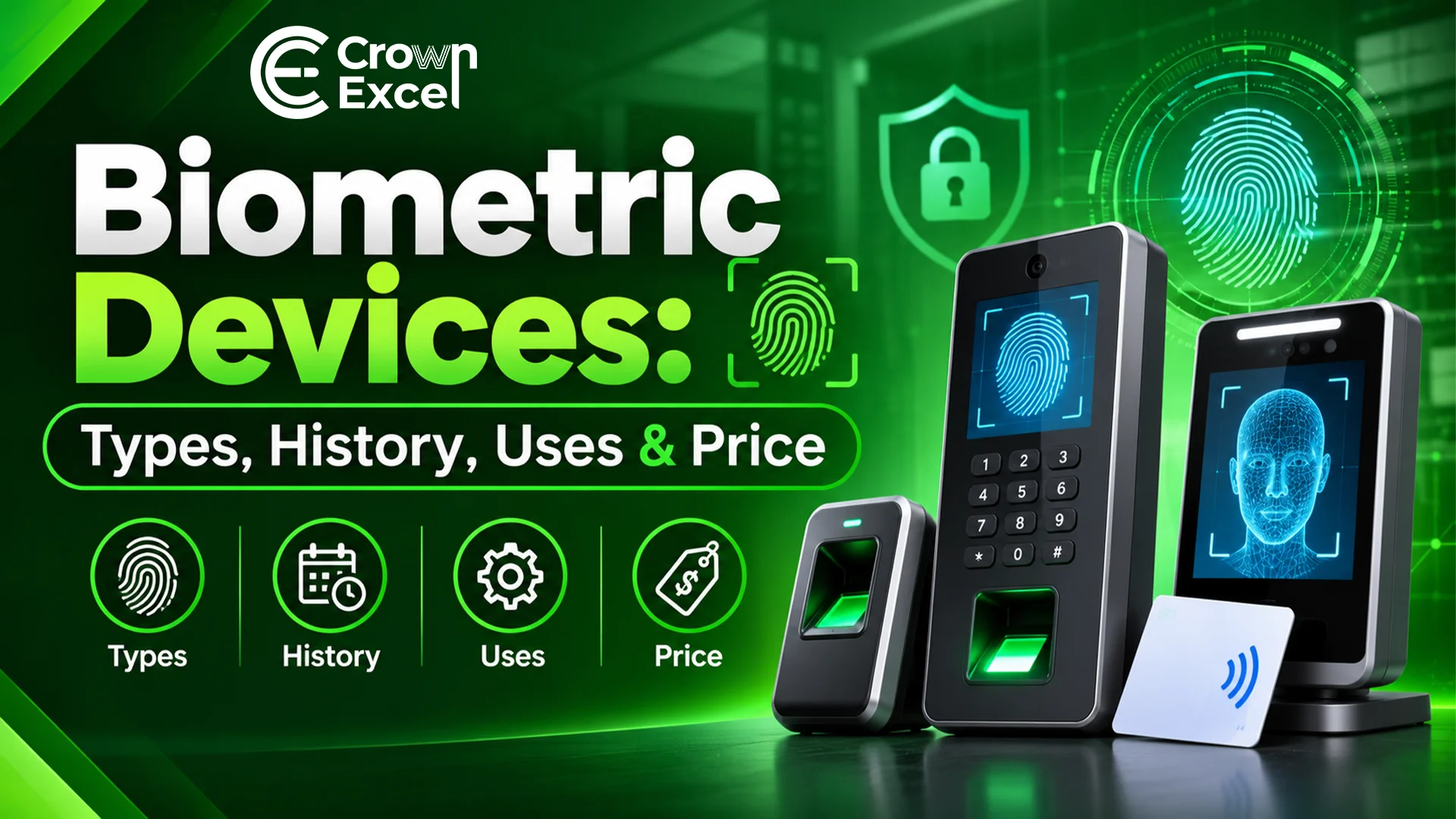
Biometric Devices: Types, History, Uses & Price
Biometric devices are electronic systems that identify or verify people using measurable physical or behavioural characteristics, such as fingerprints, facial features, iris patterns, palm veins or voice characteristics. They are commonly used for employee attendance, access control, identity verification and security management in offices, schools, hospitals, warehouses and commercial buildings. Biometric devices work by capturing a person's biometric information, creating a digital reference and comparing subsequent samples with stored records.
Common types include fingerprint scanners, facial recognition terminals, iris scanners and multi-biometric devices. In the UAE, basic fingerprint attendance machines are advertised for around AED 450–600, while advanced facial recognition and enterprise access-control terminals can exceed AED 3,000. Dubai-based IT hardware supplier Crown Excel offers biometric and security devices for businesses and wholesale procurement. The appropriate device depends on recognition requirements, user capacity, connectivity, software compatibility, privacy safeguards and budget.
What Is a Biometric Device?
A biometric device is an electronic system that measures a person's physical or behavioural characteristics to identify or verify their identity. It uses sensors and recognition software to capture characteristics such as fingerprints, facial patterns, iris structures or voice features and compare them against previously enrolled biometric records. Biometric devices are commonly integrated into time attendance, access control and identity verification systems.
Biometric systems perform two main identification functions. Verification involves comparing a biometric sample against a specific registered identity, commonly called one-to-one (1:1) matching. Identification involves searching a biometric sample against multiple enrolled records, commonly called one-to-many (1) matching. The method used depends on the application's purpose and system configuration.
Examples include the ZKTeco F18 fingerprint terminal, ANVIZ W1 Pro attendance device, ZKTeco SpeedFace facial recognition terminal and Suprema BioStation access control system. These devices differ in their sensors, matching technologies, user capacities and software integration capabilities.
What Is a Wireless Biometric Device?
A wireless biometric device is an identity verification or attendance system that transmits information through wireless communication technologies such as Wi-Fi, Bluetooth or cellular networking, depending on the model. It captures biometric information and communicates with compatible attendance software, access-control systems or management platforms without requiring a wired network connection.
Wireless biometric devices are commonly used in offices, retail stores, temporary work locations and facilities where installing Ethernet cables is inconvenient. For example, the ANVIZ W1 Pro fingerprint attendance terminal supports Wi-Fi and TCP/IP connectivity, allowing it to communicate with compatible management systems.
Wireless connectivity does not necessarily mean the device operates without power cables. Many wireless biometric terminals still require an external electrical power supply. Buyers should check the device's supported network technology, power requirements and ability to store attendance records when the network is temporarily unavailable.
How Does a Biometric Device Work?
A biometric device works by capturing a person's biometric characteristic, processing it into a digital representation and comparing it with previously registered biometric information. When the comparison meets the system's configured matching threshold, the device produces an authentication or identification result. Depending on its purpose, it may record attendance, unlock an access-controlled door or authorize another operation.
The biometric recognition process generally follows these steps:
Enroll the User: The authorized administrator registers a person in the biometric system and associates their biometric reference with the appropriate user record.
Capture Biometric Information: The device uses a fingerprint sensor, camera, iris sensor or another supported mechanism to measure the user's characteristic.
Process the Sample: The system analyzes the captured information and extracts relevant distinguishing features.
Create a Biometric Template: The device or connected software generates a digital representation of the extracted features. A template is not necessarily a raw photograph or fingerprint image.
Store the Reference: The biometric template is stored in a supported local device, server or other authorized storage system, according to the system's design.
Capture a New Sample: When the registered user attempts to authenticate, the device captures a new biometric sample.
Compare the Information: The recognition algorithm compares the new sample with the relevant stored template or templates.
Determine the Result: The system evaluates the comparison score against its configured threshold and returns a match or non-match decision.
Perform the Authorized Action: Depending on the result and access permissions, the system may record attendance, permit entry or reject the request.
Store the Transaction Record: Where configured, the system records information such as the user's identifier, date, time, device location and authentication result.
What Are the Types of Biometric Devices?
The types of biometric devices include fingerprint scanners, facial recognition devices, iris scanners, palm recognition systems, finger vein readers, voice recognition systems, hand geometry devices, signature recognition systems, behavioural biometric systems and multi-biometric terminals. They are classified according to the physical or behavioural characteristics measured and their intended applications.
The main types of biometric devices are:
Fingerprint Biometric Device: Captures fingerprint ridge patterns using optical, capacitive or other supported sensors. It is commonly used for employee attendance, access control and identity verification.
Facial Recognition Device: Uses camera-based imaging and recognition algorithms to compare facial characteristics. It is used in touchless attendance systems, building access and identity verification applications.
Iris Recognition Device: Captures the detailed patterns of the iris using specialized imaging equipment. It is used in selected identity management and high-assurance access-control applications.
Palm Recognition Device: Uses palm images, palmprint patterns or other supported palm characteristics for biometric recognition. Applications include contactless access control and attendance management.
Palm Vein Recognition Device: Uses near-infrared imaging to capture patterns associated with blood vessels beneath the skin of the hand. It is used in certain access-control and identity verification systems.
Finger Vein Recognition Device: Uses specialized imaging to identify blood vessel patterns inside a finger. It is used in selected security and authentication systems.
Voice Recognition Device: Analyzes measurable characteristics of a person's speech for speaker verification. It is used in selected telephone-based and remote authentication applications.
Hand Geometry Device: Measures characteristics such as finger length, hand shape and other physical dimensions. Historically, these systems have been used for workplace attendance and physical access control.
Signature Recognition Device: Analyzes characteristics of handwritten signatures, potentially including writing speed, pressure and movement patterns. It is used in selected digital authentication applications.
Behavioural Biometric System: Analyzes behavioural patterns such as typing rhythm, mouse movement or interaction habits to help assess identity or account activity.
Multi-Biometric Device: Combines two or more biometric technologies, such as fingerprint and facial recognition, within one system. These devices are used when organizations need multiple recognition options or additional authentication controls.
What Are the Components of a Biometric Device?
The components of a biometric device include a sensor, processor, memory, storage, recognition software, power circuitry and communication interfaces. These components capture biometric information, process identity comparisons and communicate authentication results. Additional components depend on the biometric technology and whether the device is used for attendance recording or physical access control.
The main components of biometric devices include:
Biometric Sensor: Captures the physical or behavioural characteristic used for recognition.
Fingerprint Scanner: Reads fingerprint patterns in devices supporting fingerprint authentication.
Camera Module: Captures facial images in facial recognition systems.
Infrared Imaging Module: Supports suitable iris, vein or facial imaging applications.
Central Processing Unit (CPU): Executes software instructions and manages device operations.
Recognition Processor: Performs or accelerates supported biometric image processing and matching tasks.
Random Access Memory (RAM): Temporarily stores information required during processing.
Internal Storage: Holds software, configuration settings, biometric templates and transaction records according to the system design.
Display Screen: Shows instructions, authentication results and device information.
Keypad or Touchscreen: Allows supported user input, configuration or PIN entry.
Communication Interface: Connects the device through Ethernet, Wi-Fi, USB or another supported communication technology.
RFID Reader: Supports card-based identification in devices that combine biometrics with access cards.
Power Supply: Provides electrical power to the electronic components.
Backup Battery: Maintains limited operation during power interruptions in models equipped with battery backup.
Status Indicators: Display successful or unsuccessful authentication and other operating conditions.
Buzzer or Speaker: Provides audible notifications and user guidance.
Access-Control Relay: Sends supported control signals to compatible door-locking or access-control equipment.
Tamper Detection Mechanism: Detects certain attempts to interfere with the device or its enclosure.
Firmware: Controls the hardware, biometric operations and device functions.
Management Software: Supports user enrollment, access permissions, attendance reporting, system configuration and record management.
Protective Housing: Encloses the electronic components and provides physical or environmental protection appropriate to the model.
What Is the History of Biometric Devices?
The history of biometric identification began long before electronic devices, with people using physical characteristics and handwritten marks to distinguish individuals. Modern systematic biometric identification developed during the nineteenth century. In the 1860s, William Herschel used fingerprints in identification-related administrative practices in British India. Alphonse Bertillon later developed an anthropometric identification system based on physical body measurements, while Francis Galton and Edward Henry contributed to the study and classification of fingerprints during the late nineteenth century.
During the twentieth century, advances in computing enabled researchers to automate biometric recognition. Early automated speaker recognition systems appeared during the 1940s, while research into computerized fingerprint and facial recognition developed during the 1960s. Commercial hand geometry systems became available during the 1970s, and subsequent improvements in imaging and algorithms supported additional technologies, including iris recognition.
During the 1990s and 2000s, biometric devices became increasingly practical for commercial attendance, access control and identity verification. Better sensors, digital storage and networking enabled organizations to enroll users, maintain records and manage multiple terminals through software platforms.
Modern biometric systems include touchless facial recognition, advanced fingerprint scanning, palm and vein recognition, multi-biometric authentication and cloud-connected attendance management. These developments have expanded biometric applications across workplaces, government services, consumer electronics and security infrastructure.
Where Are Biometric Devices Used?
Biometric devices are used in locations where organizations need to verify identity, manage employee attendance or control access to designated areas. Their applications include offices, factories, educational institutions, hospitals, banks, government facilities and commercial buildings. The specific recognition method depends on security requirements, user capacity, environmental conditions and applicable privacy rules.
The major uses of biometric devices include:
Corporate Offices: Record employee attendance and manage authorized access to office premises.
Factories: Monitor shift attendance and control entry to designated operational areas.
Warehouses: Manage staff entry, employee attendance and access to restricted storage zones.
Schools and Universities: Support staff attendance and authorized access to selected facilities.
Hospitals: Verify authorized personnel and help control entry to restricted departments or rooms.
Banks and Financial Institutions: Support identity verification and controlled access to sensitive operational areas.
Government Facilities: Provide identity verification and access control in approved applications.
Retail Stores: Record employee attendance and manage access to staff-only areas.
Hotels: Support authorized staff access and selected identity management functions.
Data Centres: Provide an additional authentication mechanism for access to restricted infrastructure.
Construction Sites: Record workforce attendance and manage access to designated site entrances.
Residential Buildings: Support authorized entry to compatible access-controlled facilities.
Airports and Border Facilities: Support approved identity verification processes using specialized biometric systems.
Consumer Electronics: Enable supported fingerprint or facial authentication on smartphones, laptops and other devices.
Enterprise IT Systems: Provide biometric authentication for compatible workstations and applications, often in combination with another authentication factor.
What Is the Difference Between a Biometric Device and an RFID Access Control System?
The main difference between a biometric device and an RFID access control system is how users are authenticated. A biometric device compares physical or behavioural characteristics, while an RFID system reads information from a compatible card, tag or credential. Both technologies can be used for employee attendance and door access, and many commercial terminals support both methods.
| Feature | Biometric Device | RFID Access Control System |
|---|---|---|
| Identification Method | Fingerprint, face, iris or other biometric characteristic | Compatible RFID card, key fob or credential |
| User Interaction | Presents a biometric characteristic | Presents an RFID credential |
| Credential Sharing | Biometric characteristics are harder to transfer between people | Physical cards or fobs can be shared or transferred |
| Lost Credential | No separate physical biometric credential to lose | Lost cards or fobs may require cancellation and replacement |
| Recognition Errors | False matches and false non-matches are possible | Reading errors or credential failures are possible |
| Privacy Considerations | Processes sensitive biometric information | Processes credential and access records, which may also be personal data |
| Initial Setup | Requires biometric enrollment | Requires credential issuance and registration |
| Typical Applications | Attendance, identity verification and restricted access | Employee access, visitor credentials and building entry |
What Are the Costs of Biometric Devices?
The cost of biometric devices in the UAE depends on the recognition technology, brand, user capacity, connectivity, security features and software compatibility. Basic fingerprint attendance terminals are generally less expensive than advanced facial recognition and enterprise access-control systems. The complete cost may also include installation, door controllers, electronic locks, networking, software licences and maintenance.
The following table shows examples of advertised UAE device-only prices. These are indicative supplier listings, not verified wholesale transaction averages.
| Biometric Device | Recognition Technology | Indicative Price (AED) |
|---|---|---|
| ZKTeco K40 Pro | Fingerprint and RFID | 450 |
| ZKTeco F18 | Fingerprint Access Control | 518–530 |
| ZKTeco F22 | Fingerprint and RFID | 520 |
| ZKTeco MB460 | Face, Fingerprint and RFID | 800 |
| Hikvision DS-K1T341AMF | Face, Fingerprint and RFID | 900 |
| ZKTeco SpeedFace-V4L | Multi-Biometric Recognition | 950 |
| ZKTeco Horus E1-FP | Facial Recognition | 1,170–1,388 |
| ZKTeco ProFace X | Advanced Facial Recognition | 2,949 |
| Suprema BioStation 3 | Facial Recognition Access Control | 3,200 |
| Suprema FaceStation F2 | Advanced Multi-Biometric System | 4,200 |
How to Choose a Biometric Device?
To choose a biometric device, determine whether it will be used for employee attendance, physical access control or identity verification. Then compare the recognition method, user capacity, accuracy, connectivity, software compatibility, security features and total cost. Organizations should also consider privacy obligations, accessibility and alternative authentication arrangements.
Follow these steps when choosing a biometric device:
Identify Your Purpose: Determine whether the system is intended for attendance tracking, access control, identity verification or a combination of functions.
Choose the Recognition Method: Select fingerprint, facial recognition, iris recognition or another supported biometric method according to the operating environment.
Estimate User Capacity: Confirm how many employees or registered individuals the device can support, including its template and transaction-record capacities.
Evaluate Recognition Performance: Review manufacturer specifications and relevant independent testing, including false-match and false-non-match performance where available.
Check Environmental Conditions: Consider lighting, dust, moisture, temperature and whether users may have difficulty presenting the required biometric characteristic.
Select the Connectivity Method: Choose Ethernet, Wi-Fi or supported cellular connectivity according to the installation requirements.
Verify Offline Operation: Determine whether the device can continue recording attendance or performing permitted access functions during network interruptions.
Check Software Compatibility: Confirm integration with the organization's attendance, HR, payroll or access-control management system.
Review Security Features: Consider encryption, access permissions, anti-spoofing capabilities, firmware updates and secure management options.
Evaluate Privacy Requirements: Establish appropriate rules for collecting, storing, using and deleting biometric information under applicable laws.
Provide Alternative Authentication: Consider suitable PIN, card or other non-biometric methods for users who cannot use biometric recognition.
Assess Installation Requirements: Verify mounting, electrical power, backup supply, door-controller compatibility and physical security arrangements.
Compare Warranty and Support: Check product authenticity, manufacturer warranty, maintenance services and availability of technical assistance.
Calculate Total Ownership Cost: Include hardware, installation, software, user training, maintenance and potential subscription fees.
Review Wholesale Procurement Terms: For bulk purchases, compare exact model numbers, available stock, delivery timelines, warranty handling and compatibility across different sites.
What Are the Best Wholesale Suppliers for Biometric Devices?
The wholesale suppliers of biometric devices in Dubai and the UAE include Crown Excel General Trading LLC, Endless Data Computer Trading LLC, Sion General Trading Co LLC and IRIX. These companies offer different combinations of biometric attendance devices, identity verification hardware and access-control products. Their services vary from IT hardware supply and bulk procurement to specialized product distribution and system integration.
Crown Excel General Trading LLC is a Dubai-based wholesale IT hardware and security equipment supplier offering biometric devices for workplace attendance and access-control applications. Its published biometric catalogue includes ANVIZ fingerprint time clocks with fingerprint, RFID and PIN authentication options. Crown Excel also advertises biometric solutions, product selection guidance, manufacturer warranty coverage and after-sales support. Corporate customers and resellers can enquire about product availability, bulk quantities and project requirements.
Endless Data Computer Trading LLC is a Dubai-based technology distributor specializing in ZKTeco biometric and access-control products. The company supplies fingerprint attendance machines, facial recognition terminals, access-control panels, RFID devices and compatible management software. Its services include product distribution, integration assistance and support for business customers.
Sion General Trading Co LLC is a Dubai-based supplier of ZKTeco biometric equipment, including fingerprint terminals, facial recognition systems, multi-biometric readers, access-control panels and related security hardware. The company advertises bulk and project-based supply for contractors, resellers and commercial buyers across the UAE.
IRIX supplies biometric attendance and access-control equipment through its UAE technology distribution channels. Its ZKTeco-related product offering includes fingerprint terminals, facial recognition devices, access controllers and turnstiles. The company also advertises corporate and reseller pricing on request.
Businesses purchasing biometric equipment in bulk should verify manufacturer authorization where relevant, technical specifications, warranty validity, software licensing and availability of replacement units. A competitive hardware price is less useful if the system cannot integrate with the buyer's existing attendance or security infrastructure.
Which Biometric Device Should I Choose — Fingerprint, Facial Recognition, or Iris?
You should choose a fingerprint device for cost-conscious attendance and access-control applications, a facial recognition device when contactless use is important, or an iris recognition device when specialized identity verification requirements justify its additional complexity.
What Are the Pros and Cons of Biometric Devices?
Biometric devices offer advantages such as convenient identity verification, reduced reliance on physical credentials and integration with attendance or access-control systems. However, they also introduce challenges involving privacy, recognition errors, environmental conditions and maintenance. Their effectiveness depends on suitable equipment, secure configuration and responsible management.
Advantages of Biometric Devices
Identity-Based Verification: Biometric devices compare a person's physical or behavioural characteristics rather than relying only on a card or PIN.
Convenient Authentication: Users can authenticate without remembering a password or carrying a separate credential when the system allows biometric-only operation.
Attendance Management: Supported systems can record employee clock-in and clock-out events and generate attendance reports.
Access Control Integration: Biometric terminals can work with compatible door controllers and management software to regulate authorized entry.
Reduced Credential Sharing: Biometric characteristics are generally harder to transfer between people than conventional access cards or PINs.
Multiple Authentication Options: Multi-biometric devices may support different recognition methods and combine them with cards or PINs.
Centralized Administration: Network-connected systems can support user management, reporting and device configuration across multiple locations.
Contactless Recognition: Facial and iris recognition devices can authenticate users without requiring contact with a shared fingerprint surface.
Disadvantages of Biometric Devices
Privacy Concerns: Biometric information is sensitive personal data and requires appropriate legal, organizational and technical safeguards.
Recognition Errors: False matches and false non-matches can occur, even in well-designed systems.
Environmental Limitations: Poor lighting, damaged fingerprints and unsuitable imaging conditions can reduce recognition performance.
Higher System Costs: Advanced biometric systems may require more expensive hardware, software, integration and maintenance than basic card-based systems.
Biometric Data Protection Risks: If biometric information is compromised, the underlying physical characteristic cannot simply be replaced like a password.
Accessibility Challenges: Some individuals may be unable to use particular biometric methods reliably, making alternative authentication options important.
Spoofing and Presentation Attacks: Systems without effective protection may be vulnerable to attempts involving artificial fingerprints, photographs or other imitation samples.
Maintenance Requirements: Sensors, software, network connections and access-control components require ongoing inspection and support.
System Compatibility Issues: Devices from different manufacturers may not support the same attendance software, biometric templates or access-control protocols.
Compliance Responsibilities: Organizations must consider applicable privacy laws, data retention, access permissions and requirements associated with collecting biometric information.