Our Insights

The Crown Excel Blog

Expert opinions, technical guides, and business insights on IT hardware, infrastructure, cloud systems, and technology solutions.

Articles & Insights

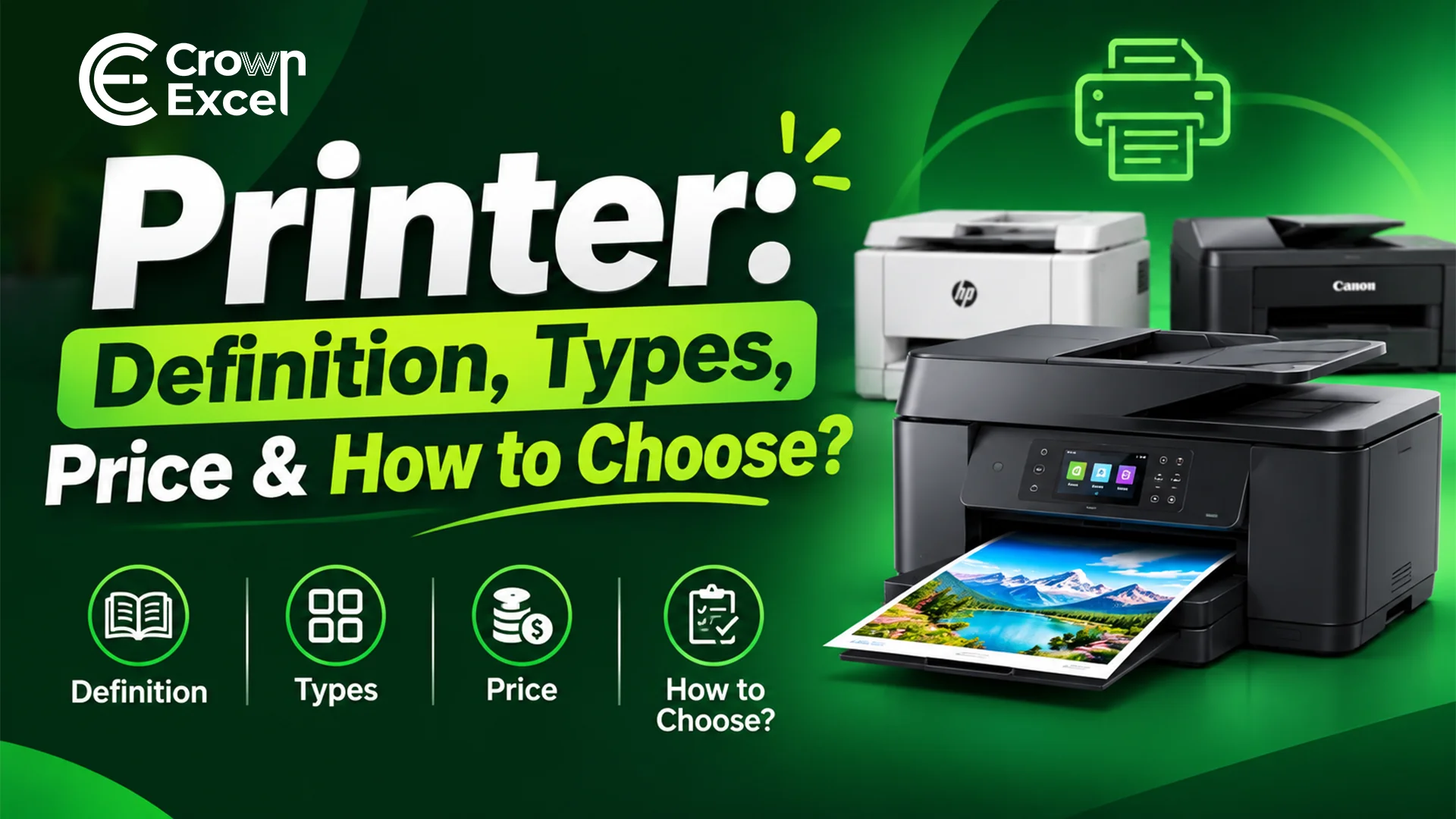
Printer: Definition, Types, Price & How to Choose?

Printer: Definition, Types, Price & How to Choose?

Muhammad Saad•November 11, 2026

A printer is an output device that converts digital documents, images and graphics into physical copies on paper or other compatible materials. Printers receive information from computers, laptops, smartphones or other devices and reproduce it using ink, toner, heat or specialized printing technology. Common types include inkjet, laser, ink tank, thermal, dot matrix, multifunction and Direct-to-Film (DTF) printers. They are used in homes, offices, schools, retail businesses, warehouses and commercial printing facilities. In the UAE, basic home printers are available for a few hundred dirhams, while business and industrial printing equipment can cost several thousand dirhams or more. IT hardware supplier Crown Excel offers wholesale printer solutions for businesses, resellers and organizations purchasing printing equipment in bulk. Choosing the right printer depends on printing volume, document type, print quality, operating costs, connectivity and budget. What Is Printer? A printer is an electronic output device that produces physical copies of digital text, photographs, documents and graphics on paper or other supported printing materials. It receives data from a computer or another compatible device and uses printing mechanisms such as inkjet nozzles, laser imaging or thermal elements to transfer the required information onto a physical surface. Printers are commonly used for office documents, invoices, educational materials, photographs, receipts, labels and commercial printing applications. How Printer Works? A printer works by receiving digital information from a connected device, processing the print instructions and reproducing text or images on a suitable material. The printing mechanism depends on the technology being used. Inkjet printers spray microscopic ink droplets onto paper, while laser printers use electrostatic imaging, toner and heat to produce printed documents. The printing process generally follows these steps: Receive the Print Command: The user selects a document or image and sends a print request from a computer, smartphone or another compatible device. Process the Print Data: The printer driver, application or printer controller converts the document into instructions that the printer can process. Prepare the Printing Mechanism: The printer positions the paper and prepares its printhead, toner system or other printing components. Feed the Paper: Rollers move paper or another supported printing material from the input tray into the printer. Transfer the Image: An inkjet printer deposits ink droplets, while a laser printer transfers toner to the paper using an electrostatic imaging process. Fix the Printed Image: In laser printers, a heated fuser bonds toner to the paper. Inkjet printers rely on the ink's interaction with the printing material and its drying or absorption. Deliver the Printed Output: The completed document moves into the output tray for collection. What Are the Types of Printer? The types of printers include inkjet, laser, ink tank, dot matrix, thermal, multifunction, photo, label, DTF, DTG, sublimation, large-format and 3D printers. They differ in their printing technology, supported materials, operating costs and intended applications. Inkjet and laser printers are commonly used for everyday documents, while specialized printers support activities such as textile decoration, product labelling and industrial production. The main types of printers are: Inkjet Printer: Sprays microscopic ink droplets onto paper to print documents, photographs and colour graphics. Laser Printer: Uses electrostatic imaging, toner and heat to produce sharp text and graphics, commonly for office printing. Ink Tank Printer: Uses refillable ink reservoirs instead of conventional small cartridges, making it suitable for frequent printing where low ink cost per page is important. Dot Matrix Printer: Uses pins striking an inked ribbon to create characters and images, commonly for multipart forms and specialized business records. Thermal Printer: Uses heat to create images on thermal media or transfer ink from a ribbon, commonly for receipts, barcodes and shipping labels. Multifunction Printer (MFP): Combines printing with functions such as scanning and copying, with fax capabilities available on certain models. Photo Printer: Produces photographic prints using inkjet, dye-sublimation or other supported imaging technologies. Label Printer: Prints product labels, barcode stickers, address labels and inventory identification materials. Direct-to-Film (DTF) Printer: Prints designs onto specialized film using compatible inks, allowing the designs to be transferred onto fabrics through adhesive powder, curing and heat pressing. Direct-to-Garment (DTG) Printer: Prints suitable designs directly onto fabric, commonly for customized T-shirts and other garments. Dye-Sublimation Printer: Uses heat to transfer dye onto compatible coated materials or polyester-based fabrics. Large-Format Printer or Plotter: Produces oversized drawings, architectural plans, posters, banners and technical graphics. 3D Printer: Creates three-dimensional objects from digital designs by adding material layer by layer. LED Printer: Uses an LED imaging array rather than a scanning laser to create the electrostatic image used in electrophotographic printing. Impact Line Printer: Prints entire lines using mechanical impact mechanisms, traditionally for high-volume data processing and specialized business applications. What Are the Components of Printer? The components of a printer include the printhead or imaging mechanism, paper tray, feed rollers, control board, power supply and output tray. These parts work together to receive printing instructions, move printing materials and reproduce text or images. The exact components depend on the printer's technology, as inkjet printers use ink delivery systems, while laser printers contain toner, imaging drums and fuser assemblies. The main printer components include: Printhead: Deposits ink onto paper through microscopic nozzles in inkjet printing systems. Ink Cartridge: Stores ink used by compatible inkjet printers. Ink Tank: Holds refillable ink in printers designed with reservoir-based ink systems. Toner Cartridge: Contains toner powder used in laser and related electrophotographic printers. Imaging Drum: Carries an electrostatic image that helps transfer toner during laser printing. Fuser Assembly: Uses heat and pressure to bond toner to the printing material. Paper Input Tray: Holds paper before it enters the printer. Paper Feed Rollers: Move paper through the printing mechanism. Output Tray: Collects completed printed documents. Printer Controller Board: Processes printing instructions and controls the printer's electronic and mechanical operations. Memory: Temporarily stores print data, instructions and operational information. Power Supply: Provides electrical power to the printer's components. USB Port: Connects compatible printers to computers and other supported devices. Network Interface: Enables supported printers to communicate through Ethernet or wireless networking. Control Panel: Allows users to operate printing functions and view device status. Display Screen: Shows printer settings, notifications, errors and operational information on compatible models. Sensors: Detect paper position, open covers, ink or toner conditions and other operating states. Duplex Printing Unit: Enables automatic printing on both sides of a sheet in supported models. Scanner Assembly: Captures images of documents in multifunction printers. Automatic Document Feeder (ADF): Feeds multiple pages into the scanning mechanism on compatible multifunction printers. Waste Ink or Toner Collection System: Collects excess ink or toner generated during certain printing and maintenance operations. Motors and Drive Mechanisms: Move paper, printheads and other mechanical components. Printhead Carriage: Moves the printhead across the printing area in many inkjet printer designs. Firmware: Controls printer operation, hardware functions and supported communication features. What Is the History of Printer? The history of computer printers developed from early mechanical printing equipment into electronic printing systems used for data processing and document production. During the 1950s, manufacturers introduced high-speed printers for large computer systems. Remington Rand developed a high-speed printer for UNIVAC in 1953, while IBM introduced the IBM 1403 line printer in 1959. These early computer printers primarily used mechanical impact mechanisms to reproduce text and numerical information. Printer technology continued to develop during the 1960s and 1970s. Epson introduced its compact EP-101 digital printer in 1968, while improvements in dot matrix and laser technologies expanded printing capabilities. During the 1980s, personal and office printers became more accessible. HP introduced the original LaserJet in 1984 and the DeskJet inkjet printer in 1988, helping bring non-impact printing technology into smaller workplaces. During the 1990s and 2000s, colour inkjet printers, multifunction devices, digital photography printers and network-connected office machines became more widespread. Modern printers now support features such as wireless printing, automatic duplexing, high-capacity ink tanks, secure printing and mobile device connectivity. Specialized technologies, including DTF and 3D printing, have expanded printing beyond traditional paper documents into garment customization and physical object production. What Is Printer Used For? A printer is used to produce physical copies of digital information, including documents, photographs, labels, reports and graphics. Printers support everyday personal activities as well as commercial and industrial operations. Their applications depend on the printing technology, supported materials and required output volume. The major uses of printers include: Office Documentation: Print letters, reports, contracts, meeting documents and business correspondence. Education: Produce assignments, worksheets, examinations, certificates and classroom learning materials. Business Invoicing: Print invoices, quotations, purchase orders and transaction records. Retail Operations: Generate receipts, product labels, price tags and barcode stickers. Healthcare: Print permitted medical reports, prescriptions, patient documents and administrative records. Banking and Finance: Produce financial statements, application forms and other authorized documents. Photography: Print digital photographs and visual materials using compatible photo printers. Shipping and Logistics: Generate shipping labels, packaging identifiers, inventory labels and tracking documents. Marketing and Advertising: Print promotional materials, posters, brochures, flyers and banners. Engineering and Architecture: Produce technical drawings, plans and large-format design documents. Garment Printing: Apply custom designs to T-shirts, uniforms and other compatible textiles using DTF, DTG or sublimation processes. Manufacturing: Produce identification labels, product documentation and specialized industrial printing output. Government Administration: Print application forms, certificates, notices and official records where physical documentation is required. 3D Prototyping: Manufacture physical prototypes, models and selected functional parts using additive manufacturing printers. What Is the Printer Wholesale Price in UAE? The wholesale price of printers in the UAE depends on the manufacturer, printing technology, model, order quantity, product availability and warranty conditions. Basic inkjet and monochrome laser printers generally cost less than enterprise colour laser printers, commercial multifunction systems and industrial printing equipment. These figures are retail price examples, not wholesale quotations . They can vary by retailer, promotion, stock status and date. Buyers should not assume that a particular percentage discount or margin applies to bulk purchases. Crown Excel offers bulk and wholesale printer solutions in Dubai and across the UAE , supplying printing equipment for business operations, offices, resellers and commercial procurement. Its published printer range includes HP LaserJet and Color LaserJet models, Canon PIXMA ink tank printers and Epson printers. Examples include the HP LaserJet MFP M141a, Canon PIXMA G3410, Canon PIXMA G2430 and enterprise HP multifunction printers. Businesses seeking wholesale printer pricing from Crown Excel should specify the required brand, exact model, quantity, printing volume and delivery location. A complete quotation should also clarify VAT, warranty coverage, delivery charges, compatible consumables and any requested installation or support services. For a practical price comparison, selected advertised UAE retail prices in 2026 include: Printer Model Advertised Retail Price (AED) HP DeskJet Ink Advantage 2876 Approximately 233 Brother HL-L2460DN Monochrome Laser Approximately 500–520 HP LaserJet MFP M141a Approximately 525 Epson EcoTank L3250 Approximately 600 Brother DCP-L5510DW Monochrome Multifunction Laser Approximately 1,273 HP Color LaserJet Pro MFP 3303sdw Approximately 1,600 How to Choose the Right Printer To choose the right printer, identify your main printing requirements and compare printer technology, print volume, speed, running costs, connectivity and purchase price. Inkjet or ink tank printers are often suitable for colour documents and photographs, while monochrome laser printers are practical for regular text printing. Businesses handling large document volumes should consider enterprise printers with appropriate duty cycles, paper capacity and maintenance support. Follow these steps when choosing a printer: Identify Your Printing Purpose: Determine whether the printer will be used for home documents, office records, photographs, labels, commercial production or garment printing. Select the Printer Type: Choose inkjet or ink tank technology for suitable colour applications, laser printing for many office workflows, thermal printing for receipts and labels, or specialized equipment such as DTF printers for garment customization. Estimate Monthly Printing Volume: Calculate approximately how many pages or items you expect to print. Compare this requirement against the manufacturer's recommended monthly print volume rather than relying only on its maximum duty cycle. Decide Between Colour and Monochrome: Choose a monochrome printer if most documents contain black text. Select a colour printer when photographs, presentations, graphics or colour-coded documents are regularly required. Compare Printing Speed: Check the rated speed in pages per minute (PPM) or images per minute (IPM), using comparable test standards where possible. High-volume offices may benefit from faster printers. Evaluate Print Quality: Compare resolution, colour capabilities, ink or toner technology and sample output. The advertised dots-per-inch (DPI) value alone does not determine overall image quality. Check Connectivity: Determine whether USB, Ethernet, Wi-Fi, Wi-Fi Direct or mobile printing support is required. Verify compatibility with your computers and operating systems. Consider Multifunction Features: Choose a multifunction printer if scanning and copying are required. Automatic document feeding and duplex scanning may be useful for handling large document sets. Calculate Printing Costs: Review the printer purchase price, ink or toner replacement costs, consumable yields and expected cost per page. A cheaper printer may have higher long-term running costs. Check Paper Handling: Confirm supported paper sizes, media types, input tray capacity and automatic duplex printing features. Review Warranty and Maintenance: Check warranty conditions, consumable availability, service support and the cost of replacement parts. Evaluate Wholesale Requirements: For bulk procurement, compare exact models, minimum order quantities, delivery schedules, stock availability, warranties and supplier quotations. How Do I Connect My PC to My Printer? To connect your PC to a printer, turn on the printer and connect it using a USB cable or the same Wi-Fi network as your computer. On Windows 11, open Settings > Bluetooth & devices > Printers & scanners > Add device , select your printer and follow the installation instructions. If the printer is not detected, install the compatible driver recommended by its manufacturer. Once connected, print a test page to confirm that the printer works correctly. How to Maintain Printers for Good Working Condition To maintain a printer in good working condition, clean accessible exterior surfaces, remove dust, use compatible paper and replace ink or toner when necessary. Keep the printer in a clean, dry and well-ventilated location. For inkjet printers, print periodically and follow the manufacturer's instructions for nozzle checks or printhead cleaning when print quality deteriorates. Avoid unnecessary repeated cleaning cycles because they consume ink. Check paper trays and rollers for dust, damaged paper and debris, and remove paper jams according to the printer's instructions. Install manufacturer-approved firmware updates, use suitable consumables and schedule professional servicing when required. For laser printers, allow hot internal components to cool before maintenance and avoid touching or cleaning sensitive parts unless the manufacturer's instructions specifically permit it.
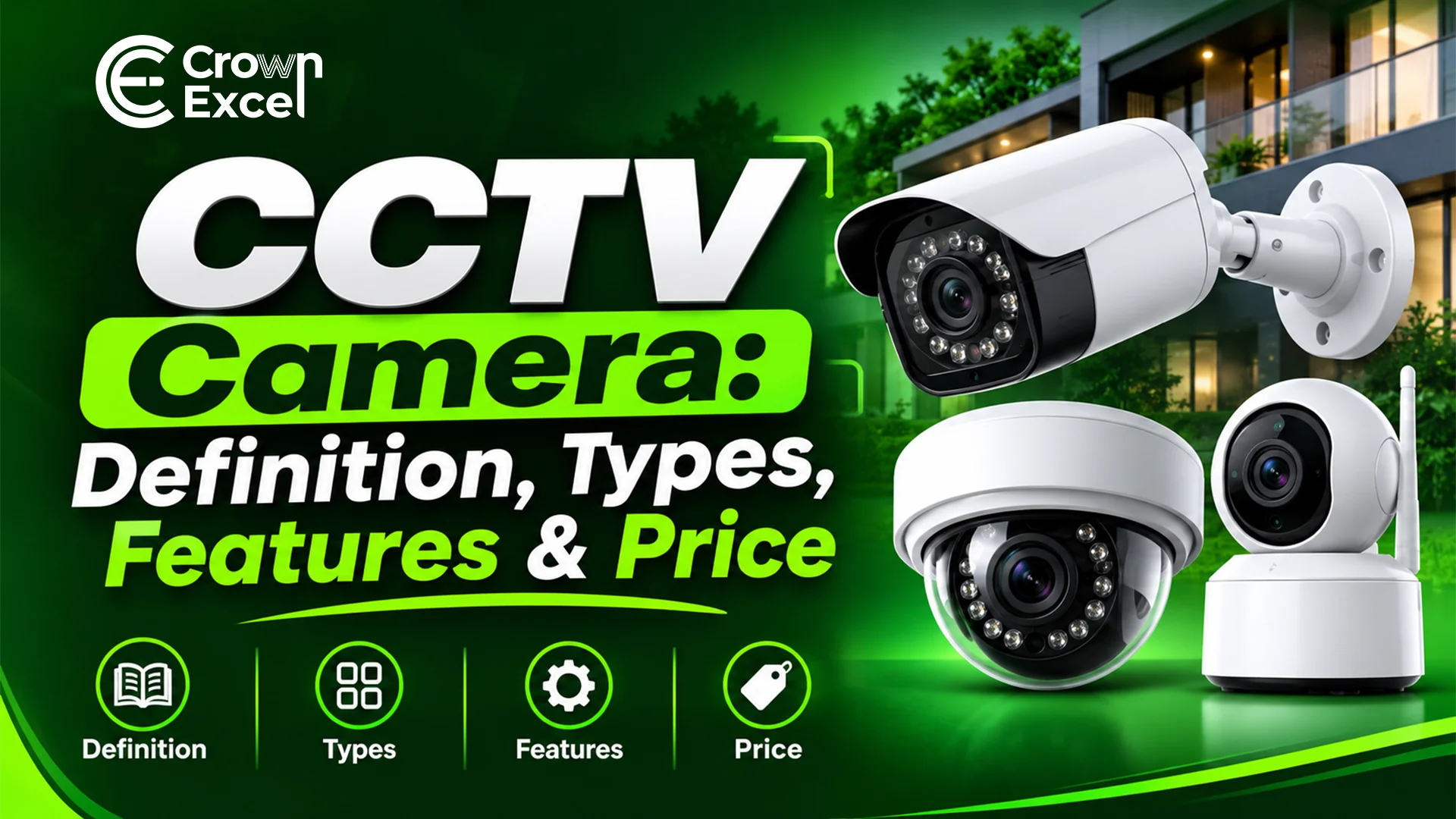
CCTV Camera: Definition, Types, Features & Price

CCTV Camera: Definition, Types, Features & Price

Muhammad Saad•November 11, 2026

A CCTV camera is a video surveillance device that captures footage of a specific area and transmits it to a monitoring or recording system. CCTV stands for Closed-Circuit Television and is used for security monitoring in homes, offices, retail stores, warehouses, commercial buildings and other facilities. CCTV cameras work by capturing images through a lens and image sensor, then transmitting video to a recorder, monitor or authorized viewing device. Common types include dome, bullet, turret, PTZ, IP and infrared cameras, with features such as night vision, motion detection, high-resolution recording and remote access. In the UAE, CCTV prices vary according to camera type, resolution, brand and recording requirements. Businesses purchasing CCTV equipment in bulk must also consider storage capacity, installation costs and applicable security regulations. Dubai-based IT hardware supplier Crown Excel offers CCTV and security products for wholesale and commercial procurement. What Exactly CCTV Means? CCTV stands for Closed-Circuit Television. It is a video monitoring system in which cameras transmit footage to a designated set of monitors, recording devices or authorized users rather than broadcasting it openly to the public. CCTV systems are used to observe activities, monitor designated areas and record video that can be reviewed when necessary. A CCTV system generally includes cameras, video transmission connections, recording equipment, storage and viewing software or monitors. Traditional CCTV systems commonly used analog cameras connected to recording equipment, while modern systems may use digital IP cameras connected through computer networks. Both approaches can support continuous monitoring and video recording. What Is CCTV Surveillance? CCTV surveillance is the use of cameras and recording systems to monitor activities in designated locations for security, safety and operational purposes. It enables authorized personnel to view live footage, review recorded incidents and monitor areas such as entrances, corridors, parking facilities, retail spaces and warehouses. Surveillance systems may record continuously or according to configured schedules and events. What Is CCTV Channel? A CCTV channel is an input or supported camera connection within a video recording or monitoring system. In a DVR or NVR, a channel generally represents the ability to receive, display or record footage from one camera, although some systems have additional licensing or bandwidth limitations. Common CCTV recorder configurations include: 4-Channel Recorder, 8-Channel Recorder, 16-Channel Recorder, 32-Channel Recorder, 64-Channel Recorder. How CCTV Camera Works? A CCTV camera works by capturing light from a monitored area, converting it into a video signal and transmitting the footage to a recording or viewing system. The camera uses a lens and image sensor to produce images, while internal electronics process the footage before it is displayed, stored or transmitted. Analog cameras send video signals to compatible recorders, whereas IP cameras convert footage into digital data for transmission across a network. The CCTV recording process typically follows these steps: Capture the Scene: The camera lens collects light from the area being monitored and directs it toward the image sensor. Convert Light Into Image Data: The image sensor converts incoming light into electrical signals that are processed into video images. Process the Video: The camera adjusts image characteristics such as exposure, colour and noise reduction. Digital cameras may also compress footage using formats such as H.264 or H.265. Transmit the Footage: Analog cameras send signals through suitable video cables, while IP cameras transmit digital video through Ethernet or supported wireless connections. Receive the Video: A digital video recorder (DVR), network video recorder (NVR) or video management system receives footage from compatible cameras. Store the Recording: The system saves video to a hard drive, network storage or another configured recording destination. Display Live or Recorded Video: Authorized users view footage through monitors, computers or compatible mobile applications. Generate Alerts: Cameras or recording systems with supported analytics can notify authorized users when configured events, such as motion or line crossing, are detected. What Are the Components of CCTV Camera? The components of a CCTV camera include a lens, image sensor, image processor, circuit board, power circuitry and protective housing. These parts work together to capture, process and transmit video. A complete CCTV surveillance system also needs supporting equipment for recording, storage, power distribution, monitoring and network communication. The main camera and system components include: Camera Lens: Focuses incoming light onto the image sensor and determines the viewing angle. Image Sensor: Converts light into electrical signals used to create video images. CMOS sensors are common in modern cameras. Image Processor: Processes video data, including exposure, colour correction, noise reduction and compression. Circuit Board: Connects and supports the electronic components inside the camera. Camera Housing: Protects internal hardware from physical damage and environmental exposure. Infrared LEDs: Provide infrared illumination for compatible night-vision cameras. IR-Cut Filter: Helps maintain colour accuracy during daylight and supports infrared imaging when switched for night operation. Power Circuitry: Regulates the electrical power supplied to the camera. Network Interface: Enables digital cameras to transmit video through compatible wired or wireless networks. Microphone: Captures sound in models that support audio recording, subject to applicable legal requirements. Mounting Bracket: Holds the camera in its intended installation position. Digital Video Recorder (DVR): Receives and records video from compatible analog camera systems. Network Video Recorder (NVR): Receives and records digital streams from compatible IP cameras. Hard Disk Drive (HDD): Stores recorded surveillance footage. Surveillance-rated storage is commonly used in continuous-recording systems. Power Supply: Provides the required electrical power to cameras and associated equipment. Power over Ethernet (PoE) Switch: Can transmit network data and compatible electrical power through Ethernet cables. Coaxial Cable: Carries video signals in many analog CCTV installations. Ethernet Cable: Connects IP cameras, network switches and recording equipment. Monitor: Displays live or recorded video for authorized users. Video Management Software (VMS): Provides functions for monitoring, camera management, searching recordings and controlling user access. Uninterruptible Power Supply (UPS): Supplies temporary backup power during interruptions, depending on its capacity and connected equipment. What Are the Types of CCTV Camera? The types of CCTV cameras include dome, bullet, turret, PTZ, IP, analog, wireless, infrared, thermal and panoramic cameras. They are classified according to their physical design, video transmission technology, imaging capabilities and intended installation environment. Some categories overlap because a single camera can have several characteristics, such as an outdoor IP bullet camera with infrared night vision. The main types of CCTV cameras are: Dome CCTV Camera: A camera housed in a dome-shaped enclosure, commonly installed on ceilings in offices, retail stores, corridors and commercial buildings. Bullet CCTV Camera: A cylindrical camera frequently used for monitoring entrances, outdoor boundaries, parking areas and other specific viewing directions. Turret CCTV Camera: A compact camera with an adjustable ball-shaped camera head, suitable for indoor or outdoor surveillance depending on its protection rating. PTZ CCTV Camera: A pan-tilt-zoom camera that can change its viewing direction and optical zoom through supported manual or automated controls. IP CCTV Camera: A network-connected camera that converts footage into digital data and transmits it through compatible network infrastructure. Analog CCTV Camera: A camera that sends video signals to a compatible DVR, commonly using coaxial cabling. Wireless CCTV Camera: A camera that transmits video through a supported wireless connection. Many wireless models still require a wired power supply. Infrared CCTV Camera: A camera equipped to capture images in low-light conditions using infrared illumination. Thermal CCTV Camera: A camera that detects infrared radiation associated with temperature differences, useful for certain industrial and perimeter-monitoring applications. Fisheye CCTV Camera: A wide-angle camera designed to capture a broad scene, often with a panoramic or circular view. Multi-Sensor CCTV Camera: A camera containing multiple imaging sensors to provide coverage across different directions. Box CCTV Camera: A camera with a rectangular body that may support interchangeable lenses and specialized protective enclosures. Mini or Compact CCTV Camera: A small surveillance camera used in locations with limited mounting space, subject to applicable visibility and privacy requirements. Varifocal CCTV Camera: A camera with an adjustable focal length that allows the field of view to be changed during installation or, in motorized models, remotely. License Plate Recognition Camera: A specialized camera or imaging system configured to capture vehicle registration plates, often combined with automatic number plate recognition software. What's the Difference Between CCTV & Security Camera? The difference between a CCTV camera and a security camera is mainly terminology and system architecture. CCTV traditionally refers to cameras transmitting footage through a closed monitoring system, while security camera is a broader term for cameras used to monitor and protect an area. Many modern IP security cameras are also part of CCTV systems, so the terms frequently overlap. Feature CCTV Camera Security Camera Meaning Camera used within a closed-circuit surveillance system General term for a camera used for security monitoring Technology Can use analog or digital IP technology Can use analog, IP or wireless technology Recording Often connected to DVR, NVR or centralized video storage May use a recorder, memory card, cloud storage or another system Connectivity Usually part of a designated surveillance network Can be part of a local or internet-connected setup Remote Viewing Available on supported systems Available on supported systems Common Applications Commercial buildings, warehouses, shops and offices Homes, workplaces, buildings and outdoor locations What Is the History of CCTV Camera? The history of CCTV cameras dates back to early closed-circuit television systems developed for specialized monitoring during the twentieth century. One important early application was a system installed at the German V-2 rocket testing facility at Peenemünde in 1942. Associated with engineer Walter Bruch, it allowed personnel to observe rocket launches from a protected location rather than standing near the launch area. During the following decades, closed-circuit television expanded into industrial monitoring, commercial security and public surveillance. Early systems relied on analog video transmission and often required personnel to watch live monitors because practical recording equipment was limited. The development of videotape recording made it possible to preserve footage for later review, while advances in electronic imaging reduced camera size and improved reliability. During the 1990s and 2000s, digital recording systems, DVRs, IP cameras and network-based monitoring changed CCTV technology. Digital video compression enabled recordings to be stored more efficiently, while network connectivity expanded remote access and centralized management. Modern CCTV cameras can support high-resolution imaging, low-light monitoring, event detection and AI-assisted video analytics. The growth of network surveillance has also created demand for complete CCTV camera systems, recording equipment and bulk hardware procurement. Commercial buyers increasingly need compatible cameras, recorders, storage and network components rather than individual devices alone. How CCTV Camera USED? CCTV cameras are used to monitor designated areas, record activities, support incident investigations and improve awareness of safety and security conditions. Businesses use surveillance cameras to observe entrances, monitor inventory areas, review operational incidents and support security staff. Their effectiveness depends on suitable installation, recording quality and lawful monitoring practices. The main uses of CCTV cameras include: Home Security: Monitor entrances, driveways and other appropriate areas around residential properties. Retail Stores: Observe entrances, sales floors and checkout areas for security and operational purposes. Office Buildings: Monitor reception areas, entrances, corridors and other authorized locations. Warehouses: Observe loading areas, inventory movement, access points and storage zones. Parking Facilities: Monitor vehicle movement, entrances, exits and parking areas. Schools and Educational Facilities: Support safety monitoring in areas where surveillance is lawful and permitted. Hospitals and Healthcare Facilities: Monitor designated public and operational areas while respecting patient privacy. Hotels: Observe appropriate entrances, lobbies, corridors and other common areas. Industrial Facilities: Monitor machinery, restricted areas and safety-sensitive operations. Construction Sites: Observe site access, stored equipment and selected work areas. Banks and Financial Institutions: Support physical security and incident review around authorized monitoring locations. Logistics and Transportation: Monitor loading docks, vehicle access and distribution operations. Building Management: Support investigation of incidents and monitoring of shared facilities. Incident Documentation: Preserve footage that may assist authorized personnel in reconstructing events. Do You Provide CCTV Installation? Crown Excel offers CCTV cameras and security-related hardware for commercial and bulk procurement in Dubai. Its publicly listed CCTV products include IP network cameras, outdoor bullet cameras, PTZ cameras and surveillance recording kits. However, direct CCTV installation by a Crown Excel team has not been clearly confirmed from its published product information. Businesses requiring installation should confirm whether Crown Excel provides the service directly or through an appropriately licensed installation partner. In Dubai, CCTV installation and maintenance are regulated security activities, and the provider must hold the relevant Security Industry Regulatory Agency (SIRA) authorization. Buyers should verify installation scope, licensing, system commissioning, maintenance responsibilities and any required approvals before placing an order. What Is the Importance of CCTV Cameras in UAE Business? CCTV cameras are important for UAE businesses because they support security monitoring, incident documentation, access-point observation and the protection of commercial assets. Retail stores, offices, warehouses, hotels and other facilities use surveillance systems to monitor operations and assist authorized staff when reviewing security incidents. CCTV systems are particularly relevant in Dubai, where the Security Industry Regulatory Agency regulates security services and establishes technical requirements for covered establishments. Dubai's 2025 Preventive Systems Manual contains standards for surveillance cameras, video recording, equipment protection, installation and maintenance. The requirements differ according to the type of facility and its activities. For covered installations, the manual includes a baseline recording duration of at least 31 days, with longer periods required for certain categories of facilities. Businesses must determine the applicable requirements for their specific premises rather than assuming one retention period applies everywhere in the UAE. Properly designed CCTV systems can help businesses review incidents, monitor restricted areas, document certain workplace safety events and support security operations. However, CCTV should be considered one part of a wider security strategy that may also include access control, alarms, physical protection, trained personnel and cybersecurity measures. What Is the Future of CCTV? The future of CCTV is moving toward AI-assisted video analytics, higher-resolution imaging, more efficient storage and improved integration with other security systems. Modern surveillance cameras are increasingly capable of detecting and classifying objects, distinguishing between people and vehicles, identifying movement patterns and generating event-based alerts. These technologies can help security teams review footage more efficiently, although their accuracy depends on camera positioning, environmental conditions and the capabilities of the software. Cloud-connected and hybrid surveillance systems are also becoming more common. Hybrid systems combine local recording with selected cloud-based management functions, allowing organizations to manage cameras across multiple facilities without necessarily storing all footage online. Advances in video compression, cybersecurity and network management can further improve system efficiency. In the UAE, future CCTV adoption will also depend on security regulations, data protection requirements, equipment compatibility and the ability of businesses to maintain their surveillance infrastructure. What Are the Features of CCTV Camera? The features of CCTV cameras include high-resolution video, night vision, motion detection, remote monitoring, weather resistance and recording capabilities. Advanced cameras may also provide AI-assisted analytics, optical zoom, two-way audio and integration with other security equipment. Available features vary according to camera type, brand and model. The main CCTV camera features include: High-Resolution Recording: Captures video at resolutions such as 1080p (2MP), 4MP, 5MP or 8MP (4K), providing different levels of image detail. Infrared Night Vision: Uses infrared illumination to capture images in low-light or dark environments. Motion Detection: Detects movement within configured areas and can trigger recording or notifications. Wide Dynamic Range (WDR): Helps maintain visibility in scenes containing both bright and dark areas. Remote Monitoring: Allows authorized users to view compatible cameras through computers or mobile applications. Weather Resistance: Protects outdoor cameras against dust and water exposure according to ratings such as IP66 or IP67. Pan-Tilt-Zoom (PTZ): Allows compatible cameras to change viewing direction and optical zoom. Power over Ethernet (PoE): Allows compatible IP cameras to receive power and network data through an Ethernet cable. Video Compression: Uses formats such as H.264 or H.265 to reduce video storage and transmission requirements. AI Video Analytics: Supports selected functions such as person detection, vehicle classification, line crossing and intrusion alerts. Two-Way Audio: Enables communication through cameras equipped with compatible microphones and speakers. Local Storage: Allows certain cameras to save footage directly to memory cards. Cloud Connectivity: Provides supported remote management, recording or backup functions. Tamper Detection: Generates alerts when certain changes to a camera's position or view are detected. Optical Zoom: Changes image magnification through the camera lens while maintaining optical image detail. Wide-Angle Coverage: Allows cameras with suitable lenses to monitor broader areas. Smart Notifications: Sends alerts when configured events are detected. Access Controls: Restricts video viewing and system management to authorized users. What Is the CCTV Wholesale Price in UAE? The CCTV wholesale price in the UAE varies according to resolution, camera type, brand, quantity, warranty and technical capabilities. Based on published indicative UAE market pricing for 2026, 4MP fixed IP cameras may cost approximately AED 180–700 per unit, depending on whether they are indoor dome, turret or outdoor bullet models. Advanced 8MP cameras and PTZ systems can cost substantially more. These ranges are indicative supplier-market estimates, not verified transaction averages or confirmed Crown Excel quotations. The following table shows indicative wholesale equipment price ranges for the UAE. CCTV Equipment Indicative Wholesale Price (AED) 4MP Indoor IP Dome or Turret Camera 180–550 4MP Outdoor IP Bullet Camera 230–700 8MP Outdoor IP Camera 450–1,600 4MP PTZ Camera with Optical Zoom 2,200–9,000 16-Channel NVR Without Storage Disk 700–3,500 How to Choose the Right CCTV System To choose the right CCTV system, identify the areas requiring surveillance, determine the number of cameras needed and select equipment based on image quality, coverage, recording capacity and environmental conditions. Commercial buyers in the UAE should also check applicable security regulations, equipment approval requirements, installation arrangements and long-term maintenance needs. Follow these steps when selecting a CCTV system: 1. Identify Your Surveillance Purpose: Determine whether the system is intended for entrance monitoring, property protection, warehouse operations, retail security or another permitted purpose. 2. Calculate the Number of Cameras: Assess the layout, entrances, exits, corridors, blind spots and areas requiring coverage. Avoid assuming that a single wide-angle camera will provide sufficient identification detail everywhere. 3. Choose the Camera Type: Select dome or turret cameras for suitable indoor locations, weather-resistant bullet cameras for outdoor monitoring and PTZ cameras where controllable views are required. 4. Select the Required Resolution: Choose a resolution appropriate to the monitoring objective and viewing distance. Higher resolution may provide additional detail but cannot compensate for unsuitable lighting or camera placement. 5. Evaluate Night-Vision Performance: Consider infrared range, low-light image quality, external lighting and the actual distances being monitored. 6. Select a Compatible Recording System: Choose a DVR for compatible analog cameras or an NVR or VMS for supported IP cameras. Confirm channel capacity, recording throughput and integration capabilities. 7. Calculate Storage Requirements: Estimate recording storage using the number of cameras, resolution, frame rate, compression settings, daily recording duration and required retention period. 8. Check Networking and Power: Confirm PoE compatibility, network capacity, cable lengths, electrical requirements and backup power arrangements. 9. Verify Security and Privacy Features: Check authentication, access permissions, software update support, encryption options and controls for accessing or exporting recordings. 10. Review UAE Regulatory Requirements: In Dubai, determine whether the installation falls under SIRA requirements and the applicable provisions of the Preventive Systems Manual. Other emirates may impose different requirements. 11. Compare Warranty and Maintenance Support: Evaluate product warranties, repair arrangements, spare-part availability and the services provided by the supplier or licensed installation company. 12. Request a Complete Project Quotation: Compare the cost of cameras, recorders, storage, switches, cables, installation, commissioning and ongoing maintenance rather than considering only the camera unit price.

How To Choose Laptop?

How To Choose Laptop?

Muhammad Saad•November 5, 2026

To choose a laptop, first identify your purpose, preferred operating system and budget. Then compare the processor (CPU), RAM, storage, graphics card (GPU), display quality, battery life, connectivity and portability. For most students, office workers and everyday users, a laptop with a modern mid-range processor, 16GB RAM, a 512GB SSD and a Full HD or higher-resolution display provides a practical starting point. Gaming, video editing, engineering and other demanding applications may require more powerful hardware. Business buyers, IT hardware resellers and wholesale purchasers should also consider warranty coverage, product availability, configuration consistency and long-term support before selecting laptops. How to Choose Laptop by Your Purpose? To choose a laptop by your purpose, identify the applications you use regularly and select hardware that meets their performance requirements. Students and office workers generally need portable laptops with reliable battery life, while gamers, engineers and creative professionals may require faster processors, dedicated graphics and additional RAM. Businesses and wholesale buyers must also evaluate device management, warranty terms, bulk pricing and hardware availability. Choose laptop specifications according to these requirements: For Students: Choose a lightweight laptop with a modern entry-level or mid-range processor, preferably 16GB RAM, a 256GB–512GB SSD and sufficient battery life for classes and assignments. An 8GB model can be suitable for basic tasks when the budget is limited. For Office Work: Select a laptop with an Intel Core 5/Core Ultra 5, AMD Ryzen 5 or comparable processor, 16GB RAM and a 512GB SSD. Prioritize a comfortable keyboard, reliable webcam and essential connectivity ports. For Gaming: Choose a laptop with a dedicated NVIDIA GeForce RTX or AMD Radeon GPU, capable processor, at least 16GB RAM and effective cooling. A 120Hz or higher-refresh-rate display can improve the gaming experience when the hardware delivers sufficient frame rates. For Graphic Design and Video Editing: Select a laptop with a powerful multicore processor, 16GB–32GB RAM, fast SSD storage and a colour-accurate display. More demanding editing and rendering workloads may benefit from a dedicated GPU. For Programming: Choose a laptop with 16GB RAM and an SSD for general development. Consider 32GB or more when using multiple virtual machines, containers, large development environments or memory-intensive applications. For Engineering and CAD: Select a laptop based on the requirements of the specific engineering software. Complex 3D modelling and simulation may require a workstation-class processor, dedicated graphics and 32GB RAM or more. For Business and Enterprise: Choose business-class laptops with appropriate security features, reliable manufacturer support, operating system compatibility and device management capabilities. Standardized hardware configurations help simplify company-wide deployment. For Remote Work: Prioritize battery life, portability, webcam quality, microphone performance, Wi-Fi connectivity and compatibility with docking stations or external monitors. For Wholesale Purchasing: Compare exact model numbers, stock availability, minimum order quantities, warranty coverage, supplier reliability, delivery schedules and bulk pricing before placing an order. For Laptop Reselling: Select models that match customer demand and target price ranges. Verify product authenticity, regional keyboard layouts, operating system licences, warranty terms and expected resale margins. . Which Operating System Should You Choose for Your Laptop? You should choose a laptop operating system based on the software you need, your existing devices and your preferred working environment. The four major options are Windows, macOS, ChromeOS and Linux. Each operating system supports different applications, hardware configurations and management requirements. The main operating systems to consider are: Windows: Suitable for general computing, office applications, gaming, engineering and enterprise environments. It supports a wide range of laptop manufacturers, business software and peripherals. macOS: Suitable for users who prefer Apple MacBooks and the Apple ecosystem. It supports productivity, programming, design and creative applications, although some Windows-specific software and games are unavailable natively. ChromeOS: Suitable for web browsing, online education, cloud-based applications and basic productivity. Chromebooks can also run supported offline applications, but compatibility with specialized desktop software is more limited. Linux: Suitable for developers, system administrators and users who need open-source computing environments. Hardware and software compatibility depend on the Linux distribution and laptop model. Should You Buy a Traditional Laptop or a 2-in-1 Convertible? You should buy a traditional laptop if your main activities involve typing, office work, programming, gaming or other keyboard-focused tasks. Choose a 2-in-1 convertible if you also need touchscreen interaction, handwritten notes, digital drawing or tablet-style use. Both designs can provide similar computing capabilities, but their flexibility, ergonomics and prices differ. A traditional laptop uses a conventional clamshell design, with the display connected to the keyboard through a hinge. It is generally a practical option for users who spend long periods typing or using productivity software. A 2-in-1 convertible has a touchscreen and a hinge mechanism that allows it to operate in laptop, tent, presentation or tablet mode. Some 2-in-1 devices instead use detachable keyboards. These models can be useful for students, teachers, designers and mobile professionals. Before buying a 2-in-1, check its weight in tablet mode, hinge quality, touchscreen responsiveness and stylus support. Some models sell the digital pen or detachable keyboard separately. A traditional laptop is usually sufficient when touchscreen or tablet functionality is unnecessary. What Screen Size Is Right for You? The right laptop screen size depends on how often you travel, the amount of workspace you need and whether you use external monitors. Laptop screens are measured diagonally in inches. For most users, a 14-inch laptop offers a practical balance between portability and working space, while 15- to 16-inch models provide more room for multitasking and detailed applications. Common laptop screen sizes include: 11–12 Inches: Suitable for highly portable devices, basic educational tasks and compact computing requirements. The smaller workspace can make extended multitasking less comfortable. 13–14 Inches: Suitable for students, travelling professionals, remote workers and everyday users who prioritize portability. 15–16 Inches: Suitable for office work, programming, spreadsheets, creative tasks and general home use. These sizes provide more display space but usually require a larger laptop body. 17–18 Inches: Suitable for buyers who prioritize large displays, including some gamers, designers and professional users. These laptops are generally heavier and less convenient to carry frequently. How Do You Choose the Right Display Resolution and Panel Type? To choose the right laptop display, compare its resolution, panel technology, brightness, colour accuracy, refresh rate and surface finish. Resolution determines how many pixels the screen displays, while panel technology influences viewing angles, contrast, colour reproduction and other visual characteristics. For everyday productivity, a Full HD (1920 × 1080) or WUXGA (1920 × 1200) display is generally suitable. Higher resolutions provide sharper images and additional detail, although they may increase power consumption. Common laptop display resolutions include: HD (1366 × 768): An older, lower-resolution option that provides less workspace and image detail. It is generally worth avoiding on new mainstream laptops when higher-resolution alternatives are affordable. Full HD (1920 × 1080): A practical resolution for browsing, office work, video calls and everyday entertainment. WUXGA (1920 × 1200): Provides additional vertical workspace compared with Full HD, making it useful for documents, spreadsheets and programming. QHD and Similar Higher Resolutions: Options such as 2560 × 1440 or 2560 × 1600 provide greater image detail for productivity, creative work and gaming. 4K UHD (3840 × 2160): Offers high pixel density but may increase cost and battery consumption. Its benefits depend on screen size and the application. The main laptop panel technologies include: IPS: Offers generally good viewing angles and balanced colour reproduction, making it suitable for office work and general computing. OLED: Provides deep blacks, high contrast and vivid colours, making it attractive for entertainment and creative work. Buyers should consider potential image retention or burn-in with prolonged static content. Mini-LED LCD: Uses advanced backlighting to provide strong brightness and contrast, often in premium displays. TN: An older LCD technology that generally offers narrower viewing angles and weaker colour performance than good IPS panels. How Much Performance Do You Really Need? The amount of laptop performance you need depends on the complexity of your applications, how many tasks you run simultaneously and how long those workloads continue. Basic browsing and document editing require less processing power than gaming, video rendering, software compilation or engineering simulation. Laptop performance is influenced by the CPU, RAM, GPU, storage speed and cooling system. A powerful processor cannot fully compensate for insufficient memory, slow storage or inadequate thermal management. Typical performance requirements are: Usage Practical starting configuration Basic browsing and study Entry-level or mid-range CPU, 8–16GB RAM, SSD Everyday office work Modern mid-range CPU, 16GB RAM, 512GB SSD Heavy multitasking Capable multicore CPU, 32GB RAM, SSD Gaming Gaming-capable CPU, 16–32GB RAM, suitable dedicated GPU Video editing and 3D design Powerful CPU, 32GB RAM, appropriate GPU, fast SSD Engineering and simulation Application-specific CPU/GPU, often 32GB RAM or more Business and enterprise Reliable mid-range or higher CPU, 16–32GB RAM, suitable security and management features How to Choose the Right CPU (Processor) for Your Laptop? To choose the right laptop CPU, compare its processor generation, architecture, performance benchmarks, power efficiency and suitability for your applications. The CPU executes program instructions and handles general computing operations, making it one of the most important components affecting laptop responsiveness. Modern laptop processors include Intel Core and Core Ultra, AMD Ryzen and Ryzen AI, Qualcomm Snapdragon X, and Apple M-series chips. Consider these factors when selecting a CPU: Processor Family: Intel Core and Core Ultra, AMD Ryzen and Ryzen AI, Qualcomm Snapdragon X and Apple M-series processors serve different laptop platforms and performance requirements. Performance Level: Entry-level processors are suitable for basic tasks, while mainstream and higher-performance models can support heavier multitasking, content creation and technical applications. Generation and Architecture: Newer processor designs can improve speed, efficiency or features, but a newer processor is not automatically faster than every older high-performance model. Core Count and Processing Performance: Multiple cores can help with applications that distribute workloads across threads. Single-core performance also matters for many everyday programs. Power Efficiency: Efficient processors can improve battery life and reduce heat, particularly in thin and lightweight laptops. Thermal Design: A processor's sustained performance depends on the laptop's cooling system and configured power limits. Software Compatibility: Verify support for the required operating system, applications and peripherals, especially when considering Arm-based processors. How Much RAM Do You Need in a Laptop? You generally need 16GB RAM for everyday laptop use , including office applications, browsing, video conferencing and moderate multitasking. An 8GB configuration can support lighter workloads, while 32GB or more is preferable for demanding applications such as video editing, virtual machines, large datasets and complex development environments. RAM temporarily stores the data and instructions currently being used by the operating system and applications. Insufficient RAM can lead to slowdowns because the laptop must rely more heavily on storage when available memory becomes limited. Choose RAM capacity according to your workload: 8GB RAM: Suitable for basic browsing, simple office work and lightweight educational applications when usage is limited. 16GB RAM: Recommended for most students, office workers, business users and everyday multitasking. 24GB RAM: Provides additional memory for heavier multitasking where this configuration is available. 32GB RAM: Suitable for professional creative work, software development, larger datasets and heavier multitasking. 64GB RAM or More: Useful for specialized workloads such as complex simulations, large virtual machine environments and memory-intensive professional applications. What Storage Capacity Is Right for Your Laptop? The right laptop storage capacity depends on the amount of software, documents, media and project data you need to keep locally. For most students and office workers, a 512GB SSD provides a practical balance between capacity and price. Users who store large games, videos, engineering files or professional media projects may need 1TB or more. Common laptop storage capacities include: 128GB: Suitable only for limited workloads, lightweight operating systems or applications that rely heavily on external or cloud storage. 256GB: Suitable for basic office tasks, web browsing and modest local file storage. 512GB: Recommended for most everyday users, students and business professionals. 1TB: Suitable for larger applications, gaming, creative projects and extensive local files. 2TB or More: Useful for professional video production, large media libraries, engineering datasets and other storage-intensive tasks. Should You Choose SSD or HDD Storage? You should choose an SSD for a modern laptop because it provides faster data access, quicker startup times and better resistance to physical shocks than a traditional hard disk drive. HDDs remain useful for inexpensive, high-capacity storage, but modern laptops generally benefit more from SSDs as their primary storage. An SSD uses flash memory to store information without moving mechanical parts. An HDD uses rotating magnetic disks and mechanical read/write heads. Feature SSD HDD Technology Flash memory Magnetic rotating disks Performance Faster for typical system and application access Slower, especially for random access Moving parts None Mechanical components Noise Silent during operation May produce mechanical noise Shock resistance Generally better More vulnerable to movement and physical shocks Power consumption Generally lower in comparable laptop applications Varies; mechanical operation can consume more power Cost per GB Often higher Usually lower at high capacities Typical use Operating systems, applications and active files Bulk storage, archives and backups How to Choose the Right GPU (Graphics Card) for Your Laptop? To choose the right laptop GPU, identify whether your applications need basic graphics processing or higher-performance graphics acceleration. A GPU processes visual information and can also accelerate supported computing, rendering and artificial intelligence workloads. For browsing, documents, streaming and general office work, modern integrated graphics are usually sufficient. Gaming, 3D rendering, professional visualization and some video editing applications may benefit from dedicated graphics hardware. Consider the following when choosing a GPU: Gaming Requirements: Check the recommended graphics specifications for the games you intend to play, including resolution, image quality and desired frame rate. Graphics Performance: Compare independent benchmarks for the exact laptop GPU rather than relying only on its product name. Video Memory (VRAM): Dedicated GPUs use VRAM to store graphics data. Demanding games, high-resolution textures and professional applications may require more capacity. GPU Power Limits: Laptop GPUs with the same model name can perform differently because manufacturers configure different power limits and cooling systems. Software Compatibility: Check whether your applications support the GPU and its relevant acceleration technologies. Battery Consumption: High-performance dedicated graphics can increase power consumption, particularly under heavy workloads. Cooling Performance: Effective cooling helps a laptop sustain graphics performance over longer periods. Do You Need Integrated or Dedicated Graphics? You need integrated graphics if your laptop is mainly used for browsing, office work, streaming, video conferencing and other everyday applications. A dedicated GPU is worth considering when you regularly perform demanding gaming, 3D modelling, rendering or other GPU-intensive work. Integrated graphics are built into the processor or system-on-chip and generally share system memory. They can offer good power efficiency and sufficient performance for general computing. Some modern integrated GPUs can also support light gaming and creative applications. Dedicated graphics use separate graphics processing hardware, typically with dedicated video memory. They are designed to provide greater graphics performance, although they often increase laptop cost, heat and power consumption. For most students and business users, integrated graphics provide sufficient functionality. Gamers, 3D designers and professionals using GPU-accelerated software should evaluate dedicated graphics options against their actual workload requirements. A dedicated GPU is not automatically necessary for every video editing, programming or AI task. How Much Battery Life Should You Look for in a Laptop? You should look for approximately 8–10 hours of tested battery life for regular mobile productivity , while 10–12 hours or more is preferable for frequent travel, university use and full working days away from charging facilities. If a laptop will remain connected to power most of the time, battery endurance may be a lower priority. Battery life depends on the processor, display brightness, refresh rate, battery capacity, power settings and applications being used. Manufacturer battery figures are usually measured under specific test conditions and may differ substantially from actual usage. Typical battery-life targets include: 5–7 Hours: May be acceptable for budget laptops or devices used mainly near power outlets. 8–10 Hours: A practical target for general office work, studying and everyday mobility. 10–12 Hours: Suitable for students, travelling professionals and frequent remote work. 12 Hours or More: Desirable for users who prioritize longer periods of light or moderate use without charging. What Ports and Connectivity Options Does Your Laptop Need? Your laptop should have the ports and connectivity options required for your peripherals, network access, external displays and charging equipment. USB-A, USB-C, HDMI, Wi-Fi and Bluetooth cover many everyday requirements, while business and professional users may also need Ethernet, Thunderbolt, USB4 or an SD card reader. Important laptop connectivity options include: USB-A: Connects many existing accessories, including keyboards, mice, flash drives and other peripherals. USB-C: Supports compatible data connections and may also support charging or external display output, depending on the laptop's specifications. Thunderbolt or USB4: Provides high-speed connectivity for supported docking stations, displays, external storage and other peripherals. Capabilities depend on the supported version and implementation. HDMI: Connects compatible monitors, projectors and televisions. Verify the supported external resolution and refresh rate. Ethernet (RJ-45): Provides wired network access, which may be useful in business environments and for stable network connections. Wi-Fi: Enables wireless networking. Wi-Fi 6, Wi-Fi 6E and Wi-Fi 7 are options on modern laptops, with available benefits depending on compatible networking equipment. Bluetooth: Connects compatible wireless peripherals such as headphones, mice and keyboards. Audio Jack: Connects supported wired headphones, microphones or headsets. SD or MicroSD Card Reader: Provides convenient access to removable memory cards, particularly for photographers and content creators. Docking Station Compatibility: Allows supported laptops to connect to multiple peripherals, monitors and network connections through a docking solution. How Important Are Laptop Weight and Portability? Laptop weight and portability are important if you carry your computer between home, office, university or other locations. A lighter laptop is generally more convenient for daily travel, while larger and heavier systems may provide additional screen space, stronger cooling and more powerful hardware. Laptop portability depends on weight, dimensions, battery life, charger size and build quality. Typical weight categories include: Under 1.2 kg: Highly portable laptops suitable for frequent travel and users prioritizing minimum carrying weight. 1.2–1.5 kg: Lightweight laptops that often provide a good balance of portability and usability. 1.5–2.0 kg: Common among larger productivity and performance-oriented laptops. Above 2.0 kg: More common in larger gaming systems, mobile workstations and some desktop-replacement laptops. Do You Need a Laptop with AI Features or an NPU? You do not necessarily need a laptop with dedicated AI hardware for everyday computing. However, a laptop with a neural processing unit (NPU) can be useful if you regularly use compatible on-device AI applications or want access to specific AI features that require dedicated hardware. An NPU is a specialized processor designed to accelerate certain machine-learning operations efficiently. It works alongside the CPU and GPU, rather than replacing them. Laptop AI features can include supported background effects during video calls, image processing, speech enhancement, transcription and other machine-learning functions. Their availability depends on the operating system, software and hardware configuration. When evaluating an AI-enabled laptop, consider: NPU Performance: Compare supported AI processing capabilities, particularly when an application specifies a required NPU performance level. Software Support: Verify that the AI applications you intend to use can take advantage of the laptop's NPU. Local Processing: Some supported AI tasks can run directly on the laptop rather than relying entirely on cloud services. Battery Efficiency: An NPU can perform suitable AI workloads more efficiently than using general-purpose processing hardware alone. Memory Requirements: Local AI workloads may require additional RAM and storage, depending on the model and application. Hardware and Feature Compatibility: Confirm that the laptop supports the exact AI features being advertised. How Do You Choose the Best Laptop for Your Budget? To choose the best laptop for your budget, set a maximum spending limit, identify the specifications needed for your primary tasks and compare laptops offering those features within your price range. Prioritize sufficient RAM, reliable SSD storage, appropriate processing performance and a usable display before paying extra for premium features. In the UAE, laptop prices vary according to brand, configuration, availability and retailer. The following approximate retail budget categories provide a practical starting point, rather than a fixed market average: Budget in AED What to prioritize Under AED 2,000 Basic productivity, suitable processor, 8–16GB RAM, 256–512GB SSD AED 2,000–3,000 Mainstream productivity, preferably 16GB RAM, 512GB SSD, improved build and display AED 3,000–5,000 Stronger performance, premium portability, business features or entry-to-mid gaming configurations AED 5,000–8,000 Premium laptops, capable gaming models and higher-performance professional systems Above AED 8,000 High-end gaming, advanced mobile workstations and premium configurations

These Best 10 Laptops Under 2000AED In Dubai

These Best 10 Laptops Under 2000AED In Dubai

Muhammad Saad•October 26, 2026

The best 10 laptops under AED 2,000 in Dubai include the HP 15-fd0095wm, Lenovo IdeaPad Slim 3, Dell Inspiron 15 3530, ASUS Vivobook Go 15, MSI Modern 14, Acer Aspire Lite 14, Lenovo V14 G5 IRL, HP 15-fc0009ne, ASUS Vivobook 15 and Dell Latitude 3540. These laptops were advertised by UAE retailers and marketplace sellers at prices between AED 1,649 and AED 1,999. Their configurations include Intel Core i3 and i5 processors, AMD Ryzen 5 processors, 8GB–16GB RAM and SSD storage. They are suitable for students, employees, home users, small businesses and buyers requiring affordable computers for everyday applications. The selection includes standard retail models and seller-upgraded configurations, with different warranty and operating system arrangements. 1. HP 15-fd0095wm The HP 15-fd0095wm is a 15.6-inch laptop designed for office productivity, education and everyday computing. Its Intel Core i5-1235U processor, 16GB RAM and 512GB SSD provide a suitable combination for working with documents, spreadsheets, browser applications and video conferencing software. The Full HD display offers sufficient screen space for multitasking and general home or business use. Price: Approximately AED 1,899.95. General rating: 4.6/5 — Excellent value for everyday productivity. Specifications: Processor: Intel Core i5-1235U, 12th Generation RAM: 16GB Storage: 512GB SSD Display: 15.6-inch Full HD, 1920 × 1080 Graphics: Integrated Intel graphics Operating system: Windows 11 Home Keyboard: English Model: 15-fd0095wm Configuration: Seller-upgraded RAM and storage Warranty: One-year seller warranty advertised Why is this one of the best laptops under AED 2,000? The HP 15-fd0095wm combines a 12th-generation Core i5 processor, 16GB RAM and 512GB SSD for less than AED 1,900. These specifications are useful for office applications, online meetings, studying and moderate multitasking. Its larger Full HD screen also makes it convenient for working with multiple documents. However, the advertised configuration has been upgraded by the seller, so buyers should verify component specifications, warranty responsibility and the product's condition before purchasing. 2. Lenovo IdeaPad Slim 3 The Lenovo IdeaPad Slim 3 is a general-purpose laptop designed for students, office workers and home users. The listed configuration features an Intel Core i5-1235U processor, 16GB RAM and 512GB SSD storage. Its 15.6-inch screen provides a conventional working area for documents, online learning, spreadsheets and digital communication. Price: Approximately AED 1,898. General rating: 4.6/5 — Excellent for multitasking and office work. Specifications: Processor: Intel Core i5-1235U, 12th Generation RAM: 16GB DDR4, as advertised Storage: 512GB SSD Display: 15.6-inch Full HD, 1920 × 1080 Graphics: Integrated Intel graphics Operating system: Windows 11 Connectivity: USB, HDMI and wireless networking Keyboard: English Configuration: Seller-upgraded version Warranty: One-year seller warranty advertised Why is this one of the best laptops under AED 2,000? The Lenovo IdeaPad Slim 3 offers 16GB RAM and a Core i5 processor within the AED 2,000 budget. It is suitable for users who regularly work with several browser tabs, office applications and video meetings. Its 512GB SSD also provides useful storage for documents and software. Buyers should confirm the exact machine-type number, installed memory and seller warranty because the advertised product is an upgraded configuration rather than a standard factory specification. 3. Dell Inspiron 15 3530 The Dell Inspiron 15 3530 is a 15.6-inch laptop designed for everyday productivity, business communication and home computing. The configuration reviewed here includes an Intel Core i5-1334U processor, 8GB RAM and 512GB SSD storage. It can handle routine office tasks, online classes, document preparation and general web applications. Price: Approximately AED 1,944. General rating: 4.4/5 — Very good for general-purpose computing. Specifications: Processor: Intel Core i5-1334U, 13th Generation RAM: 8GB Storage: 512GB SSD Display: 15.6-inch Graphics: Integrated Intel graphics; Iris Xe is mentioned in the listing Connectivity: USB and wireless networking Colour: Carbon Black Operating system: Confirm the installed edition and licence Condition: Retail marketplace listing; confirm whether factory-new Why is this one of the best laptops under AED 2,000? The Dell Inspiron 15 3530 provides a 13th-generation Intel Core i5 processor and 512GB SSD for approximately AED 1,944. It is suitable for students and office users who prioritize processor performance and a full-size laptop design. Its main limitation compared with several alternatives on this list is the 8GB RAM configuration. Buyers expecting heavier multitasking should check whether memory upgrades are supported and confirm the exact display resolution. 4. ASUS Vivobook Go 15 E1504FA The ASUS Vivobook Go 15 E1504FA is an affordable laptop designed for education, home computing and everyday office applications. It features an AMD Ryzen 5 7520U processor, 8GB RAM and 512GB SSD storage. Its 15.6-inch Full HD display offers enough working space for browsing, documents and multimedia content. Price: Approximately AED 1,799. General rating: 4.4/5 — Very good for students and home users. Specifications: Processor: AMD Ryzen 5 7520U RAM: 8GB Storage: 512GB SSD Display: 15.6-inch Full HD, 1920 × 1080 Graphics: Integrated AMD Radeon 610M Operating system: Windows 11 Home Keyboard: English and Arabic Colour: Cool Silver Model: E1504FA-NJ005W Condition: Retail-listed model Why is this one of the best laptops under AED 2,000? The ASUS Vivobook Go 15 provides a Ryzen 5 processor, Full HD display and 512GB SSD at approximately AED 1,799. Its hardware is suitable for studying, web browsing, business communication and routine office tasks. The English and Arabic keyboard is useful for buyers who require bilingual typing. However, the integrated Radeon 610M graphics are intended mainly for basic graphics workloads rather than demanding gaming or advanced 3D applications. 5. MSI Modern 14 C12MO The MSI Modern 14 C12MO is a compact laptop developed for students, business professionals and everyday computer users. It combines an Intel Core i5-1235U processor with 8GB RAM, 512GB SSD storage and a 14-inch screen. Its smaller form factor makes it convenient for people who regularly travel, attend classes or work away from a fixed desk. Price: Approximately AED 1,829. General rating: 4.5/5 — Very good for portable productivity. Specifications: Processor: Intel Core i5-1235U, 12th Generation RAM: 8GB Storage: 512GB PCIe NVMe SSD Display: 14-inch Full HD Graphics: Integrated Intel graphics Operating system: Windows 11 Connectivity: Wireless networking and peripheral connections Model family: MSI Modern 14 C12MO Condition: Retail-listed configuration Warranty: 12-month agent warranty advertised Why is this one of the best laptops under AED 2,000? The MSI Modern 14 offers a 12th-generation Core i5 processor and 512GB SSD in a portable 14-inch design. Its smaller size is useful for students, travelling employees and professionals who need a computer for everyday productivity. At approximately AED 1,829, it provides a reasonable balance of processing capability, portability and storage. Its 8GB RAM may be limiting for heavier multitasking, so buyers should verify the upgrade options before purchasing. 6. Acer Aspire Lite 14 AL14 The Acer Aspire Lite 14 is a budget laptop designed for students, office employees and home users who need a portable computer for basic applications. The configuration reviewed here features an Intel Core i3-N300 processor, 8GB RAM and a 512GB SSD. Its 14-inch display makes it suitable for everyday tasks without requiring a larger laptop. Price: Approximately AED 1,649. General rating: 4.1/5 — Good for basic everyday computing. Specifications: Processor: Intel Core i3-N300 RAM: 8GB Storage: 512GB SSD Display: 14-inch Graphics: Integrated Intel graphics Operating system: Windows 11 Connectivity: Wireless networking and USB connections Model family: Acer Aspire Lite Condition: Retail-listed laptop Warranty: 12-month agent warranty advertised Why is this one of the best laptops under AED 2,000? The Acer Aspire Lite 14 offers SSD storage, 8GB RAM and a portable design for approximately AED 1,649. It is suitable for schoolwork, document processing, basic office applications and internet browsing. Its lower price leaves additional budget for accessories. However, the Core i3-N300 belongs to Intel's entry-level N-series processor family and should not be treated as equivalent in performance to a conventional Core i3 or Core i5 U-series processor. 7. Lenovo V14 G5 IRL The Lenovo V14 G5 IRL is a 14-inch laptop designed for business productivity and routine office applications. Its Intel Core i3-1315U processor, 16GB DDR5 RAM and 512GB NVMe SSD provide a useful combination for document processing, business software and multitasking. Its compact design is suitable for organizations that need affordable computers for administrative employees. Price: Approximately AED 1,999. General rating: 4.5/5 — Very good for affordable business computing. Specifications: Processor: Intel Core i3-1315U, 13th Generation RAM: 16GB DDR5, as advertised Storage: 512GB NVMe SSD Display: 14-inch Full HD, 1920 × 1080 Graphics: Integrated Intel UHD Graphics Operating system: Windows 11 Keyboard: US layout, as advertised Model: Lenovo V14 G5 IRL Accessories: Laptop bag and multiport hub advertised Warranty: One-year seller warranty advertised Why is this one of the best laptops under AED 2,000? The Lenovo V14 G5 IRL stands out for its 16GB DDR5 RAM and 512GB NVMe SSD, which are useful for office multitasking. Its 13th-generation Core i3 processor is suitable for standard business applications, while the compact screen makes it practical for mobile employees. At AED 1,999, it is a potential option for small businesses purchasing work computers. Buyers should confirm whether the RAM configuration, accessories and Windows installation match the advertised offer. 8. HP 15-fc0009ne The HP 15-fc0009ne is an everyday laptop designed for personal computing, education and office productivity. It uses an AMD Ryzen 5 7520U processor with 8GB RAM and 512GB SSD storage. Its 15.6-inch display provides a conventional laptop screen for documents, web applications and multimedia use. Price: Approximately AED 1,799. General rating: 4.3/5 — Very good for everyday tasks. Specifications: Processor: AMD Ryzen 5 7520U RAM: 8GB Storage: 512GB SSD Display: 15.6-inch; verify exact resolution Graphics: Integrated AMD Radeon graphics Operating system: Windows 11 Keyboard: English and Arabic Colour: Silver Model: 15-fc0009ne Version: International version, as advertised Why is this one of the best laptops under AED 2,000? The HP 15-fc0009ne offers a Ryzen 5 processor and 512GB SSD for approximately AED 1,799. It is suitable for online learning, office applications, document editing and general browsing. Its keyboard configuration is relevant to buyers who need English and Arabic input. However, the exact display panel, manufacturer warranty validity and RAM upgrade options should be checked, particularly because the listing describes an international version. 9. ASUS Vivobook 15 The ASUS Vivobook 15 is a general-purpose computer designed for students, office workers and home users. The advertised configuration combines an Intel Core i3-1315U processor, 8GB RAM and 512GB SSD storage with a 15.6-inch display. It is suitable for everyday applications, including word processing, spreadsheets, browsing and online communication. Price: Approximately AED 1,820. General rating: 4.3/5 — Very good for everyday productivity. Specifications: Processor: Intel Core i3-1315U, 13th Generation RAM: 8GB Storage: 512GB SSD Display: 15.6-inch Full HD, as advertised Graphics: Integrated Intel UHD Graphics Keyboard: English and Arabic Colour: Quiet Blue Operating system: Verify whether Windows is preinstalled Condition: Retail marketplace listing Why is this one of the best laptops under AED 2,000? The ASUS Vivobook 15 provides a 13th-generation Intel Core i3 processor, Full HD display and 512GB SSD for approximately AED 1,820. It is suitable for students, office employees and home users needing a laptop for regular computing. Its larger screen is useful for documents and entertainment, while its SSD supports responsive application loading. The main purchasing considerations are its 8GB RAM, exact screen panel, operating system inclusion and warranty conditions. 10. Dell Latitude 3540 The Dell Latitude 3540 is a business laptop intended for administrative work, professional communication and routine workplace applications. The configuration reviewed here includes an Intel Core i3-1215U processor, 8GB RAM and 512GB SSD storage. Its 15.6-inch screen makes it suitable for employees who prefer more working space than a compact 13-inch or 14-inch laptop provides. Price: Approximately AED 1,789. General rating: 4.3/5 — Very good for entry-level business use. Specifications: Processor: Intel Core i3-1215U, 12th Generation RAM: 8GB Storage: 512GB SSD Display: 15.6-inch HD, as advertised Graphics: Integrated Intel UHD Graphics Operating system: Windows 11 Pro, as advertised Keyboard: English and Arabic Colour: Smoky Black Model: Dell Latitude 3540 Condition: Retail marketplace listing; confirm product condition Why is this one of the best laptops under AED 2,000? The Dell Latitude 3540 offers a business-focused laptop configuration with Windows 11 Pro advertised at approximately AED 1,789. It is relevant to small businesses, offices and employees who need a computer for administration, spreadsheets and communication. Its 512GB SSD provides useful storage, while the Intel Core i3 processor supports routine productivity. The listed HD display is less sharp than Full HD alternatives, and organizations should verify the Windows Pro licence, warranty and device specifications before ordering.

These Best 10 Laptops Under 1500AED In Dubai

These Best 10 Laptops Under 1500AED In Dubai

Muhammad Saad•October 26, 2026

The best 10 laptops under AED 1,500 in Dubai include the HP EliteBook 840 G9, Infinix INBOOK Air, Lenovo ThinkPad T14 Gen 3, Dell Latitude 7430, Infinix XBOOK 15, HP ZBook Firefly G10, Lenovo IdeaPad 1 15AMN7, HP Elite x360 830 G9, ASUS Vivobook 14 and ASUS Vivobook Go 15. These laptops are available through UAE retail and refurbished computer sellers at advertised prices ranging from approximately AED 1,099 to AED 1,499. Their configurations include Intel Core i3 and Core i5 processors, AMD Ryzen 5 processors, 8GB–16GB RAM and SSD storage. They are suitable for students, office employees, remote workers, small businesses and buyers seeking affordable computing equipment. The selection includes both new entry-level laptops and used or refurbished business laptops, allowing buyers to compare hardware performance, condition, warranty and long-term value. 1. HP EliteBook 840 G9 The HP EliteBook 840 G9 is a 14-inch business laptop designed for office productivity, business communication and professional computing. It features a 12th-generation Intel Core i5 processor, 16GB RAM and SSD storage, providing sufficient processing capability for everyday multitasking. Its portable business-oriented design makes it suitable for employees, university students and corporate users requiring a compact computer. Price: Approximately AED 1,199. General rating: 4.8/5 — Excellent for business productivity. Specifications: Processor: Intel Core i5, 12th Generation RAM: 16GB Storage: 256GB SSD Display: 14-inch Graphics: Integrated Intel graphics, depending on configuration Operating system: Confirm the installed Windows edition and licence Condition: Premium used Warranty: 3 months, as advertised Why is this one of the best laptops under AED 1,500? The HP EliteBook 840 G9 provides a modern business processor and 16GB RAM for approximately AED 1,199, making it a strong option for office applications, online meetings and multitasking. Its compact screen and business-oriented design are suitable for professionals working between different locations. Compared with basic new laptops in this price range, it offers stronger processing capabilities, although its pre-owned condition means battery health and physical wear must be evaluated. 2. Infinix INBOOK Air The Infinix INBOOK Air is a portable laptop designed for students, office users and people who need a compact computer for everyday productivity. Its 12th-generation Intel Core i5 processor, 8GB RAM and 512GB SSD provide a useful combination for web browsing, document editing and general computing. The 14-inch WUXGA display offers a 1920 × 1200 resolution, providing additional vertical screen space compared with conventional Full HD displays. Price: Approximately AED 1,199. General rating: 4.7/5 — Excellent value for an affordable retail laptop. Specifications: Processor: Intel Core i5-1235U, 12th Generation RAM: 8GB DDR5, as advertised Storage: 512GB SSD Display: 14-inch WUXGA, 1920 × 1200 Graphics: Integrated Intel graphics Operating system: Windows 11 Home Keyboard: English and Arabic Condition: Retail-listed laptop; confirm new and sealed condition Why is this one of the best laptops under AED 1,500? The Infinix INBOOK Air provides an Intel Core i5 processor, 512GB SSD and a higher-resolution 14-inch display for approximately AED 1,199. These specifications are suitable for students, remote workers and office users requiring practical everyday performance. Its main advantage is the combination of processing capability and storage at a relatively low retail price. Buyers should confirm warranty coverage, after-sales service availability and whether the memory can be upgraded. 3. Lenovo ThinkPad T14 Gen 3 The Lenovo ThinkPad T14 Gen 3 is a business laptop designed for employees, IT professionals and organizations requiring reliable everyday computing equipment. The renewed configuration includes a 12th-generation Intel Core i5 processor, 16GB RAM and 512GB SSD. Its 14-inch display provides a balance between portability and working space, making it suitable for routine business applications and multitasking. Price: Approximately AED 1,359. General rating: 4.7/5 — Excellent for corporate and professional use. Specifications: Processor: Intel Core i5, 12th Generation RAM: 16GB Storage: 512GB SSD Display: 14-inch Graphics: Integrated Intel graphics, depending on configuration Connectivity: USB and wireless networking Condition: Renewed, Grade A as advertised Warranty: 6 months Why is this one of the best laptops under AED 1,500? The Lenovo ThinkPad T14 Gen 3 combines 16GB RAM, 512GB SSD storage and a 12th-generation Core i5 processor for approximately AED 1,359. This makes it a practical option for professional software, document processing and office multitasking. Its business-oriented design is also relevant to corporate buyers seeking standardized laptop configurations. Buyers should confirm the exact generation and screen specifications because product images and refurbished configurations can vary between listings. 4. Dell Latitude 7430 The Dell Latitude 7430 is a business-class laptop developed for professional productivity, office applications and mobile computing. It features a 14-inch display, 12th-generation Intel Core i5 processor, 16GB RAM and a 512GB SSD in the renewed configuration reviewed here. Its compact design is suitable for users who travel frequently or work from multiple locations. Price: Approximately AED 1,469. General rating: 4.6/5 — Very good for professional productivity. Specifications: Processor: Intel Core i5, 12th Generation RAM: 16GB Storage: 512GB SSD Display: 14-inch Graphics: Integrated Intel graphics Connectivity: USB and compatible external-display connections Condition: Renewed, Grade A as advertised Warranty: 6 months Why is this one of the best laptops under AED 1,500? The Dell Latitude 7430 offers 16GB RAM and a 512GB SSD alongside a 12th-generation Core i5 processor for AED 1,469. These specifications make it suitable for business applications, spreadsheets, video conferencing and regular multitasking. Its business-class design can also appeal to organizations purchasing refurbished equipment. However, buyers should confirm the display resolution, battery capacity and operating system licence before purchasing. 5. Infinix XBOOK 15 The Infinix XBOOK 15 is a 15.6-inch laptop designed for everyday productivity, education and home computing. It features an AMD Ryzen 5 5500U processor, 8GB RAM and a 512GB SSD. Its Full HD display provides sufficient screen space for documents, web browsing and multimedia applications. The laptop is suitable for users seeking a larger screen without exceeding a limited budget. Price: Approximately AED 1,099. General rating: 4.6/5 — Very good value for general computing. Specifications: Processor: AMD Ryzen 5 5500U RAM: 8GB DDR4 Storage: 512GB SSD Display: 15.6-inch Full HD, 1920 × 1080 Graphics: Integrated AMD Radeon graphics Operating system: Windows 11 Home Keyboard: English and Arabic Condition: Retail-listed laptop; confirm new and sealed condition Why is this one of the best laptops under AED 1,500? The Infinix XBOOK 15 provides an AMD Ryzen 5 processor, Full HD display and 512GB SSD for approximately AED 1,099. Its processor is capable of everyday multitasking and general productivity, while the larger screen makes it convenient for studying and office work. It offers an attractive specification-to-price combination, although buyers should confirm manufacturer warranty arrangements, memory upgrade options and local service availability. 6. HP ZBook Firefly G10 The HP ZBook Firefly G10 is a professional laptop designed for business users and mobile professionals. The used configuration reviewed here includes a 13th-generation Intel Core i5 processor, 16GB RAM and 512GB SSD storage. The ZBook range is associated with professional computing, although individual Firefly configurations differ in graphics capabilities and should not automatically be treated as high-end graphics workstations. Price: Approximately AED 1,499. General rating: 4.7/5 — Excellent for professional productivity. Specifications: Processor: Intel Core i5, 13th Generation RAM: 16GB Storage: 512GB SSD Display: Configuration-dependent; verify the exact size and resolution Graphics: Confirm whether the advertised unit has integrated or dedicated graphics Operating system: Confirm the installed Windows edition and licence Condition: Used Warranty: 3 months, as advertised Why is this one of the best laptops under AED 1,500? The HP ZBook Firefly G10 stands out for its 13th-generation Core i5 processor, 16GB RAM and 512GB SSD at a price just below AED 1,500. It is suitable for office applications, business software and general professional workloads. Its processing hardware is relatively recent compared with many refurbished laptops in this budget. However, buyers requiring CAD, 3D rendering or graphics-intensive applications must confirm the exact graphics configuration before selecting it. 7. Lenovo IdeaPad 1 15AMN7 The Lenovo IdeaPad 1 15AMN7 is an entry-level personal laptop intended for education, everyday office tasks and home computing. Its AMD Ryzen 5 7520U processor, 8GB RAM and SSD storage provide practical performance for document editing, internet browsing and online meetings. The 15.6-inch display offers a larger working area than compact 13-inch and 14-inch laptops. Price: Approximately AED 1,449. General rating: 4.2/5 — Good for students and everyday users. Specifications: Processor: AMD Ryzen 5 7520U RAM: 8GB Storage: 256GB SSD Display: 15.6-inch Full HD TN panel, as advertised Graphics: Integrated AMD Radeon 610M Operating system: Windows 11 Keyboard: English, non-backlit in the listed configuration Condition: Retail-listed laptop; confirm new and sealed condition Why is this one of the best laptops under AED 1,500? The Lenovo IdeaPad 1 15AMN7 offers an AMD Ryzen 5 processor, 8GB RAM and a Full HD display for approximately AED 1,449. It is suitable for students and home users who need a general-purpose Windows laptop. The main thing is its entry level construction and TN display, which may offer narrower viewing angles than an IPS panel. Buyers should also check memory upgradeability, since some IdeaPad 1 configurations use soldered RAM. 8. HP Elite x360 830 G9 The HP Elite x360 830 G9 is a convertible business laptop designed for mobile professionals, corporate users and people who require touchscreen computing. Its 360-degree hinge allows the screen to operate in laptop, presentation and tablet-style positions. The used configuration includes a 12th-generation Intel Core i5 processor, 16GB RAM and a 256GB SSD. Price: From approximately AED 1,199. General rating: 4.5/5 — Very good for convertible business computing. Specifications: Processor: Intel Core i5, 12th Generation RAM: 16GB Storage: 256GB SSD Display: Approximately 13.3-inch touchscreen; confirm the unit specification Design: 360-degree convertible Graphics: Integrated Intel graphics Operating system: Confirm the installed Windows edition Condition: Used, with seller-defined cosmetic grades Warranty: 3 months, as advertised Why is this one of the best laptops under AED 1,500? The HP Elite x360 830 G9 combines touchscreen functionality, a convertible design, 16GB RAM and an Intel Core i5 processor within a budget of AED 1,500. It is useful for presentations, note-taking, document review and everyday office applications. Buyers should inspect the display, hinges, touchscreen responsiveness and battery condition because these parts experience regular mechanical use. Stylus inclusion should also be confirmed separately. 9. ASUS Vivobook 14 X1404ZA The ASUS Vivobook 14 X1404ZA is a compact everyday laptop designed for students, home users and people performing routine office tasks. It features a 12th-generation Intel Core i3 processor, 8GB RAM and SSD storage. Its 14-inch Full HD display offers a practical balance between portability and screen space, making it suitable for studying, internet browsing and document processing. Price: Approximately AED 1,299 for the advertised configuration. General rating: 4.2/5 — Good for affordable everyday productivity. Specifications: Processor: Intel Core i3-1215U, 12th Generation RAM: 8GB Storage: 128GB SSD Display: 14-inch Full HD, 1920 × 1080 Graphics: Integrated Intel graphics Operating system: Windows 11 Home Keyboard: English in the listed configuration Condition: Retail-listed laptop; confirm new and sealed condition Why is this one of the best laptops under AED 1,500? The ASUS Vivobook 14 provides a capable Core i3 processor, 8GB RAM and a Full HD display for approximately AED 1,299. It is a practical option for online classes, word processing, business communication and general computing. Its main limitation is the 128GB SSD, which may fill quickly when storing larger files and applications. Buyers should confirm whether the storage can be upgraded before purchasing. 10. ASUS Vivobook Go 15 E1504TA The ASUS Vivobook Go 15 E1504TA is an entry-level laptop designed for students and everyday computing. The advertised 2026 configuration includes an Intel N150 processor, 8GB RAM, 128GB storage and a 15.6-inch Full HD display. It is suitable for basic document editing, online learning, web browsing and general home use rather than demanding professional applications. Price: Approximately AED 1,349–1,475, depending on the UAE seller and offer. General rating: 3.9/5 — Good for basic personal computing. Specifications: Processor: Intel N150 RAM: 8GB Storage: 128GB, as advertised Display: 15.6-inch Full HD Graphics: Integrated Intel UHD Graphics Operating system: Windows 11 Home Keyboard: English and Arabic Model: E1504TA-BQ225WS Condition: New retail configuration Why is this one of the best laptops under AED 1,500? The ASUS Vivobook Go 15 offers a new Windows laptop configuration with an 8GB RAM allocation and Full HD display within the AED 1,500 budget. It is suitable for users who prioritize basic computing and prefer a new device over an older refurbished business laptop. Its Intel N150 processor and 128GB storage are limited compared with several other models on this list. It is best suited to lighter workloads rather than intensive multitasking, gaming or advanced creative applications.

These Best 10 Laptops Under 1000AED In Dubai

These Best 10 Laptops Under 1000AED In Dubai

Muhammad Saad•October 26, 2026

The best 10 laptops under AED 1,000 in Dubai include the HP ProBook 640 G8, Dell Latitude 5410, Lenovo ThinkPad L13 Yoga Gen 2, Dell Latitude 5320, Lenovo ThinkPad T14 Gen 1, Dell Latitude 5420, HP EliteBook 840 G7, Microsoft Surface Laptop 4, Lenovo ThinkPad T480s and Dell XPS 13 9370. These laptops are available through UAE used and refurbished computer sellers at advertised prices between AED 699 and AED 999. Their configurations include Intel Core i5 processors from the 8th to 11th generations, 8GB–16GB RAM and SSD storage. They are suitable for students, office employees, remote workers, small businesses and buyers seeking affordable computing equipment. All ten selections are pre-owned or refurbished rather than factory-new laptops. 1. HP ProBook 640 G8 The HP ProBook 640 G8 is a business laptop designed for office productivity, education and everyday professional applications. Its 11th-generation Intel Core i5 processor, 16GB RAM and SSD storage provide a capable combination for multitasking, document editing and web-based business systems. The 14-inch display makes it suitable for users who need a conventional working screen without moving to a larger laptop. Price: Approximately AED 799. General rating: 4.7/5 — Excellent value for business productivity. Specifications: Processor: Intel Core i5-1135G7, 11th Generation RAM: 16GB Storage: 256GB SSD Display: 14-inch Full HD, 1920 × 1080 Graphics: Integrated Intel Iris Xe Graphics, as advertised Operating system: Windows 11 Pro, as advertised Condition: Premium used Warranty: 3 months, according to the seller Why is this one of the best laptops under AED 1,000? The HP ProBook 640 G8 provides an 11th-generation Core i5 processor and 16GB RAM for approximately AED 799, making it a strong option for everyday multitasking. Its Full HD display and business-oriented design are useful for office work, spreadsheets and online meetings. Buyers should inspect the battery condition and verify the Windows licence, while wholesale purchasers should confirm whether matching configurations are available in larger quantities. 2. Dell Latitude 5410 The Dell Latitude 5410 is a 14-inch business laptop designed for administrative work, office applications and professional communication. It combines an Intel Core i5 10th-generation processor with 16GB RAM and SSD storage, making it suitable for users who work with spreadsheets, documents and multiple browser applications. Its conventional laptop design is appropriate for businesses looking for affordable refurbished employee computers. Price: Approximately AED 729. General rating: 4.7/5 — Excellent value for office computing. Specifications: Processor: Intel Core i5, 10th Generation RAM: 16GB Storage: 256GB SSD Display: 14-inch Graphics: Integrated Intel graphics Connectivity: USB and external display connectivity Condition: Renewed, Grade A as described by the seller Warranty: 6 months Why is this one of the best laptops under AED 1,000? The Dell Latitude 5410 offers 16GB RAM and a 10th-generation Core i5 processor for approximately AED 729. This makes it particularly attractive for office users who prioritize memory capacity and practical performance over premium styling. Its advertised renewed condition and six-month warranty add value, although customers should confirm display resolution, battery health and exact processor specifications. 3. Lenovo ThinkPad L13 Yoga Gen 2 The Lenovo ThinkPad L13 Yoga Gen 2 is a convertible business laptop that combines conventional laptop functions with touchscreen operation. Its 360-degree hinge allows the screen to fold into different positions, making it suitable for presentations, document reading and touch-based interaction. The 11th-generation Core i5 processor and 16GB RAM support everyday office applications and moderate multitasking. Price: Approximately AED 939. General rating: 4.6/5 — Excellent for touchscreen productivity. Specifications: Processor: Intel Core i5, 11th Generation RAM: 16GB Storage: 256GB SSD Display: 13.3-inch touchscreen Design: 360-degree convertible, 2-in-1 Graphics: Integrated Intel graphics Condition: Renewed, Grade A as described by the seller Warranty: 6 months Why is this one of the best laptops under AED 1,000? The Lenovo ThinkPad L13 Yoga Gen 2 offers a touchscreen convertible design, 16GB RAM and an 11th-generation processor for less than AED 1,000. It can be useful for students, travelling professionals and employees who frequently give presentations. Buyers should test the touchscreen, hinge mechanism and battery, and confirm whether a compatible stylus is included because that accessory should not be assumed to accompany every refurbished unit. 4. Dell Latitude 5320 The Dell Latitude 5320 is a compact business laptop designed for mobile productivity and everyday professional computing. The renewed configuration reviewed here includes an 11th-generation Intel Core i5 processor, 16GB RAM, 256GB SSD and a 13.3-inch touchscreen. It is suitable for users who prefer a smaller display and regularly carry their laptops between home, office and other workplaces. Price: Approximately AED 939. General rating: 4.5/5 — Very good for portable business use. Specifications: Processor: Intel Core i5, 11th Generation RAM: 16GB Storage: 256GB SSD Display: 13.3-inch touchscreen Graphics: Integrated Intel graphics Connectivity: Wireless networking and peripheral connections Condition: Renewed, Grade B as described by the seller Warranty: 6 months Why is this one of the best laptops under AED 1,000? The Dell Latitude 5320 combines a relatively recent Core i5 processor with 16GB RAM and a touchscreen at approximately AED 939. It provides useful computing capabilities for video calls, office software and web-based applications. Its compact display improves portability, although users working extensively with large spreadsheets may prefer an external monitor. The Grade B condition also means buyers should check cosmetic wear and actual battery performance. 5. Lenovo ThinkPad T14 Gen 1 The Lenovo ThinkPad T14 Gen 1 is a business laptop designed for office productivity, remote work and professional applications. Its 14-inch form factor provides a balance between portability and screen space, while the advertised Intel Core i5 10th-generation configuration with 16GB RAM is suitable for routine business software and multitasking. Price: Approximately AED 899 for the advertised used configuration. General rating: 4.5/5 — Very good for business applications. Specifications: Processor: Intel Core i5, 10th Generation RAM: 16GB Storage: 256GB SSD Display: 14-inch Graphics: Integrated graphics Keyboard: Built-in ThinkPad keyboard and pointing controls Condition: Pre-owned Warranty: Confirm for the selected unit Why is this one of the best laptops under AED 1,000? The Lenovo ThinkPad T14 Gen 1 offers business-oriented hardware and 16GB RAM within the AED 1,000 budget. It is suitable for employees, students and small businesses requiring a conventional laptop for regular productivity tasks. However, the buyer should confirm the exact model variant, display resolution, battery condition and software licence before purchasing, since different T14 Gen 1 configurations are available. 6. Dell Latitude 5420 The Dell Latitude 5420 is a professional laptop developed for office work, business communication and daily computing. The renewed version reviewed here features an Intel Core i5 processor from the 11th generation, 8GB RAM and 256GB SSD storage. Its 14-inch display makes it suitable for professionals who want a portable laptop with enough screen space for routine office applications. Price: Approximately AED 900. General rating: 4.3/5 — Very good for general business productivity. Specifications: Processor: Intel Core i5, 11th Generation RAM: 8GB Storage: 256GB SSD Display: 14-inch Graphics: Integrated Intel graphics Connectivity: USB and wireless networking Condition: Renewed, Grade A in the checked listing Warranty: Seller advertises a 6-month warranty Why is this one of the best laptops under AED 1,000? The Dell Latitude 5420 provides an 11th-generation Core i5 processor, SSD storage and a business laptop design for approximately AED 900. Its specifications suit document editing, online communication and routine office work. Although 8GB RAM is adequate for basic tasks, buyers expecting heavier multitasking should consider a 16GB configuration if available within their budget. 7. HP EliteBook 840 G7 The HP EliteBook 840 G7 is a 14-inch business laptop designed for workplace productivity and professional mobility. It includes an Intel Core i5 10th-generation processor, 8GB RAM and a 256GB SSD in the renewed configuration reviewed here. The EliteBook series focuses on business computing requirements, including portability, connectivity and workplace usability. Price: Approximately AED 950. General rating: 4.2/5 — Very good for professional everyday use. Specifications: Processor: Intel Core i5, 10th Generation RAM: 8GB Storage: 256GB SSD Display: 14-inch Graphics: Integrated Intel graphics Connectivity: Wireless networking and external peripheral support Condition: Renewed, Grade A in the checked listing Warranty: Seller advertises a 6-month warranty Why is this one of the best laptops under AED 1,000? The HP EliteBook 840 G7 provides a business-class laptop design and a 10th-generation processor for approximately AED 950. It is suitable for office employees, remote workers and students handling standard productivity workloads. Its main limitation at this price is the 8GB RAM configuration, particularly when some competing refurbished systems provide 16GB for less money. Buyers should compare condition, battery health and warranty terms before choosing it over those alternatives. 8. Microsoft Surface Laptop 4 The Microsoft Surface Laptop 4 is a premium-style portable computer designed for everyday productivity, education and personal computing. It features a touchscreen display, an Intel Core i5 11th-generation processor and SSD storage. The model is particularly relevant to buyers who prefer a compact Windows laptop with a streamlined design rather than a traditional corporate notebook. Price: Approximately AED 999. General rating: 4.2/5 — Very good for portable touchscreen computing. Specifications: Processor: Intel Core i5, 11th Generation RAM: 8GB Storage: 256GB SSD Display: Touchscreen; confirm the exact display size of the unit Graphics: Integrated Intel graphics Operating system: Windows-compatible Surface laptop; verify the installed edition and licence Condition: Premium used Warranty: 3 months, according to the seller Why is this one of the best laptops under AED 1,000? The Microsoft Surface Laptop 4 offers an 11th-generation processor and touchscreen functionality in a premium portable design for AED 999. It is suitable for students and professionals who value mobility and everyday usability. However, the 8GB RAM configuration and limited upgrade flexibility make it less attractive for buyers needing expandable hardware. Battery condition, display performance, charger compatibility and repair costs should also be assessed carefully. 9. Lenovo ThinkPad T480s The Lenovo ThinkPad T480s is a slim business laptop intended for professional users who need portability and reliable everyday computing functions. The refurbished configuration includes an Intel Core i5 8th-generation processor, 8GB RAM and a 256GB SSD. Its 14-inch design provides a practical combination of working space and mobility for routine business tasks. Price: From approximately AED 699. General rating: 4.1/5 — Good value for affordable business computing. Specifications: Processor: Intel Core i5, 8th Generation RAM: 8GB Storage: 256GB SSD Display: 14-inch Graphics: Integrated Intel graphics Connectivity: Wi-Fi and USB connections Condition: Refurbished Warranty: Seller advertises a one-year warranty for the refurbished listing Why is this one of the best laptops under AED 1,000? The Lenovo ThinkPad T480s offers a useful combination of an 8th-generation processor, SSD storage and portable business design for approximately AED 699. It is suitable for email, document editing, spreadsheets and light web-based applications. Its lower price leaves room for accessories or a potential memory upgrade, subject to the exact hardware configuration. Buyers should verify battery health, screen resolution and warranty coverage. 10. Dell XPS 13 9370 The Dell XPS 13 9370 is a compact laptop designed for users who prioritize portability and display quality in a small chassis. The used configuration reviewed here includes an Intel Core i5 8th-generation processor, 8GB RAM and a 256GB SSD. It is appropriate for students, mobile professionals and home users who need a compact personal computer for routine productivity tasks. Price: Approximately AED 899. General rating: 4.0/5 — Good for compact premium computing. Specifications: Processor: Intel Core i5, 8th Generation RAM: 8GB Storage: 256GB SSD Display: 13.3-inch; resolution varies by configuration Graphics: Integrated Intel UHD Graphics Connectivity: USB-C and compatible external peripheral connections Condition: Premium used Warranty: 3 months, according to the seller Why is this one of the best laptops under AED 1,000? The Dell XPS 13 9370 offers a compact premium laptop design and SSD-based performance for approximately AED 899. It is suitable for writing, online classes, email and other everyday computing tasks. However, its 8th-generation processor, 8GB RAM and limited upgrade options make it less competitive for demanding applications than newer refurbished business laptops. Buyers should check battery condition, USB-C charging, display specifications and the cost of potential repairs. Note: Ratings are editorial assessments out of five based on hardware specifications, usability, price, portability and suitability for everyday computing. They are not verified customer ratings. Stock availability, laptop condition, battery health and warranty coverage should be reconfirmed before purchase.

These Best 10 Laptops Under 500AED In Dubai

These Best 10 Laptops Under 500AED In Dubai

Muhammad Saad•October 26, 2026

The best 10 laptops under AED 500 in Dubai include the Lenovo ThinkPad X280, Dell Latitude 7290, HP ProBook 640 G3, Lenovo ThinkPad T460, Dell Latitude 7450, Lenovo ThinkPad X270, HP ProBook 640 G2, Dell Latitude 7270, Lenovo ThinkPad Yoga 12 and HP ProBook x360 11 G1. These laptops are available in the UAE's refurbished computer market at advertised prices ranging from approximately AED 200 to AED 485. They offer different combinations of Intel Core processors, 4GB–8GB RAM, SSD storage and screen sizes ranging from 11.6 to 14 inches. Their main applications include basic office work, studying, internet browsing and everyday computing rather than demanding gaming or advanced video editing. 1. Lenovo ThinkPad X280 The Lenovo ThinkPad X280 is a compact business laptop designed for users who need portability and everyday computing performance. It features an Intel Core i5-8250U processor from Intel's 8th generation, making it one of the newer processor options available within this budget. Its 12.5-inch screen and lightweight construction make it suitable for students, travelling professionals and office workers. The Lenovo ThinkPad X280 stands out because its 8th-generation Core i5 processor, 8GB RAM and SSD provide a practical combination for document editing, browsing and multitasking. Its processor is also from a generation broadly supported by Windows 11, although eligibility must be checked for the complete device. Buyers should confirm the actual screen resolution, battery health and operating system before purchasing. Price range: Around AED 460 for the listed refurbished configuration. General rating: 4.5/5 — Very good for budget productivity. Specifications: Processor: Intel Core i5-8250U, 8th Generation RAM: 8GB DDR4 Storage: 256GB SSD Display: 12.5-inch; the seller describes a Full HD panel Graphics: Integrated Intel UHD Graphics 620 Operating system advertised: Windows 10 Pro Condition: Refurbished 2. Dell Latitude 7290 The Dell Latitude 7290 is a portable business laptop built for office work, communication and routine professional applications. It has a 12.5-inch display, an Intel Core i5 processor and an SSD, making it suitable for users who prefer a smaller computer that is easy to carry. Its business-oriented design also makes it relevant to companies purchasing refurbished laptops for basic staff computing. The Dell Latitude 7290 offers an 8th-generation processor and SSD storage at a price below AED 500. It is suitable for spreadsheets, office applications, web-based systems and video meetings. Its compact size is an advantage for mobile users, although people who work extensively with spreadsheets may prefer a larger display or an external monitor. Buyers should verify the precise processor model, screen resolution and battery condition. Price range: Around AED 450 for a refurbished Core i5 configuration. General rating: 4.4/5 — Very good for portable office use. Specifications: Processor: Intel Core i5, 8th Generation RAM: 8GB Storage: 256GB SSD Display: 12.5-inch Graphics: Integrated Intel graphics Connectivity: Wi-Fi, Bluetooth and USB connections Condition: Refurbished 3. HP ProBook 640 G3 The HP ProBook 640 G3 is a 14-inch business laptop intended for office productivity, administrative tasks and general computing. The refurbished configuration reviewed here combines an Intel Core i5 7th-generation processor with 8GB RAM and a 256GB SSD. It offers a traditional laptop layout suitable for customers seeking an affordable business computer rather than a tablet-style device. The HP ProBook 640 G3 is a practical option for users who need a conventional business laptop with 8GB RAM and SSD storage. Its 14-inch screen balances working space with portability. However, its older processor generation creates an important limitation for long-term Windows use, so buyers should verify the installed operating system and security update arrangements before choosing it for corporate deployment. Price range: Approximately AED 485 for the listed refurbished model. General rating: 3.9/5 — Good for basic business computing. Specifications: Processor: Intel Core i5, 7th Generation RAM: 8GB Storage: 256GB SSD Display: 14-inch Graphics: Integrated Intel graphics Connectivity: USB, networking and external-display connectivity, depending on configuration Condition: Refurbished 4. Lenovo ThinkPad T460 The Lenovo ThinkPad T460 is a 14-inch business laptop designed for office applications, document processing and professional communication. Its Core i5 processor, 8GB RAM and 256GB SSD provide sufficient hardware for light productivity tasks. The ThinkPad T series also offers a familiar keyboard-focused design, which may appeal to users who spend considerable time typing. The Lenovo ThinkPad T460 provides a business-oriented design, 8GB RAM and SSD storage for approximately AED 350, leaving room in the budget for essential accessories. It is suitable for typing, basic spreadsheets and lightweight browser-based work. The seller's display specifications are inconsistent between sections, so buyers should confirm whether the actual unit has an HD or Full HD panel. Windows support and battery health also need checking. Price range: Around AED 350 for the advertised refurbished configuration. General rating: 4.0/5 — Good value for office work. Specifications: Processor: Intel Core i5-6300U, 6th Generation RAM: 8GB Storage: 256GB SSD Display: 14-inch Graphics: Integrated Intel HD Graphics 520 Operating system advertised: Windows 10 Pro Condition: Refurbished 5. Dell Latitude 7450 The Dell Latitude 7450 is a business-class laptop suitable for document creation, internet browsing, email and administrative work. The refurbished listing reviewed here includes an Intel Core i5-5300U processor, 8GB RAM and a 256GB SSD. Its 14-inch form factor offers more screen space than compact 12.5-inch models while remaining reasonably portable. The Dell Latitude 7450 offers a useful combination of a 14-inch display, SSD and 8GB RAM at an affordable price. It can handle routine document editing and relatively light web browsing. However, its 5th-generation processor is considerably older than the processors in the first two laptops on this list. It is therefore better suited to basic workloads than modern resource-intensive applications. Price range: Approximately AED 350. General rating: 3.8/5 — Good for affordable everyday computing. Specifications: Processor: Intel Core i5-5300U, 5th Generation RAM: 8GB Storage: 256GB SSD Display: 14-inch Full HD, as advertised Graphics: Integrated Intel HD Graphics 5500 Operating system advertised: Windows 10 Pro Condition: Refurbished 6. Lenovo ThinkPad X270 The Lenovo ThinkPad X270 is a compact laptop designed for business users who need a portable computer for everyday tasks. Its 12.5-inch display, Intel Core i5 processor and SSD make it suitable for writing documents, browsing websites and managing routine office work. The refurbished configuration reviewed here is particularly relevant to students and professionals who prioritize portability. The Lenovo ThinkPad X270 combines a compact screen, 8GB RAM and SSD storage at approximately AED 350. It is a reasonable choice for light office tasks and users who need a smaller laptop for travel. However, the HD screen provides limited working space, and the older processor is not a strong option for demanding software. Buyers should verify battery capacity, especially when portability is a major purchasing requirement. Price range: Around AED 350. General rating: 3.8/5 — Good for mobile productivity. Specifications: Processor: Intel Core i5-7200U, 7th Generation RAM: 8GB DDR4 Storage: 256GB SSD Display: 12.5-inch HD, 1366 × 768 Graphics: Integrated Intel HD Graphics 620 Operating system advertised: Windows 10 Pro Condition: Refurbished 7. HP ProBook 640 G2 The HP ProBook 640 G2 is a business laptop designed for office workers, students and general computer users. It has a 14-inch display and an Intel Core i5 6th-generation processor. Refurbished configurations with 8GB RAM and different storage options are advertised below AED 500, making it an option for buyers looking for a conventional business laptop on a limited budget. The HP ProBook 640 G2 offers basic business computing capabilities with 8GB RAM and SSD-based configurations. It is suitable for document editing, emails, administrative software and light multitasking. Buyers should confirm the exact storage variant associated with the quoted price. Its older processor and operating system compatibility are more significant considerations than its original business-class positioning. Price range: Approximately AED 419–499, depending on the selected storage configuration. General rating: 3.7/5 — Good for basic office applications. Specifications: Processor: Intel Core i5, 6th Generation RAM: 8GB Storage: 256GB SSD or another advertised storage option, depending on variant Display: 14-inch Graphics: Integrated Intel graphics Connectivity: USB and external-display connections Condition: Refurbished 8. Dell Latitude 7270 The Dell Latitude 7270 is a compact business laptop equipped with a 12.5-inch display and an Intel Core i5 processor. The refurbished configuration combines 8GB RAM with 256GB SSD storage, allowing it to run common productivity applications. Its small size makes it convenient for users working between offices, classrooms or other locations. The Dell Latitude 7270 provides 8GB RAM, SSD storage and a portable business-laptop design for AED 350. It is suitable for web-based applications, document work and light office tasks. The small display may be less comfortable for extended multitasking. The seller also gives conflicting HD and Full HD display information, so resolution should be confirmed before purchase. Price range: Around AED 350. General rating: 3.8/5 — Good for compact everyday computing. Specifications: Processor: Intel Core i5-6300U, 6th Generation RAM: 8GB Storage: 256GB SSD Display: 12.5-inch; screen resolution should be confirmed Graphics: Integrated Intel HD Graphics 520 Operating system advertised: Windows 10 Pro Condition: Refurbished 9. Lenovo ThinkPad Yoga 12 The Lenovo ThinkPad Yoga 12 is a convertible laptop with a touchscreen and a folding hinge that allows it to be used in laptop and tablet-style positions. It is designed for basic productivity, light browsing and touchscreen interaction. The refurbished configuration reviewed here uses an Intel Core i5-4300U processor, 4GB RAM and a 128GB SSD. The Lenovo ThinkPad Yoga 12 offers touchscreen functionality and a convertible design for only AED 280. This can be useful for basic note-taking, document reading and lightweight browser applications. Its main disadvantages are the old 4th-generation processor, limited 4GB RAM and small SSD. It is not a strong choice for modern multitasking, and buyers should test the touchscreen and hinge carefully. Price range: Approximately AED 280. General rating: 3.0/5 — Fair for basic touchscreen use. Specifications: Processor: Intel Core i5-4300U, 4th Generation RAM: 4GB Storage: 128GB SSD Display: 12.5-inch touchscreen Graphics: Integrated Intel HD Graphics 4400 Design: 2-in-1 convertible Operating system advertised: Windows 10 Pro Condition: Refurbished 10. HP ProBook x360 11 G1 The HP ProBook x360 11 G1 is a small convertible laptop designed primarily for educational and basic computing applications. Its 11.6-inch touchscreen can be folded into different positions for reading, browsing or working with touchscreen applications. The refurbished configuration includes an Intel Pentium N4200 processor, 4GB RAM and 128GB eMMC storage. The HP ProBook x360 11 G1 is one of the least expensive refurbished convertible laptops in this selection. At around AED 200, it may be useful for basic typing, simple educational activities and light web applications. However, its Pentium processor, 4GB RAM and eMMC storage significantly limit performance. It should not be selected for intensive office multitasking, gaming or professional applications. Its primary advantage is the low purchase price rather than processing power. Price range: Around AED 200. General rating: 2.9/5 — Suitable only for very basic computing. Specifications: Processor: Intel Pentium N4200 RAM: 4GB LPDDR3 Storage: 128GB eMMC Display: 11.6-inch HD touchscreen, 1366 × 768 Graphics: Integrated Intel HD Graphics 505 Design: 2-in-1 convertible Condition: Refurbished

Top 10 Laptop Wholesale Suppliers in Dubai

Top 10 Laptop Wholesale Suppliers in Dubai

Muhammad Saad•October 26, 2026

The top 10 laptop wholesale suppliers in Dubai include Crown Excel General Trading LLC, Quantum Point Electronics Trading LLC, Florence International Computer Trading LLC, SpiderNet Technology FZE, Redington Gulf, ASBIS Middle East FZE, DistriPlus, ExcelDisc, Peakcity Trading LLC and SLM Impex Computers LLC . These companies supply laptops in bulk to retailers, resellers, system integrators, corporate buyers and international traders. Their product portfolios cover business notebooks, everyday laptops, gaming systems and professional computers from brands such as HP, Dell, Lenovo, ASUS, Acer and Apple. Most operate through wholesale trading offices, distribution networks or warehouses in Bur Dubai, Deira and Jebel Ali. The following selection is not a verified ranking by sales revenue or market share. 1. Crown Excel General Trading LLC Crown Excel General Trading LLC is a Dubai-based wholesale laptop and IT hardware supplier operating in Bur Dubai. The company provides laptops for business, education, gaming and everyday computing, with products from manufacturers including HP, Dell, Lenovo, ASUS, Acer, Apple and MSI. Its laptop selection includes models such as the Acer Aspire series, Acer Nitro gaming laptops and Lenovo Legion systems. Crown Excel serves corporate customers, resellers and businesses seeking hardware in bulk, alongside individual buyers. The company also supplies desktop computers, printers, networking devices and computer accessories. Its additional services include IT infrastructure solutions, hardware maintenance, manufacturer warranty support and technical guidance to help buyers select suitable computing equipment. 2. Quantum Point Electronics Trading LLC Quantum Point Electronics Trading LLC is a wholesale laptop distributor based in Bur Dubai, operating in the computer trading sector since 2004. The company specializes in supplying brand-new laptops from HP, Dell, Lenovo, ASUS, Acer, Apple, MSI, Samsung, Huawei and Microsoft Surface. Its product categories include business laptops, gaming systems, ultrabooks, convertible laptops and mobile workstations. Quantum Point supplies retailers, IT resellers, corporate procurement teams, educational institutions and international distributors. Its wholesale operations accommodate mixed-model shipments and larger orders, including pallet and container quantities. The company also provides quotation-based pricing, product sourcing, export documentation and international shipping services for businesses purchasing laptops from Dubai. 3. Florence International Computer Trading LLC Florence International Computer Trading LLC is a wholesale computer hardware distributor established in 2012 and based in the Al Fahidi area of Bur Dubai. The company specializes in supplying laptops, desktop computers and all-in-one systems in bulk to resellers, retailers and corporate buyers. Its laptop portfolio includes HP, Dell, Lenovo, ASUS, Acer, MSI, Apple and Samsung models, covering entry-level, business and gaming requirements. Florence provides a business-to-business quotation system through which buyers can enquire about specific configurations, quantities and available inventory. The company also handles large-scale hardware orders for commercial and institutional projects, with distribution activities extending across the UAE, GCC, Asia and other international markets. 4. SpiderNet Technology FZE SpiderNet Technology FZE is a Dubai-based wholesale IT hardware distributor with warehouse facilities in Jebel Ali and a showroom in Bur Dubai. The company supplies laptops, desktop computers, workstations, servers, computer components and accessories through business-to-business distribution channels. Its laptop portfolio covers manufacturers such as HP, Dell, Lenovo, ASUS, Acer and MSI. SpiderNet operates alongside Musallam Trading LLC, with the companies supporting free-zone trading, mainland distribution and regional IT hardware supply. Its customers include retailers, computer resellers, system integrators and international trading businesses. The company supports bulk laptop procurement, hardware sourcing and export transactions, allowing buyers to request products according to their required specifications and quantities. 5. Redington Gulf Redington Gulf is a technology distribution company operating from Dubai, with facilities in Jebel Ali Free Zone and a regional representative office in BurJuman Business Tower. The company distributes personal computing equipment, enterprise hardware and related technology products through established reseller and channel networks. Its distribution relationships include major technology manufacturers, with documented involvement in HP personal computing and Lenovo products. Redington primarily serves resellers, system integrators, corporate technology partners and other commercial organizations rather than conventional walk-in customers. Its operations include hardware distribution, supply-chain management, technology procurement and partner support across the Middle East and Africa. Businesses sourcing laptops through its distribution network can enquire about applicable manufacturer lines, channel requirements and availability. 6. ASBIS Middle East FZE ASBIS Middle East FZE is a regional IT hardware distributor operating in Dubai's Jebel Ali Free Zone. The company distributes laptop computers, desktop PCs, workstations, computer components, servers, storage systems and networking equipment to retailers, resellers, system integrators and business customers. Its wider distribution network includes technology products from manufacturers such as Apple, Dell, Acer, HP and Lenovo, although individual brand availability depends on regional distribution arrangements. ASBIS provides a business-to-business ordering platform that enables approved partners to access product information, inventory and pricing. The company also offers logistics services, procurement assistance and channel support. Its broad hardware portfolio makes it relevant to businesses sourcing laptops alongside other computing equipment. 7. DistriPlus DistriPlus is a regional IT hardware distribution company headquartered in Dubai, with a showroom in Bur Dubai and logistics operations connected to Jebel Ali Free Zone. The company supplies laptops, desktop computers, monitors, gaming equipment, workstations, servers and computer components to technology resellers and commercial customers. Its distribution activities cover consumer computing products and enterprise hardware, with regional operations extending into markets such as Iraq, Lebanon, Syria, Jordan and Egypt. DistriPlus has a history of technology distribution relationships involving manufacturers such as Lenovo, Samsung and Western Digital. The company also provides procurement support, product sourcing and warranty-related services. Laptop buyers can contact its distribution team to confirm available brands, models, quantities and applicable trade terms. 8. ExcelDisc ExcelDisc is a Dubai-based IT hardware wholesaler supplying laptops, desktops, servers, networking equipment and computer accessories to resellers, retailers, managed service providers and corporate buyers. The company's wholesale division offers bulk laptop lots from manufacturers such as HP, Dell, Lenovo and Apple. Its purchasing model focuses on quantity-based quotations and stock reservations, including mixed-model orders where available. ExcelDisc lists both new laptop products and graded hardware, making product condition an important consideration when evaluating specific lots. Operating from the Bur Dubai computer trading area, the company also supports hardware distribution and export orders to customers across the GCC, Africa and Asia. Buyers can enquire about stock quantities, configurations, warranty conditions and delivery arrangements. 9. Peakcity Trading LLC Peakcity Trading LLC is a wholesale computer and IT hardware dealer operating under the Peak City Computers name in Deira, Dubai. The company supplies laptops, desktop computers, printers, monitors, projectors, networking equipment and accessories to retailers, IT resellers and businesses. Its wholesale operations include bulk laptop supply and computer hardware exports, particularly to customers in African markets. Peakcity serves corporate organizations, educational institutions and international traders requiring computing equipment for different applications. The company also assists with product sourcing, quotations and shipment arrangements. Its laptop wholesale services are relevant to buyers seeking multiple computer units through Dubai's established electronics trading and export market. 10. SLM Impex Computers LLC SLM Impex Computers LLC is a Dubai-based wholesale laptop and IT hardware distributor with an office in Bur Dubai and an associated trading showroom in Deira. The company supplies laptops, desktop computers, all-in-one PCs, monitors, printers, storage products and computer accessories to resellers and business customers. Its hardware portfolio includes products from HP, Dell and Lenovo, alongside networking and storage equipment from other manufacturers. SLM Impex specializes in wholesale distribution and international exports, particularly to African markets such as Kenya, Nigeria, Ethiopia, Ghana, Uganda and Ivory Coast. Its procurement services include product enquiries, wholesale price lists, quotations and shipping coordination for customers sourcing computer equipment in bulk from Dubai.

Top 10 Laptop Wholesale Suppliers In UAE

Top 10 Laptop Wholesale Suppliers In UAE

Muhammad Saad•October 26, 2026

Laptop wholesale suppliers in the UAE provide bulk quantities of laptops, business notebooks, gaming laptops, mobile workstations and related IT hardware to retailers, resellers, corporate buyers and international traders. Dubai is an important laptop distribution centre, with suppliers operating in Bur Dubai, Deira and Jebel Ali Free Zone. The top 10 laptop wholesale suppliers to consider in the UAE include Crown Excel General Trading LLC, Quantum Point Electronics Trading LLC, Florence International Computer Trading LLC, SpiderNet Technology FZE, Redington Gulf, ASBIS Middle East FZE, DistriPlus, ExcelDisc, Peakcity Trading LLC and SLM Impex Computers LLC. These companies supply laptops from manufacturers such as HP, Dell, Lenovo, ASUS and Acer through different wholesale and distribution channels. The list represents established suppliers rather than a verified ranking based on sales volume. 1. Crown Excel General Trading LLC Crown Excel General Trading LLC is a Dubai-based wholesale laptop and IT hardware supplier operating since 2009. The company provides business laptops, everyday notebooks, gaming laptops and related computing equipment from brands including HP, Dell, Lenovo, ASUS, Acer, Apple and MSI. Its operations support corporate customers, IT resellers, educational institutions and businesses sourcing computer hardware in bulk. Alongside laptop distribution, Crown Excel supplies desktop computers, printers, networking equipment and accessories. Based in Bur Dubai, the company also provides IT infrastructure solutions, technical assistance and after-sales support. Business customers can enquire about laptop models, configurations, available quantities and wholesale quotations. 2. Quantum Point Electronics Trading LLC Quantum Point Electronics Trading LLC is a wholesale laptop distributor based in Bur Dubai, with trading operations dating to 2004. The company specializes in supplying brand-new laptops in bulk to resellers, retailers, corporate buyers, educational institutions and international distributors. Its laptop portfolio covers HP, Dell, Lenovo, ASUS, Acer, Apple, MSI, Microsoft Surface, Samsung and Huawei. Quantum Point handles wholesale orders ranging from pallet quantities to container shipments, depending on customer requirements. Its distribution services also include product sourcing, wholesale quotations, export documentation and international shipping arrangements for businesses purchasing laptops from Dubai. 3. Florence International Computer Trading LLC Florence International Computer Trading LLC is a wholesale computer hardware distributor established in 2012 and located in Bur Dubai. The company supplies laptops, desktops, all-in-one computers, monitors, storage products and related IT equipment to retailers, resellers and corporate buyers. Its laptop product range includes brands such as HP, Dell, Lenovo, ASUS, Acer, MSI, Apple and Samsung. Florence focuses on wholesale supply rather than conventional consumer retail, with business customers able to request pricing and availability for specific laptop models and quantities. Its distribution operations serve the UAE, GCC and international trading markets. 4. SpiderNet Technology FZE SpiderNet Technology FZE is a Dubai-based business-to-business technology distributor operating since 2010. The company maintains warehouse operations in Jebel Ali and a showroom presence in Bur Dubai. It supplies laptops, desktop computers, workstations, servers, components and other IT equipment to resellers, retailers and commercial customers. Its laptop distribution portfolio includes products from ASUS, Acer, HP, Dell, Lenovo and MSI. SpiderNet handles both new and selected refurbished hardware, depending on product availability and sourcing arrangements. The company also supports wholesale procurement, regional distribution and computer hardware exports across the Middle East and neighbouring markets. 5. Redington Gulf Redington Gulf is a technology distribution company operating across the UAE and wider Middle East and Africa region. The company supplies personal computing products, enterprise technology, servers, storage systems and related hardware through its network of channel partners. Its technology partnerships include major computer manufacturers such as Dell and Lenovo. Redington maintains a distribution presence in Dubai, including operations in Jebel Ali Free Zone and a representative office in Bur Dubai. Its business model focuses on supplying resellers, system integrators and enterprise technology partners rather than conventional walk-in retail customers. The company also provides supply-chain management, distribution support and technology procurement services. 6. ASBIS Middle East FZE ASBIS Middle East FZE is an IT hardware distributor operating from Dubai's Jebel Ali Free Zone. The company distributes laptops, desktop computers, computer components, servers, storage products and consumer electronics to retailers, resellers, system integrators and business partners. Its distribution model covers finished computing devices alongside the components and accessories required for business and personal technology applications. ASBIS operates through regional business-to-business channels, providing product sourcing, inventory access, logistics and partner support. Laptop wholesalers and resellers can use its distribution network to enquire about available computing products and related hardware. 7. DistriPlus DistriPlus is a technology distribution company headquartered in Dubai, with a showroom presence in Bur Dubai and logistics operations connected to Jebel Ali Free Zone. The company supplies laptops, desktop computers, gaming hardware, monitors, workstations, servers and related computer components. Its distribution activities cover both consumer computing equipment and enterprise technology products. DistriPlus serves resellers, system integrators and commercial buyers seeking computer hardware through wholesale channels. The company also provides product sourcing, distribution support and warranty-related assistance, with laptop availability and pricing depending on the specific model and purchasing requirements. 8. ExcelDisc ExcelDisc is a Dubai-based computer hardware wholesaler and distributor supplying laptops, desktops, networking equipment, servers and IT accessories. The company's wholesale division focuses on bulk laptop lots from manufacturers such as HP, Dell, Lenovo and Apple. Its purchasing model includes quantity-based pricing and direct stock enquiries for resellers, retailers, managed service providers and corporate IT buyers. ExcelDisc handles new equipment and selected graded laptop stock, with product condition and configurations varying between wholesale lots. Operating from the Bur Dubai area, the company also supports local hardware distribution and international export requirements. 9. Peakcity Trading LLC Peakcity Trading LLC is a wholesale computer dealer based in Deira, Dubai, operating under the Peak City Computers name. The company supplies laptops, desktop computers, printers, monitors, projectors, networking equipment and other IT products to businesses and resellers. Its wholesale activities include bulk laptop supply for retail businesses, corporate customers and international buyers. Peakcity also handles laptop exports from Dubai to African markets, combining computer hardware sourcing with shipment coordination. The company serves buyers requiring multiple laptop units, with product selection, specifications, stock condition and wholesale pricing determined according to individual orders. 10. SLM Impex Computers LLC SLM Impex Computers LLC is a Dubai-based wholesale laptop and IT hardware distributor specializing in bulk supply and international exports. The company supplies laptops, desktop computers, monitors, all-in-one systems, storage products, printers and accessories. Its laptop portfolio includes products from manufacturers such as HP, Dell and Lenovo, covering everyday computing, business applications and selected high-performance requirements. SLM Impex operates from Bur Dubai, with an associated trading showroom in Deira. The company primarily serves wholesalers, resellers and business customers, including export buyers in African markets such as Kenya, Nigeria, Ethiopia, Ghana and Uganda. Its wholesale purchasing process includes product enquiries, price lists, quotations and shipment arrangements. What are the top 10 laptop wholesale suppliers in Dubai? The top 10 laptop wholesale suppliers in Dubai include Crown Excel General Trading LLC, Quantum Point Electronics Trading LLC, Florence International Computer Trading LLC, SpiderNet Technology FZE, Redington Gulf, ASBIS Middle East FZE, DistriPlus, ExcelDisc, Peakcity Trading LLC and SLM Impex Computers LLC. These suppliers provide laptops from brands such as HP, Dell, Lenovo, ASUS, Acer, Apple and MSI through different wholesale distribution arrangements. Crown Excel supplies laptops alongside IT hardware and infrastructure solutions, while Quantum Point and Florence International specialize in bulk computer trading. Redington Gulf and ASBIS operate larger technology distribution networks, whereas SpiderNet, DistriPlus, ExcelDisc, Peakcity and SLM Impex support wholesale hardware procurement, regional supply and international exports. Businesses purchasing laptops in bulk should compare model specifications, product condition, quantities, warranty coverage, delivery schedules and quotations before selecting a supplier.

Laptop: Definition, Examples, Types & Brands

Laptop: Definition, Examples, Types & Brands

Muhammad Saad•October 26, 2026

A laptop is a portable personal computer that combines a screen, keyboard, touchpad, processor, memory, storage and rechargeable battery into one compact device. Examples include the HP Pavilion, Dell Latitude, Lenovo ThinkPad, Apple MacBook Air, ASUS Vivobook and Acer Aspire. Laptops are available in several types, including traditional notebooks, ultrabooks, gaming laptops, business laptops, 2-in-1 convertibles and mobile workstations. Their development began with early portable computers in the 1980s, leading to the lightweight systems used for education, office work, entertainment and professional applications today. In the UAE, everyday laptops generally occupy retail price ranges of AED 1,500–5,000, while premium gaming and professional models can cost considerably more. The UAE's growing e-commerce sector supports online laptop sales, with manufacturers such as HP, Dell, Lenovo, Apple, ASUS and Acer represented through retailers and wholesalers. Companies including Crown Excel supply laptops and IT hardware to resellers, corporate buyers and businesses purchasing in bulk. What Is Laptop? A laptop is a portable computer designed to perform the functions of a desktop computer while allowing users to work from different locations. It combines essential computing hardware, including a central processing unit (CPU), random access memory (RAM), storage, display, keyboard, touchpad and rechargeable battery, within a single compact structure. Most modern laptops use operating systems such as Microsoft Windows, macOS, Linux or ChromeOS and support activities such as document creation, internet browsing, programming, video conferencing and multimedia editing. What Is Laptop In Short Answer? A laptop is a portable, battery-powered personal computer with a built-in screen, keyboard and processing components that allows users to work, study and access digital applications from different locations. What Are The Examples Of Laptop? Examples of laptops include HP Pavilion, HP EliteBook, Dell Inspiron, Dell Latitude, Lenovo IdeaPad, Lenovo ThinkPad, Apple MacBook Air, Apple MacBook Pro, ASUS Vivobook, Acer Aspire, MSI Katana and Microsoft Surface Laptop. These models are designed for different activities, including everyday computing, business, gaming and professional work. What Is Laptop In Computer? A laptop is a type of personal computer that integrates the main components of a desktop system into a portable, foldable design. It performs computing functions such as processing data, running software, storing files and connecting to networks. Unlike a conventional desktop computer, a laptop usually includes its own display, keyboard, pointing device and battery, allowing it to operate without permanently connected external peripherals or a power outlet. What Are The Types Of Laptop? The types of laptops include traditional laptops, ultrabooks, gaming laptops, business laptops, 2-in-1 laptops, Chromebooks and mobile workstations. They are commonly classified according to their design, processing capabilities, operating systems and intended applications. Some are built for portability and battery efficiency, while others prioritize graphics performance, business security or specialized professional software. The main types of laptops are: Traditional Laptops: General-purpose portable computers designed for internet browsing, document editing, entertainment and everyday activities. Ultrabooks: Thin, lightweight laptops that emphasize portability, power efficiency and battery life. Gaming Laptops: High-performance computers equipped with capable processors, graphics hardware and cooling systems for gaming and graphics-intensive tasks. Business Laptops: Computers designed for office productivity, reliability, security, manageability and professional applications. 2-in-1 Convertible Laptops: Laptops with touchscreens and flexible hinges that allow switching between traditional laptop and tablet-style operation. Detachable Laptops: Portable computers with removable keyboards, allowing the display to function independently as a tablet. Chromebooks: Laptops running ChromeOS, commonly used for web-based applications, education and cloud-connected work. Mobile Workstations: Professional laptops designed for demanding applications such as computer-aided design, engineering, 3D rendering and scientific modelling. Budget Laptops: Affordable computers with basic configurations suitable for browsing, studying and routine office tasks. Creator Laptops: Computers optimized for content creation, including graphic design, photography, video editing and digital media production. Rugged Laptops: Reinforced portable computers designed to withstand environmental conditions such as dust, vibration, moisture or physical impacts within specified protection limits. AI-Enabled Laptops: Computers featuring hardware for accelerating compatible artificial intelligence workloads, often including a neural processing unit (NPU). What Is The History Of Laptop? The history of laptops began with the development of portable computing systems during the late 1970s and early 1980s. One important early model was the Osborne 1, introduced in 1981 by Osborne Computer Corporation. It weighed approximately 10.7 kilograms and included a small display, keyboard and floppy disk drives. Although portable compared with desktop systems of its time, the Osborne 1 required external electrical power and did not have the compact design associated with modern laptops. In 1982, GRiD Systems Corporation introduced the GRiD Compass, an early commercial laptop featuring a folding clamshell design, integrated display and keyboard. This arrangement influenced the physical structure of modern laptops. Toshiba later introduced the T1100 in 1985, an early battery-powered IBM PC-compatible portable computer that helped establish the practical laptop market. During the 1990s, laptops became more accessible as manufacturers improved LCD screens, rechargeable batteries, processors and storage technology. Companies such as IBM, Toshiba, Compaq and Apple contributed to the development of portable personal computers. The adoption of wireless networking and more efficient processors during the 2000s further increased laptop mobility. Modern laptops have evolved into thinner and more powerful devices with solid-state drives, high-resolution displays, multicore processors, USB-C connectivity and advanced battery management. Some models also include dedicated graphics processors and specialized AI-processing hardware. These developments have expanded laptop applications from basic office tasks to professional design, gaming, scientific computing and enterprise operations. What Are The Parts Of Laptop? The main parts of a laptop include the processor, motherboard, RAM, storage drive, display, keyboard, touchpad, battery, graphics processor and cooling system. These components work together to process information, execute software, store files, receive input and display results. Unlike desktop computers, most laptop components are integrated into a compact enclosure. The main laptop hardware components are: Central Processing Unit (CPU): Executes instructions, performs calculations and manages computing operations. Motherboard: Connects the processor, memory, storage and other internal components. Random Access Memory (RAM): Temporarily stores information needed by active applications and processes. Solid-State Drive (SSD): Provides non-volatile storage for the operating system, applications and user files. Hard Disk Drive (HDD): Stores data magnetically in older or selected laptop designs. Graphics Processing Unit (GPU): Processes graphical information and accelerates supported computing applications. Display Screen: Presents images, text, videos and application interfaces. Keyboard: Allows users to enter text, numbers and commands. Touchpad: Controls the pointer and supports gestures without requiring an external mouse. Rechargeable Battery: Stores electrical energy for operating the laptop away from a power outlet. Power Adapter: Converts external electrical power into a suitable supply for operating and charging the laptop. Cooling Fans: Help remove heat generated by internal components. Heat Sinks and Heat Pipes: Transfer heat away from processors and other temperature-sensitive components. Wireless Network Adapter: Provides Wi-Fi connectivity and, in many systems, Bluetooth support. Webcam: Captures video and images for communication and recording. Microphone: Receives audio input for calls, voice commands and recording. Speakers: Produce sound from applications, videos and other digital media. USB Ports: Connect compatible peripherals, external storage devices and accessories. HDMI or Display Output: Connects the laptop to compatible external monitors and projectors. Audio Connector: Supports compatible headphones, headsets and other audio equipment. BIOS or UEFI Firmware: Initializes hardware and supports the operating system startup process. Battery Management Circuitry: Controls charging, power distribution and battery protection functions. Display Hinges: Connect the screen to the laptop body and enable opening and closing. Chassis or Enclosure: Houses and protects the laptop's internal hardware. What Are The Average Prices Of Laptop? Laptop prices in the UAE commonly range from approximately AED 1,500 to AED 5,000 for everyday and mainstream models , while premium business laptops, gaming systems and mobile workstations can exceed AED 5,000 and sometimes cost more than AED 10,000. These are indicative retail price bands rather than a statistically calculated average for all laptops sold in the country. Prices depend on the brand, processor, memory, storage, graphics hardware, display, warranty and product generation. Typical UAE laptop retail price ranges include: Budget Laptops — AED 1,000–2,000: Entry-level laptops suitable for basic browsing, document editing, online learning and light office tasks. Mid-Range Laptops — AED 2,000–3,500: Computers with stronger processors, more memory and SSD storage for everyday productivity and multitasking. Premium Everyday Laptops — AED 3,500–5,000: Lightweight or higher-specification computers offering improved displays, performance and build quality. Gaming Laptops — AED 3,000–10,000+: Computers with gaming-oriented processors and, in many models, dedicated NVIDIA or AMD graphics hardware. Business and Professional Laptops — AED 3,000–8,000+: Systems with business-oriented security, management features, extended support options or professional performance. Mobile Workstations — AED 5,000–15,000+: Professional computers designed for engineering, advanced design, 3D modelling and other resource-intensive workloads. What Is The Difference Between Notebook And Laptop? The difference between a notebook and a laptop is mainly historical terminology and design emphasis. Traditionally, notebook computers referred to smaller, thinner and lighter portable computers, while laptops described a broader category that could include larger and more powerful machines. Today, manufacturers and retailers frequently use both terms interchangeably because modern laptops generally combine portability with full personal computing capabilities. The following table explains their traditional differences. Feature Laptop Notebook Definition General portable personal computer Traditionally a compact portable computer Size Includes compact and large models Traditionally smaller and thinner Weight Varies according to design Traditionally emphasizes low weight Performance Ranges from basic to high-performance Also ranges from basic to high-performance Graphics May include integrated or dedicated GPUs May include integrated or dedicated GPUs Battery Depends on hardware and usage Depends on hardware and usage Usage Everyday, gaming, business and professional work Commonly associated with mobile productivity Modern terminology Broadly used for portable PCs Frequently used as a synonym for laptop How Laptop Is Different From Desktop Computer? A laptop differs from a desktop computer mainly in portability, component integration, power consumption and upgrade flexibility. A laptop combines its screen, keyboard, processing components and battery into one portable device, while a conventional desktop computer usually requires separate input and display peripherals. Desktop computers often provide more room for cooling and component upgrades, whereas laptops prioritize compact construction and mobility. Feature Laptop Desktop Computer Portability Portable Usually stationary Power Source Battery and external power Typically external power Display Built-in screen Usually separate monitor Keyboard Built-in keyboard Usually external keyboard Cooling Compact cooling system More space for cooling hardware Upgradability Often limited by design Generally more flexible Performance Depends on model and power limits Often allows higher sustained performance at comparable price Space Requirements Compact Requires desk space Repairability Varies considerably by model Components are generally easier to replace What Are The Uses Of Laptop? Laptops are used for education, business, communication, entertainment, programming, digital content creation and professional applications. Their portability allows users to access documents, software and online services from homes, offices, educational institutions and other locations. Modern laptops support both simple everyday tasks and demanding workloads, depending on their hardware specifications. The major uses of laptops include: Education: Attend online classes, complete assignments, conduct research and access digital learning platforms. Office Work: Prepare documents, manage spreadsheets, create presentations and handle business correspondence. Remote Work: Access company applications, participate in online meetings and collaborate with distributed teams. Communication: Send emails, make video calls and use messaging applications. Business Management: Operate accounting, inventory, customer relationship management and enterprise applications. Programming: Develop, test and maintain software applications and websites. Graphic Design: Create illustrations, edit photographs and develop visual content. Video Editing: Produce and edit videos using compatible editing software. Gaming: Play computer games with hardware appropriate for the required performance. Entertainment: Stream movies, listen to music and access digital media. Data Analysis: Process datasets, create reports and perform calculations. Engineering: Run compatible CAD, modelling, simulation and technical applications. Online Shopping: Browse e-commerce stores, compare products and complete digital purchases. Financial Management: Manage accounts, analyze financial data and conduct online banking. IT Administration: Access servers, manage networks, troubleshoot systems and perform technical support tasks. Sales and Field Operations: Access customer records, inventory systems and business applications while travelling. How To Choose Laptop? To choose a laptop, first identify its intended purpose, then compare the processor, RAM, storage, graphics performance, display, portability, battery life and operating system. A laptop suitable for basic educational tasks may not meet the performance requirements of gaming or professional engineering software. For businesses, wholesalers and resellers, product availability, warranty coverage, serviceability, operating system licensing and bulk pricing also influence the purchasing decision. Laptop selection requirements vary according to the buyer and application. For Students: Choose a portable laptop with reliable battery life, a comfortable keyboard, an SSD and sufficient performance for educational applications. An 8GB RAM configuration can handle basic tasks, although 16GB is preferable for more demanding multitasking. For Office Work: Select a laptop with a capable Intel Core or AMD Ryzen processor, preferably 16GB RAM and a 512GB SSD for typical office productivity. Consider display quality, keyboard comfort, connectivity and video conferencing features. For Gaming: Choose a laptop with a suitable dedicated GPU, efficient cooling, at least 16GB RAM and a display with a refresh rate appropriate to the games being played. Compare actual GPU power limits as well as model names. For Enterprise Use: Prioritize business-class models with security features, device management compatibility, dependable support, standardized configurations and suitable warranty options. Check requirements for Windows Pro, enterprise authentication and organizational software. For Wholesale Purchasing: Compare unit prices, minimum order quantities, model numbers, stock availability, manufacturer warranty terms and delivery schedules. Verify whether products are new, open-box or refurbished and whether prices include applicable taxes and logistics costs. For Reselling: Select laptop models that match customer demand, target price ranges and expected resale margins. Check the exact regional configuration, product warranty, genuine software licensing, packaging condition and availability of replacement stock. For Corporate Bulk Procurement: Choose standardized laptop configurations that simplify deployment, IT support and device replacement. Consider centralized purchasing, asset tracking, device imaging, endpoint security and long-term supplier availability. For Educational Institutions: Select durable, manageable laptops suitable for classroom applications. Prioritize affordability, battery life, security controls, available service support and compatibility with the institution's learning platforms. For Government and Institutional Tenders: Match each laptop specification against the tender's mandatory requirements, including processor class, RAM, storage, operating system, warranty duration, delivery schedule and documentation. Do not substitute a different model without approval. For Graphic Design and Video Editing: Choose a laptop with sufficient CPU and GPU performance, preferably 16GB–32GB RAM or more for demanding projects, fast SSD storage and a display with suitable colour accuracy. For Engineering and CAD: Select a laptop that meets the requirements of the actual engineering software. Professional applications may benefit from dedicated graphics hardware, certified drivers, additional memory and effective cooling. For Remote and Hybrid Employees: Prioritize portability, battery endurance, webcam quality, microphone performance, Wi-Fi connectivity and secure remote access capabilities. A docking-compatible laptop can simplify the transition between home and office workspaces. For IT Hardware Distributors: Evaluate supplier reliability, consistent stock keeping units (SKUs), batch traceability, product authenticity, warranty handling and compatibility with customer procurement requirements. Maintain clear distinctions between retail, bulk and refurbished inventory. For Export and International Trade: Confirm the destination country's keyboard layout, power adapter requirements, wireless device regulations, warranty validity and import documentation. Shipping arrangements must also comply with applicable lithium-battery transport requirements. For Refurbished Laptop Purchasing: Examine the device's physical condition, battery health, storage health, display, ports, keyboard and activation status. Verify the refurbishment grade, warranty, return conditions and whether the operating system is properly licensed. For Long-Term Business Use: Consider repairability, memory and storage upgrade options, spare-part availability, warranty service and the expected useful life of the hardware. Total ownership cost can be more important than the initial purchase price. What Is The Laptop Ecommerce Market Trends In Uae? Laptop e-commerce in the UAE is influenced by growing online shopping activity, demand for portable computing, digital payment adoption, AI-enabled hardware and competition across budget, business and premium laptop segments. Consumers can compare laptops through online retail platforms, while corporate customers and resellers increasingly use digital catalogues and quotation systems to research hardware availability and specifications. According to the EZDubai Logistics Hub and Euromonitor International report released in September 2026, the UAE's overall e-commerce market reached AED 42.2 billion in 2025, compared with AED 17.6 billion in 2020. E-commerce represented approximately 15.7% of total UAE retail sales in 2025. Consumer electronics was among the largest online retail categories, although the report did not provide a separate laptop-only market value in its public summary. The major trends relevant to laptop e-commerce in the UAE include: Online Laptop Purchasing: Retailers such as Sharaf DG, Jumbo Electronics and Grabatoz provide online laptop catalogues where customers can compare brands, configurations, prices and availability. AI-Enabled Laptop Adoption: Manufacturers are introducing laptops with neural processing units and processors designed to accelerate supported AI applications. These systems are available alongside conventional business and personal laptops. Demand for Different Price Segments: Online catalogues offer budget laptops, mainstream productivity devices, business systems, gaming laptops and premium computers, allowing buyers to select hardware according to their requirements. Expansion of Digital Payment Methods: Digital wallets, card payments and Buy Now Pay Later arrangements are becoming increasingly important across UAE e-commerce, supporting different online purchasing preferences. Business and Wholesale Digital Procurement: Computer distributors use online catalogues, stock enquiries and quotation systems to serve resellers, offices, educational institutions and corporate procurement teams. Importance of Product Specifications: Online buyers can compare processor models, RAM, SSD capacity, graphics hardware, display specifications and warranty conditions before purchasing. Growth of Online Product Comparison: E-commerce platforms make it easier to compare similar configurations from HP, Dell, Lenovo, Apple, ASUS, Acer and other manufacturers. Changing Laptop Replacement Cycles: Higher component prices can affect retail pricing and purchasing decisions. Gartner's February 2026 global forecast identified rising memory and SSD costs as important pressures on PC prices and replacement schedules; this was a worldwide forecast rather than a UAE-specific laptop sales measurement. Availability of Premium and Gaming Devices: UAE retailers offer gaming and professional laptops with dedicated graphics processors, high-refresh-rate displays and higher-capacity memory and storage. Delivery and Distribution Infrastructure: The UAE's logistics network supports domestic online orders and international technology trading, allowing distributors to coordinate computer hardware shipments between suppliers and commercial buyers. What Are The Top Retail Brands In Laptop In Uae? The prominent retail laptop brands available in the UAE include HP, Dell, Lenovo, Apple, ASUS, Acer, MSI, Microsoft, Samsung and Huawei . HP offers Pavilion, OmniBook and other laptop ranges; Dell supplies personal and business laptops; Lenovo provides IdeaPad, ThinkPad and Legion models; and Apple manufactures MacBook Air and MacBook Pro computers. ASUS, Acer and MSI offer laptops across everyday, gaming and professional categories, while Microsoft offers Surface devices. What Are The Wholeseller Brands Of Laptops In Uae? The wholesalers of laptops in the UAE are Crown Excel AE, Quantum Point Electronics Trading LLC, Redington Gulf, ASBIS Middle East FZE, Florence International Computer Trading LLC and SpiderNet Technology FZE, among other computer hardware traders and distributors. Crown Excel AE supplies laptops and related IT equipment from brands such as HP, Dell, Lenovo, Acer, ASUS, Apple and MSI to business customers and buyers seeking hardware in bulk. Quantum Point specializes in brand-new laptop wholesale distribution, while Redington Gulf and ASBIS Middle East operate wider technology distribution networks serving resellers and channel partners. Florence International Computer Trading and SpiderNet Technology also participate in Dubai's wholesale computer hardware trade. See Also: Best Laptops Under 500AED, 1000AED , 1500AED & 2000AED

Top 10 Computer Accessories Distributors in Dubai

Top 10 Computer Accessories Distributors in Dubai

Muhammad Saad•October 26, 2026

The top 10 computer accessories distributors in Dubai include Crown Excel General Trading LLC, Lucky Falcon General Trading LLC, FidaHusain Trading LLC, Newcom Computer Systems LLC, ASBIS Middle East FZE, FDC International, Accent Gulf Computer Trading LLC, SpiderNet Technology FZE, Logicom FZE and Tech Speed Computers Systems. These companies supply computer accessories such as keyboards, mice, headsets, webcams, monitors, storage devices, docking stations, cables and networking peripherals. Their wholesale operations serve retailers, resellers, system integrators, corporate offices and international buyers. The companies listed cover both specialized accessories distribution and broader IT hardware supply; their order is not based on independently verified market share. 1. Crown Excel General Trading LLC Crown Excel General Trading LLC is a Dubai-based wholesale IT hardware and computer accessories supplier operating since 2009. The company supplies keyboards, mice, headsets, laptop bags, memory modules, computer components and other accessories for personal and business computing. Its product catalogue includes accessories associated with brands such as HP, Dell, Lenovo, ASUS, Logitech, Kingston and Crucial. Alongside peripherals, Crown Excel provides laptops, desktop computers, printers, networking equipment and IT infrastructure solutions. Based in Bur Dubai, the company serves resellers, corporate buyers and individual customers, offering hardware sourcing, product guidance, warranty support and technical services. 2. Lucky Falcon General Trading LLC Lucky Falcon General Trading LLC is a computer accessories and IT components distributor established in 2004 and located in Bur Dubai. The company specializes in memory modules, internal and external SSDs, docking stations, keyboards, mice, webcams, headsets, laptop security locks and privacy screens. Its distribution portfolio includes brands such as Crucial-Micron, Kensington, SanDisk, Samsung, Logitech, Transcend and Port. Lucky Falcon supplies accessories to corporate resellers, online retailers, system integrators and business partners across the UAE and wider Middle East and North Africa region. Its product selection particularly supports computer upgrades, workplace connectivity and device security. 3. FidaHusain Trading LLC FidaHusain Trading LLC is a Dubai-based wholesale distributor specializing in branded computer peripherals, gaming accessories and networking equipment. Located in the Al Fahidi computer trading area, the company supplies Logitech keyboards, mice, webcams and headsets, alongside gaming products from Razer and HyperX. Its portfolio also includes networking equipment from TP-Link and Ubiquiti. FidaHusain serves wholesalers, retailers, resellers, system integrators and international trading customers. Its operations focus on branded accessory distribution, business-to-business purchasing and bulk supply for buyers requiring multiple computer peripheral models. 4. Newcom Computer Systems LLC Newcom Computer Systems LLC is a technology distribution company based in Al Khaleej Centre, Bur Dubai. The company distributes computer peripherals, workspace accessories, professional displays, networking equipment and business collaboration products. It is an authorized distributor of Logitech products, including keyboards, mice, webcams, headsets and video conferencing systems. Its wider distribution portfolio includes brands such as Samsung, TP-Link, NETGEAR, Targus and Mercusys. Newcom primarily operates through business-to-business channels, supplying IT resellers, system integrators, corporate procurement teams and retail partners across the UAE and GCC. Its services include trade purchasing, product guidance and channel support. 5. ASBIS Middle East FZE ASBIS Middle East FZE is a regional IT hardware and consumer electronics distributor operating from Dubai's Jebel Ali Free Zone. The company distributes computer peripherals, gaming equipment, monitors, storage devices, computer components and related accessories to retailers, resellers and technology partners. Its consumer distribution portfolio includes products from brands such as Canyon and Lorgar, covering everyday computing peripherals and gaming accessories. ASBIS also supplies enterprise hardware, networking equipment and computing infrastructure. The company supports wholesale purchasing through business-to-business distribution channels, regional logistics and partner services across the Middle East. 6. FDC International FDC International is an IT distribution company with offices in Bur Dubai and operations in Jebel Ali Free Zone. The company supplies computer components, storage products, networking hardware, memory modules and related technology accessories. Its product range includes hard disk drives, SSDs, motherboards, graphics cards and digital storage devices, with brands such as Western Digital, SanDisk, ASUS, MSI, TP-Link and Synology represented in its distribution portfolio. FDC primarily serves technology resellers, system integrators and business partners. Its services cover hardware distribution, procurement support, product sourcing and technical assistance for commercial customers. 7. Accent Gulf Computer Trading LLC Accent Gulf Computer Trading LLC is a Dubai-based computer and office IT equipment supplier operating in the Al Fahidi area of Bur Dubai. The company forms part of the Accent Group, which wholesales computers, printing equipment, accessories and office technology products. Its accessory categories include keyboards, mice, headsets, webcams, LCD monitors, networking cables, external hard drives and uninterruptible power supply equipment. Accent works with technology brands such as HP, Dell, Lenovo, Canon, Epson, Brother and Samsung. Its operations serve computer retailers, resellers, businesses and other buyers sourcing office computing equipment and related accessories. 8. SpiderNet Technology FZE SpiderNet Technology FZE is a Dubai-based wholesale IT hardware distributor with warehouse operations in Jebel Ali and a showroom in Bur Dubai. The company supplies computer peripherals, accessories, storage products, memory modules, monitors and PC components alongside laptops, desktop computers and workstations. Its technology portfolio covers brands such as ASUS, Acer, HP, Dell, Lenovo, MSI, Intel and AMD. SpiderNet operates in the business-to-business hardware market, supplying resellers, retailers and technology traders across the UAE and regional export markets. Its wholesale activities include computer hardware sourcing, product distribution and bulk order fulfilment. 9. Logicom FZE Logicom FZE is a regional technology distribution company headquartered in Dubai's Jebel Ali Free Zone. Its business includes IT hardware, networking equipment, storage products, power protection systems and related computing infrastructure. Logicom works with manufacturers such as HP, Dell Technologies, Lenovo, Kingston, APC, Cisco and Intel. Its accessory-related product categories are particularly relevant to storage upgrades, networking connectivity and power protection rather than only consumer keyboards and mice. The company serves IT resellers, system integrators and commercial technology partners across the UAE and Gulf region, providing supply-chain services, sales support and technical assistance. 10. Tech Speed Computers Systems Tech Speed Computers Systems is a wholesale computer hardware and accessories supplier based in Bur Dubai. The company supplies keyboards, mice, webcams, headsets, docking stations, gaming peripherals, monitors and video conferencing equipment. As a Logitech Gold Partner, it offers Logitech workplace and gaming accessories alongside computer equipment from brands such as HP, Lenovo, Canon, Epson and Samsung. Tech Speed also distributes laptops, desktop computers, printers, scanners and printing consumables. Its wholesale operations serve retailers, corporate offices, educational institutions and IT procurement teams requiring bulk hardware orders, product quotations and delivery services across the UAE.

Top 10 Computer Accessories Distributors In UAE

Top 10 Computer Accessories Distributors In UAE

Muhammad Saad•October 26, 2026

Computer accessories distributors in the UAE supply keyboards, mice, monitors, headsets, webcams, docking stations, storage devices, cables and other computer peripherals to businesses, retailers, resellers and IT service providers. Dubai serves as a major distribution centre, with suppliers operating in Bur Dubai, Deira and Jebel Ali Free Zone. Ten computer accessories distributors operating in the UAE include Crown Excel General Trading LLC, Lucky Falcon General Trading LLC, FidaHusain Trading LLC, Newcom Computer Systems LLC, ASBIS Middle East FZE, FDC International FZCO, Accent Gulf Computer Trading, SpiderNet Technology FZE, Logicom FZE and Tech Speed Computers Systems. 1. Crown Excel General Trading LLC Crown Excel General Trading LLC is a Dubai-based wholesale IT hardware and computer accessories supplier operating in Bur Dubai. The company supplies computer peripherals, including wired and wireless keyboards, gaming mice, monitors and other accessories used in office and personal computing setups. Its product catalogue also covers laptops, desktop computers, printers, networking equipment and related IT hardware. Crown Excel works with technology brands such as HP, Dell, Lenovo, ASUS and Acer, while its keyboard and mouse selection includes products from additional peripheral manufacturers. The company serves individual customers and business buyers requiring computer equipment, accessory procurement and technical support. 2. Lucky Falcon General Trading LLC Lucky Falcon General Trading LLC is a computer accessories and peripherals distributor based in Bur Dubai. Established in 2004, the company supplies computer components, storage devices and workplace accessories to retailers, system integrators, corporate resellers and other business customers. Its product range includes keyboards, mice, webcams, headsets, docking stations, privacy screens, laptop security locks, memory modules and internal and external SSDs. Lucky Falcon works with brands such as Crucial-Micron, Kensington, Transcend, Logitech, Samsung and SanDisk. Its distribution activities cover the UAE and other markets in the Middle East and Africa. 3. FidaHusain Trading LLC FidaHusain Trading LLC is a Dubai-based wholesale technology distributor specializing in branded computer accessories, gaming peripherals and networking equipment. The company supplies keyboards, mice, headsets, webcams, speakers, storage devices and other accessories to wholesalers, resellers and international trade customers. Its product portfolio includes Logitech, Razer, HyperX, TP-Link, Ubiquiti, Kingston, Western Digital and other technology brands. FidaHusain operates from Dubai's computer trading district and offers wholesale purchasing arrangements for buyers requiring multiple product models and quantities. Its distribution activities also serve customers outside the UAE. 4. Newcom Computer Systems LLC Newcom Computer Systems LLC is an IT distribution company established in Dubai in 2003. The company supplies computer accessories, workplace peripherals, networking products and technology solutions to resellers, retailers, system integrators and corporate procurement teams. Its accessory portfolio includes Logitech keyboards, mice, webcams, headsets and video conferencing equipment, along with products from brands such as Targus and other technology manufacturers. Newcom also distributes monitors, networking equipment and professional collaboration devices. Based in Bur Dubai, the company supports business-to-business distribution across the UAE and other Gulf markets. 5. ASBIS Middle East FZE ASBIS Middle East FZE is an IT hardware and consumer electronics distributor operating from Dubai's Jebel Ali Free Zone. The company supplies computer peripherals, monitors, gaming equipment, storage products, memory components, networking devices and computer accessories through regional distribution channels. Its product portfolio also includes consumer electronics and gaming accessories from international manufacturers and brands such as Canyon and Lorgar within the wider ASBIS group. ASBIS serves technology retailers, resellers, online sellers and system integrators across the Middle East. Its business-to-business distribution operations include product sourcing, logistics, ordering facilities and channel support. 6. FDC International FZCO FDC International FZCO is a Dubai-based technology distributor supplying computer hardware, components, storage products and accessories to channel partners and commercial customers. Its distribution portfolio covers hard disk drives, solid-state drives, memory modules, motherboards, graphics cards, networking equipment and related digital storage accessories. The company works with technology manufacturers including Western Digital, Seagate, Kingston, Crucial, TP-Link, Intel and AMD. FDC also handles notebook, tablet and mobile accessory distribution through its different product divisions. Its wholesale operations serve resellers and technology businesses in the UAE and wider Middle Eastern region. 7. Accent Gulf Computer Trading Accent Gulf Computer Trading is part of the Dubai-based Accent Group, which operates in wholesale IT equipment and office technology distribution. The group supplies computer accessories including keyboards, mice, headsets, webcams, monitors, networking cables, external hard drives and uninterruptible power supply equipment. Its wider product range includes laptops, desktop computers, printers, photocopiers and printing consumables. Accent works with international technology manufacturers such as HP, Dell, Lenovo, Canon, Epson, Brother and Samsung. The company serves computer dealers, wholesalers, resellers and corporate customers, with distribution activities extending beyond the UAE into regional and international markets. 8. SpiderNet Technology FZE SpiderNet Technology FZE is a business-to-business IT hardware distributor with operations in Dubai, including a showroom in Bur Dubai and warehouse facilities in Jebel Ali. The company supplies computer accessories, monitors, storage components, networking devices and PC hardware to retailers, resellers and commercial buyers. Its wider distribution portfolio includes laptops, workstations, servers, graphics cards, memory products and other computing equipment. SpiderNet works with multiple technology brands, including ASUS, Acer, HP, Dell, Lenovo and MSI. Its wholesale operations support regional computer hardware sourcing, distribution and export requirements. 9. Logicom FZE Logicom FZE is a technology distribution company based in Dubai's Jebel Ali Free Zone, serving resellers and business partners across the UAE and Gulf region. Its distribution portfolio includes storage products, networking accessories, power protection equipment and other IT infrastructure hardware. Logicom works with global technology manufacturers such as HP, Dell Technologies, Lenovo, Kingston, APC and Cisco. The company supplies products through established channel relationships and provides logistics, purchasing support and technical assistance to business partners. Its accessory-related distribution is particularly relevant to storage, power protection and networking requirements rather than only desktop peripherals. 10. Tech Speed Computers Systems Tech Speed Computers Systems is a Dubai-based wholesale computer hardware and accessories supplier operating in Bur Dubai. The company supplies keyboards, mice, webcams, headsets, docking stations, monitors, gaming accessories, storage devices and office computing peripherals. It is a Logitech Gold Partner and offers Logitech workplace and gaming accessories alongside products associated with manufacturers such as HP, Lenovo, Canon, Epson, Razer and JBL. Tech Speed serves technology resellers, corporate offices, educational institutions and procurement teams purchasing computer equipment in bulk. Its wholesale offerings also include laptops, desktop computers, printers, printing consumables and networking hardware. What are the top 10 Computer accessories distributors in Dubai? The top 10 computer accessories distributors in Dubai include Crown Excel General Trading LLC, Lucky Falcon General Trading LLC, FidaHusain Trading LLC, Newcom Computer Systems LLC, ASBIS Middle East FZE, FDC International FZCO, Accent Gulf Computer Trading, SpiderNet Technology FZE, Logicom FZE and Tech Speed Computers Systems. These companies distribute computer accessories such as keyboards, mice, monitors, webcams, headsets, storage devices, docking stations, cables and networking peripherals. Crown Excel supplies computer accessories alongside wholesale IT hardware, while Lucky Falcon, FidaHusain and Newcom have substantial peripheral and accessory offerings. ASBIS, FDC, Accent, SpiderNet and Logicom operate broader technology distribution businesses, whereas Tech Speed supplies computer accessories and office IT equipment to businesses and resellers. Their operations support bulk computer accessory procurement across Dubai, the wider UAE and selected international markets.

Top 10 Wholesale Computer Dealers In Dubai

Top 10 Wholesale Computer Dealers In Dubai

Muhammad Saad•October 26, 2026

Dubai has an established wholesale computer market serving IT resellers, corporate buyers, retailers and international traders. Wholesale dealers supply laptops, desktop computers, workstations, servers, components and related accessories from different technology brands. Businesses can source equipment through distributors in Jebel Ali and computer trading companies in Bur Dubai and Deira. The following ten dealers operate in Dubai's wholesale computer and IT hardware sector. Their order is not based on independently verified sales rankings. 1. Crown Excel General Trading LLC Crown Excel General Trading LLC is a Dubai-based wholesale computer and IT hardware supplier established in 2009. The company supplies desktop computers, laptops, all-in-one PCs, servers, networking equipment, printers and computer accessories to corporate customers, retailers and resellers. Its product range includes hardware from HP, Dell, Lenovo, ASUS and Acer. Based in Bur Dubai, Crown Excel also provides IT consultancy, infrastructure support, hardware maintenance and repair services. Businesses can contact the company for bulk computer procurement, product availability and wholesale quotations. 2. Redington Gulf Redington Gulf is a technology distribution company with operations in Dubai's Jebel Ali Free Zone and a regional office in Bur Dubai. The company distributes personal computers, laptops, servers, storage systems and enterprise IT products through its network of channel partners. Its portfolio includes computing and infrastructure solutions from international technology manufacturers. Redington primarily serves resellers, system integrators and business partners requiring technology distribution, procurement support and supply-chain services across the UAE and other regional markets. 3. ASBIS Middle East FZE ASBIS Middle East FZE is an IT hardware distributor based in Dubai's Jebel Ali Free Zone. The company supplies desktop computers, laptops, servers, storage systems, networking equipment and computer components to retailers, resellers and enterprise customers. Its product portfolio also includes monitors, peripherals and computing infrastructure. ASBIS provides business partners with an online purchasing platform for accessing product information, stock availability and pricing. Its distribution operations serve customers in the UAE and other Middle Eastern markets. 4. Quantum Point Electronics Trading LLC Quantum Point Electronics Trading LLC is a wholesale laptop dealer operating in Dubai. The company specializes in supplying brand-new laptops in bulk to retailers, resellers, educational institutions, corporate buyers and international traders. Its product range includes HP, Dell, Lenovo, ASUS, Acer, Apple and MSI laptops. Quantum Point handles wholesale orders ranging from pallet quantities to larger shipments and provides quotations based on product specifications and order volumes. Its distribution services also include international shipping and export documentation. 5. Florence International Computer Trading LLC Florence International Computer Trading LLC is a wholesale computer dealer based in Bur Dubai. Established in 2012, the company supplies laptops, desktop computers, all-in-one PCs, monitors, storage products and networking equipment to resellers and business customers. Its computer portfolio includes brands such as HP, Dell, Lenovo, ASUS, Acer, MSI and Apple. Florence focuses on volume-based hardware distribution and offers a business-to-business quotation system for buyers requesting different models and quantities. The company also supports computer procurement for corporate and institutional projects. 6. SpiderNet Technology FZE SpiderNet Technology FZE is a wholesale IT hardware distributor operating in Dubai, with warehouse facilities in Jebel Ali and a showroom in Bur Dubai. The company supplies laptops, desktop computers, workstations, servers, computer components and peripherals to business customers and resellers. Its hardware portfolio covers brands such as ASUS, Acer, HP, Dell, Lenovo, MSI and Intel. SpiderNet supports regional distribution and re-export activities, with offerings that include new computer hardware and selected refurbished equipment. It also provides business-oriented product sourcing and wholesale inventory access. 7. DistriPlus DistriPlus is a regional computer and IT hardware distribution company headquartered in Dubai, with a showroom presence in Bur Dubai and logistics operations connected to Jebel Ali. The company supplies laptops, desktops, gaming hardware, monitors, servers, workstations and computer components. Its distribution portfolio includes technology associated with brands such as Lenovo, Samsung, Gigabyte and Western Digital. DistriPlus serves technology resellers and business partners across several Middle Eastern markets, providing hardware distribution, product sourcing and warranty-related support. 8. ExcelDisc ExcelDisc is a Dubai-based computer hardware wholesaler and retailer supplying laptops, desktop computers, servers, networking equipment, storage products and IT accessories. The company trades in hardware from manufacturers such as HP, Dell, Lenovo, Apple, Cisco and Microsoft. Its wholesale services include bulk laptop lots, mixed product quantities and quotation-based procurement for resellers and commercial customers. Based in the Bur Dubai area, ExcelDisc also supports export orders and hardware supply to businesses in the Middle East, Africa and other international markets. 9. Peakcity Trading LLC Peakcity Trading LLC is a wholesale computer and IT equipment dealer based in Deira, Dubai. The company supplies laptops, desktop computers, printers, monitors, projectors, networking equipment and computer accessories. Its wholesale business serves retailers, resellers, offices and other commercial buyers seeking computer products in larger quantities. Peakcity also specializes in laptop exports from Dubai to African markets, providing international buyers with computer hardware sourcing and shipment coordination. Its product range covers personal computing equipment and associated IT products. 10. Colion International Trading LLC Colion International Trading LLC is an IT hardware wholesaler and exporter based in Deira, Dubai. The company supplies laptops, desktop computers, all-in-one PCs, servers, printers, networking equipment and uninterruptible power supplies. Its product portfolio includes hardware from HP, Dell, Lenovo, Epson, Canon, Cisco and other international manufacturers. Colion serves resellers, offices, schools and project-based commercial customers through wholesale supply and delivery services. The company also offers equipment installation, maintenance support and IT hardware exports to regional markets.

Top 10 Wholesale Computer Dealers In UAE

Top 10 Wholesale Computer Dealers In UAE

Muhammad Saad•October 26, 2026

Wholesale computer dealers in the UAE supply laptops, desktops, workstations, servers and related IT hardware in bulk to businesses, retailers, resellers and system integrators. Dubai is a major trading centre for computer distribution, with suppliers operating in Bur Dubai, Deira and Jebel Ali. Ten wholesale computer dealers operating in the UAE include Crown Excel, Redington Gulf, ASBIS Middle East, Quantum Point Electronics Trading, Florence International Computer Trading, SpiderNet Technology, DistriPlus, ExcelDisc, Peakcity Trading and Colion International. 1. Crown Excel General Trading LLC Crown Excel General Trading LLC is a Dubai-based wholesale IT hardware supplier established in 2009. The company supplies laptops, desktop computers, all-in-one PCs, printers, networking equipment and computer accessories to businesses, resellers and corporate buyers. Its product range includes computers from brands such as HP, Dell, Lenovo, ASUS and Acer. Based in Bur Dubai, Crown Excel also provides IT infrastructure, maintenance and technical support services for organizations requiring hardware procurement and ongoing assistance. 2. Redington Gulf Redington Gulf is a technology distributor operating across the UAE and wider Middle East and Africa region. The company supplies computer hardware and technology products through its network of channel partners and resellers. Its distribution portfolio includes personal computers, business computing equipment, servers, storage solutions and related products from global manufacturers, including Dell, HP and Lenovo. With a presence in Dubai and distribution facilities in Jebel Ali, Redington serves businesses involved in large-scale technology procurement and resale. 3. ASBIS Middle East ASBIS Middle East is an IT distributor with operations in Dubai's Jebel Ali Free Zone. The company distributes desktop computers, laptops, workstations, servers, storage systems, networking equipment and computer components. Its business focuses on supplying technology products to retailers, resellers, system integrators and enterprise customers across regional markets. ASBIS also operates a business-to-business purchasing platform that allows approved partners to access product information, pricing and inventory availability. 4. Quantum Point Electronics Trading LLC Quantum Point Electronics Trading LLC is a wholesale laptop distributor based in Bur Dubai. The company specializes in supplying brand-new laptops and related IT hardware in bulk to retailers, resellers, corporate buyers and export customers. Its computer portfolio includes products from HP, Dell, Lenovo, Acer, ASUS, Apple and MSI. Quantum Point supports wholesale transactions ranging from smaller trade orders to large-volume shipments, serving customers in the UAE and international markets. 5. Florence International Computer Trading LLC Florence International Computer Trading LLC is a wholesale IT hardware dealer located in the Al Fahidi area of Bur Dubai. The company primarily supplies laptops, desktop computers, all-in-one PCs and related equipment to resellers, retailers and business customers. Its wholesale purchasing process uses trade accounts and quotation-based pricing, with stock and prices confirmed according to buyer requirements. Florence also handles computer hardware sourcing for businesses purchasing equipment in larger quantities. 6. SpiderNet Technology FZE SpiderNet Technology FZE is a Dubai-based computer and IT hardware distributor with warehouse operations in Jebel Ali and a showroom in Bur Dubai. The company trades in laptops, desktops, workstations, servers, computer components, monitors and accessories. Its product portfolio covers manufacturers such as ASUS, HP, Dell, Lenovo, Acer and MSI. SpiderNet serves wholesalers, resellers and other commercial buyers through its business-to-business distribution operations, including regional hardware supply and export. 7. DistriPlus DistriPlus is an IT hardware distribution company headquartered in Dubai, with a representative showroom in Bur Dubai and logistics operations linked to Jebel Ali. The company supplies laptops, desktop computers, monitors, gaming hardware, workstations, servers and computer components. Its wholesale operations support resellers, technology traders and business customers requiring consumer and enterprise computing products. DistriPlus also provides product sourcing, distribution assistance and warranty-related support through its regional operations. 8. ExcelDisc ExcelDisc is a Dubai-based wholesale computer equipment supplier serving resellers, retailers, system integrators and corporate IT buyers. The company offers bulk laptops, desktop computers, servers, networking equipment, storage products and related hardware. Its wholesale inventory includes computer products from HP, Dell, Lenovo and Apple, with purchasing arrangements based on stock lots and quantities. ExcelDisc also handles hardware distribution and export requirements for customers across the UAE and international markets. 9. Peakcity Trading LLC Peakcity Trading LLC is a computer wholesaler based in Deira, Dubai. The company supplies laptops, desktop computers, printers, monitors, projectors, networking equipment and computer accessories to retailers, resellers and businesses. Its wholesale activities include bulk laptop trading and computer hardware exports, particularly to customers in African markets. Peakcity serves commercial buyers seeking computer equipment through Dubai's established electronics trading sector. 10. Colion International Trading LLC Colion International Trading LLC is a Dubai-based IT hardware wholesaler operating from Deira. The company supplies desktop computers, laptops, all-in-one PCs, workstations, servers, printers, networking equipment and power protection products. Its computer offerings include products from HP, Dell and Lenovo, alongside hardware from other technology manufacturers. Colion serves offices, schools, resellers and corporate buyers, providing bulk quotations, equipment delivery and installation services within the UAE. What are the top 10 wholesale Computer dealers in Dubai? The top 10 wholesale computer dealers in Dubai include Crown Excel General Trading LLC, Redington Gulf, ASBIS Middle East, Quantum Point Electronics Trading LLC, Florence International Computer Trading LLC, SpiderNet Technology FZE, DistriPlus, ExcelDisc, Peakcity Trading LLC and Colion International Trading LLC. These companies supply different categories of computer hardware, including laptops, desktops, workstations, servers and accessories, to retailers, resellers, system integrators and business customers. Their services range from bulk computer supply and wholesale distribution to regional exports and corporate IT procurement.

Consumer Electronics: Definition, Examples, Devices & Brands

Consumer Electronics: Definition, Examples, Devices & Brands

Muhammad Saad•October 26, 2026

Consumer electronics are electronic products designed for personal and household use, including smartphones, laptops, televisions, headphones, gaming consoles and smart home devices. The consumer electronics industry develops, manufactures, distributes and sells these products through retail and wholesale channels. Historically, consumer electronics evolved from radios and televisions into portable computers, smartphones and internet-connected devices. In the UAE, online shopping, artificial intelligence and demand for connected devices are influencing the market. Leading consumer electronics brands available in the UAE include Apple, Samsung, Sony, LG, HP, Dell and Lenovo. Retailers such as Sharaf DG, Jumbo Electronics and Emax serve individual shoppers, while wholesale IT hardware suppliers support businesses, resellers and bulk procurement. What is consumer electronics? Consumer electronics are electronic devices manufactured primarily for everyday personal and household activities, including communication, entertainment, computing, photography and home automation. These products use electronic circuits, processors, sensors or other components to perform specific functions. Unlike industrial electronics designed for specialized commercial operations, consumer electronics are generally developed for individual users, although products such as laptops, monitors and accessories are also widely used in businesses. What are the examples of consumer electronics? Examples of consumer electronics include smartphones, laptops, desktop computers, tablets, televisions, smartwatches, headphones, digital cameras, gaming consoles and smart speakers. People use these devices to communicate, work, study, access entertainment and control connected home technology. What is consumer electronics Devices? Consumer electronics devices are electronic products that people use for communication, computing, entertainment, personal activities and connected home functions. They range from basic radios and televisions to smartphones, computers, wearable technology and smart home systems. Consumer electronics covers several product categories, with devices classified according to their main functions. The main categories of consumer electronics devices include: Mobile and communication devices: Smartphones, feature phones, cordless phones, tablets, portable communication devices and GPS navigation units. Computers : Desktop computers, laptops , all-in-one PCs, mini PCs, convertible laptops and e-readers. Computer peripherals: Monitors, keyboards, mice, webcams, printers , scanners, external hard drives, SSDs and USB storage devices. Televisions and video devices: Smart TVs, OLED and LED televisions, home projectors, streaming media players, set-top boxes, DVD players and Blu-ray players. Audio devices: Headphones, earbuds, Bluetooth speakers, soundbars, home theatre systems, radios, stereo systems, amplifiers and portable music players. Gaming devices: Gaming consoles, handheld gaming systems, gaming controllers, gaming headsets, virtual reality headsets and gaming accessories. Photography and imaging devices: Digital cameras, DSLR cameras, CCTV camera, mirrorless cameras, action cameras, camcorders, 360-degree cameras and consumer camera drones. Wearable electronics: Smartwatches, fitness trackers, smart rings, smart glasses and wearable activity monitors. Smart home devices: Smart speakers, smart displays, video doorbells, smart locks, security cameras, smart lighting, smart plugs, connected sensors and robotic vacuum cleaners. Home networking devices: Wi-Fi routers, mesh Wi-Fi systems, wireless range extenders, mobile hotspots and home networking equipment. Personal health and wellness devices: Digital weighing scales, electronic thermometers, personal blood pressure monitors and connected fitness equipment. Automotive consumer electronics: Dash cameras, car audio systems, portable navigation devices and aftermarket vehicle entertainment systems. What is consumer electronics Industry? The consumer electronics industry is the business sector involved in designing, developing, manufacturing, distributing and selling electronic products intended primarily for personal and household use. It includes manufacturers of smartphones, computers, televisions, audio systems, gaming equipment and other electronic devices. The industry also involves component suppliers, importers, wholesalers, retailers and businesses providing technical support and after-sales services. The industry operates through both retail and wholesale markets. Retailers sell electronic products directly to individual customers, while wholesalers supply larger quantities to retailers, resellers, system integrators and other businesses. Dubai is an important regional distribution location for electronics and IT equipment. The Jebel Ali Free Zone Authority reports that its broader electrical and electronics trading sector includes more than 1,300 companies from 89 countries, illustrating the scale of electronics-related trade activity in Dubai. What are the market trends in consumer electronics In UAE? The UAE consumer electronics market is being shaped by demand for connected devices, AI-enabled technology, online purchasing and competition between premium and affordable products. Euromonitor International's 2025 UAE consumer electronics research reported continued retail value growth despite pricing pressure, with smartphones and televisions approaching saturation in some segments. It also identified growing competition from manufacturers offering feature-rich devices at more accessible prices. Smartphones remain central to consumer technology use. Deloitte's 2025 Digital Consumer Trends survey of 2,000 consumers aged 18–50 across the UAE and Saudi Arabia found that 96% used smartphones daily, while 89% planned to purchase a connected device within the following 12 months. Smartphones, smartwatches and laptops were among the most desired products. The same survey found that 58% of respondents had used generative AI tools, indicating increasing familiarity with AI technology across the two markets. Online shopping is another significant trend. According to an EZDubai and Euromonitor report released in September 2026, the UAE's overall e-commerce market reached AED 42.2 billion in 2025, with consumer electronics among its leading product categories. Meanwhile, a 2025 Visa and PYMNTS Intelligence survey found that 67% of surveyed UAE consumers used their phones during their latest retail purchase. These findings reflect the importance of digital purchasing channels for electronics retailers and distributors. Price competition is also influencing product choices. Euromonitor's 2025 market analysis highlighted Xiaomi, Huawei and Hisense as important competitors in mid-priced electronics, challenging established brands through competitive pricing and product features. This creates a market where premium products and budget-conscious alternatives compete across smartphones, televisions and wearable devices. What is the history of consumer electronics? The history of consumer electronics began with the development and commercial adoption of electronic devices such as radios and televisions during the early twentieth century. These products brought electronic communication and entertainment into households. A major technological breakthrough came with the invention of the transistor at Bell Laboratories in 1947. Transistors helped manufacturers develop smaller, more portable and energy-efficient devices, including the Regency TR-1 transistor radio introduced in 1954. During the following decades, advances in integrated circuits, microprocessors and digital technology expanded consumer electronics beyond traditional audio and television equipment. Personal computers, portable cassette players, video game consoles and mobile phones became important consumer products. The development of digital music players, internet-connected devices and smartphones further combined communication, computing and entertainment functions. Apple's introduction of the iPhone in 2007 was a notable milestone in this transition. Modern consumer electronics continues to incorporate wireless connectivity, sensors, cloud services and artificial intelligence into devices used for everyday activities. What are the top brands in consumer electronics In UAE? Prominent consumer electronics brands available in the UAE include Apple, Samsung, Sony, LG, Huawei, Xiaomi, Hisense, TCL, HP, Dell, Lenovo, ASUS, Acer, Microsoft, Canon, Epson, Bose, JBL and Logitech. These manufacturers operate across smartphones, computers, televisions, audio systems, imaging products and accessories. Their presence is documented through major UAE electronics retailers and technology distribution channels; the list is not an overall sales ranking. What are the top Retail brands in consumer electronics In UAE? Leading consumer-facing retail brands available in the UAE include Apple, Samsung, Sony, LG, Huawei, Xiaomi, Hisense, TCL, Bose, JBL, HP, Dell, Lenovo and ASUS. Their products are offered through established electronics retailers such as Sharaf DG, Jumbo Electronics and Emax, which sell smartphones, laptops, televisions, audio devices and other consumer technology products directly to customers. What are the top Wholesale brands in consumer electronics In UAE? Major product brands represented in the UAE's wholesale electronics and IT hardware market include HP, Dell, Lenovo, ASUS, Acer, Samsung, Apple, Epson, Canon, Logitech, Kingston, Crucial, Seagate and Western Digital. These brands cover computers, monitors, printers, storage devices, components and accessories purchased in bulk by resellers and business customers. Networking manufacturers such as TP-Link, D-Link and Cisco are also relevant to wholesale IT hardware procurement, although some of their products fall under enterprise networking rather than consumer electronics. UAE wholesale suppliers and distributors document these brands within their business supply portfolios.

Computer: Definition, Examples, Types & Brands

Computer: Definition, Examples, Types & Brands

Muhammad Saad•October 24, 2026

A computer is a programmable electronic device that receives, processes, stores and outputs data according to instructions. Common examples include desktop computers, laptops, tablets and workstations, while specialized types include servers, mainframes and supercomputers. Computers have evolved from mechanical calculating machines into modern digital systems used for education, business, communication, entertainment and scientific research. What Is Computer? A computer is an electronic device that accepts data as input, processes it according to programmed instructions, stores information and produces results as output. It performs calculations, manages information and executes software applications using components such as the central processing unit (CPU), memory and storage devices. Computers are used for everyday activities, from creating documents and browsing the internet to managing business operations and processing complex scientific data. What Are The Examples Of Computer? Examples of computers include desktop PCs, laptops, all-in-one computers, tablets, workstations, servers, mainframe computers and supercomputers. These computers differ in their size, processing capabilities, portability and intended applications. What Are The Types Of Computer? The types of computers include personal computers, workstations, servers, mainframes, supercomputers and embedded computers. They are classified according to their processing capabilities, size, design and intended use. Some are designed for individual users, while others support organizations, scientific research or specialized equipment. The main types of computers are: Desktop computers: Personal computers designed for use at a fixed location, typically with separate or integrated displays and peripherals. Laptop computers: Portable personal computers with built-in screens, keyboards, batteries and processing components. All-in-one computers: Desktop systems that integrate the main computing hardware into the monitor enclosure. Tablet computers: Portable touchscreen computers designed for browsing, communication, media and application-based tasks. Workstation computers: High-performance computers built for demanding professional tasks such as engineering, 3D modelling and design. Server computers: Computers that provide applications, data, storage or other services to users and devices over a network. Mainframe computers: Large-scale systems designed to process substantial transaction workloads and support many simultaneous users. Supercomputers: Extremely powerful computing systems used for complex scientific calculations, simulations and advanced research. Minicomputers: A historical class of midrange computers that offered smaller organizations computing capabilities below traditional mainframes. Embedded computers: Specialized computing systems built into equipment such as vehicles, appliances, industrial machines and smart devices. Computers can also be classified by how they represent and process data. Analog computers work with continuously varying physical quantities, digital computers process discrete information, and hybrid computers combine analog and digital computing methods. Modern personal computers are primarily digital. What Is The History Of Computer? The history of computers began with mechanical calculation devices and developed through electromechanical systems, electronic computers and modern microprocessor-based machines. During the nineteenth century, Charles Babbage designed the Difference Engine and later the Analytical Engine, introducing important ideas associated with programmable computing. However, his Analytical Engine was never completed during his lifetime. Electronic computing advanced significantly during the 1940s. ENIAC, publicly unveiled in 1946 at the University of Pennsylvania, demonstrated the capabilities of large-scale electronic digital computing. Later developments in transistors, integrated circuits and microprocessors made computers smaller, faster and more practical. Intel introduced the 4004 microprocessor in 1971, while the Apple II in 1977 and IBM PC in 1981 helped expand personal computing. Apple's Macintosh, introduced in 1984, further popularized graphical interaction with computers. During the 1990s and 2000s, widespread internet access, improved processors and portable computers transformed how people used technology. Modern computers now incorporate multicore processors, solid-state storage, cloud connectivity and specialized hardware for artificial intelligence. These developments continue to support computing across homes, offices, education and large-scale business infrastructure. What Are The Parts Of Computer? The two main parts of a computer system are hardware and software . Hardware includes the physical components used to process, store, receive and display information. Software includes the programs and instructions that control those components and allow users to perform tasks. Both work together to make a computer functional. Computer systems also use input devices to receive information, output devices to present results and operating systems to coordinate hardware resources and software applications. What Is Computer Hardware? Computer hardware is the collection of physical components that make up a computer system. It includes internal parts such as the CPU, motherboard, memory and storage drives, along with external devices such as monitors, keyboards, mice and printers. Hardware provides the physical resources needed for processing, storing and transferring data. The major computer hardware components include: Internal Hardware Components Central Processing Unit (CPU): Executes instructions and performs calculations. Motherboard: Connects and allows communication between the main hardware components. Random Access Memory (RAM): Temporarily stores data and instructions being actively used. Read-Only Memory (ROM): Provides non-volatile storage for information such as firmware in certain computer designs. Hard Disk Drive (HDD): Stores operating systems, applications and files on magnetic disks. Solid-State Drive (SSD): Stores information using non-volatile flash memory. Graphics Processing Unit (GPU): Processes graphics and accelerates suitable computational workloads. Graphics Card: Provides dedicated graphics hardware, typically including a GPU and video memory. Power Supply Unit (PSU): Converts and distributes electrical power to internal components in desktop systems. Cooling Fans: Move air to help maintain suitable operating temperatures. Heat Sinks: Transfer heat away from processors and other components. Liquid Cooling System: Uses circulating coolant to transfer heat away from selected components. Network Interface Card (NIC): Enables wired or wireless network connectivity. Sound Card: Handles audio input, processing and output. Expansion Cards: Add functions such as networking, audio, video capture or additional connections. Optical Disk Drive: Reads or writes supported optical media, such as CDs, DVDs or Blu-ray discs. CMOS/RTC Battery: Maintains the real-time clock and certain system settings in applicable designs. Computer Case or Chassis: Houses and protects internal components. Internal Cables and Connectors: Carry power and data between compatible hardware components. Laptop Battery: Supplies portable electrical power to a laptop. Wireless Network Adapter: Provides Wi-Fi connectivity and, in some designs, Bluetooth support. External Hardware Components Monitor: Displays visual information generated by the computer. Keyboard: Enters text, numbers and commands. Mouse: Controls pointer movement and on-screen selection. Touchpad: Provides touch-sensitive cursor control, commonly on laptops. Printer: Produces physical copies of digital documents and images. Scanner: Converts printed documents and pictures into digital data. Webcam: Captures images and video for communication or recording. Microphone: Captures sound for recording and communication. Speakers: Produce audio output. Headphones and Headsets: Provide personal audio playback and, for headsets, microphone input. External HDD and SSD: Provide portable storage and backup capacity. USB Flash Drive: Stores and transfers files between compatible devices. Memory Card Reader: Reads and writes supported removable memory cards. External Optical Drive: Reads or writes compatible optical disks. Docking Station: Expands a computer's available ports and peripheral connections. External USB Hub: Adds connections for compatible USB peripherals. Graphics Tablet: Captures stylus input for drawing and design. Game Controller or Joystick: Provides input for games and simulations. Projector: Displays computer-generated images on a larger surface. External Power Adapter: Supplies suitable electrical power to a compatible computer. Hardware requirements vary by computer type. For example, a laptop commonly integrates the display, keyboard, battery and pointing device, while desktop systems may use separate peripherals. What Is Computer Software? Computer software is a collection of programs, instructions and data that tells a computer how to perform specific tasks. Unlike hardware, software is not a physical component. It controls system operations, manages computer resources and enables activities such as document creation, internet browsing, communication and data processing. Computer software is commonly divided into system software, application software and programming software. System software includes operating systems, device drivers and system utilities. Application software includes word processors, spreadsheets, web browsers, media players and accounting programs. Programming software includes code editors, compilers, debuggers and other tools used to develop computer applications. What Are The Input And Output Devices Of Computer? Input and output devices are hardware components that allow computers to receive information and communicate results. Input devices convert user actions or other signals into data the computer can process, while output devices present processed information through displays, sound, printed documents or other physical responses. Input Devices Keyboard: Enters text, numbers and commands. Mouse: Provides cursor control and selection. Touchpad: Controls a pointer through finger movements. Scanner: Converts physical documents into digital images. Microphone: Captures voice and other sounds. Webcam: Captures video and photographs. Barcode Reader: Reads encoded barcode information. Graphics Tablet: Records pen movements and drawing input. Joystick or Gamepad: Sends directional and control commands. Fingerprint Scanner: Captures biometric information for identification. Document Reader: Captures information from supported documents. Touchscreen: Receives touch input while also displaying output. Output Devices Monitor: Displays text, images, videos and software interfaces. Printer: Produces documents and pictures on paper or other supported media. Speakers: Convert audio signals into sound. Headphones: Deliver audio directly to the listener. Projector: Displays enlarged visual output. Plotter: Produces large-format drawings and technical graphics. Braille Display: Presents digital information through refreshable tactile characters. Some devices perform both functions. For example, a touchscreen accepts touch commands and displays information, while a multifunction printer may combine printing, scanning and copying capabilities. How Many Types Of Operating System A Computer Have? Operating systems do not have one universally fixed number of types because they can be classified according to how they manage tasks, users and computing resources. One commonly used classification identifies five main types: batch, time-sharing, distributed, network and real-time operating systems . Additional classifications include embedded and cluster operating systems. The five commonly described types are: Batch Operating System: Executes groups of jobs without requiring continuous user interaction. Time-Sharing Operating System: Shares processing time between multiple tasks or users. Distributed Operating System: Coordinates resources across multiple interconnected computers. Network Operating System: Manages network resources, connections and shared services. Real-Time Operating System: Processes time-critical operations within defined timing constraints. For everyday desktop and laptop computers, operating system examples include Microsoft Windows, Apple's macOS, Linux distributions and Google's ChromeOS. A computer normally runs one primary operating system at a time, although it can support multiple installed systems through dual-boot configurations or virtualization. What Are The Uses Of Computer? Computers are used to process information, perform calculations, automate tasks, communicate and manage digital resources. Their applications extend across education, business, healthcare, banking, engineering, scientific research and entertainment. Different computer types support different workloads, from basic document editing to complex simulations and large-scale data processing. The major uses of computers include: Education: Conduct online classes, prepare assignments, access learning materials and manage academic records. Business Operations: Handle invoicing, accounting, payroll, inventory management and daily administrative activities. Communication: Send emails, conduct video meetings, exchange messages and collaborate remotely. Banking and Finance: Process financial transactions, maintain records and support financial analysis. Healthcare: Maintain electronic medical records, manage appointments and assist with medical imaging. Entertainment: Play video games, stream videos, listen to music and access digital content. Research: Analyze datasets, perform calculations and run scientific simulations. Engineering: Create technical designs, develop models and run computer-aided simulations. Graphic Design: Create illustrations, edit photographs and produce digital artwork. Software Development: Write, test, debug and maintain computer programs. E-commerce: Manage online stores, product listings, customer orders and digital payments. Manufacturing: Support production planning, automation, quality control and monitoring. Government Services: Manage digital records and deliver online public services. Transportation: Support scheduling, navigation, logistics and fleet management. Data Storage and Management: Organize, retrieve, process and back up digital information. What Is The Computer Ecommerce Market Trends In Uae? The computer e-commerce market in the UAE is influenced by the expansion of online retail, demand for personal and business computing devices, digital payment adoption and the availability of AI-enabled laptops. Consumers can purchase computers through retailer websites and online marketplaces, while businesses increasingly use digital channels to compare specifications, request quotations and According to the EZDubai and Euromonitor International e-commerce report published on September 28, 2026 , the UAE's overall e-commerce market reached AED 42.2 billion in 2025 , up from AED 17.6 billion in 2020. E-commerce accounted for approximately 15.7% of total retail sales in 2025. The report identified consumer electronics as one of the largest online retail categories after apparel and footwear. These figures describe the overall e-commerce market rather than computer sales alone. Several developments are influencing computer e-commerce in the UAE: Growth in Online Computer Shopping: Established retailers such as Sharaf DG and Jumbo Electronics offer computers through online stores, enabling customers to compare available models and specifications. Availability of AI-Enabled Computers: UAE retailers now list laptops with dedicated AI-processing capabilities alongside conventional business, student and gaming models. Demand Across Different Price Segments: Online computer catalogues include entry-level laptops, premium ultrabooks, business systems and gaming PCs, serving customers with different performance requirements and budgets. Digital Payment Options: Digital wallets, Buy Now Pay Later services and other electronic payment methods are becoming increasingly important within the UAE's broader e-commerce market. . Online Wholesale Procurement: UAE-based wholesalers also provide product catalogues, stock information and quotation channels for businesses purchasing laptops, desktop computers and IT equipment in bulk. Euromonitor's June 2026 Digital Shopper report also identified AI-powered shopping tools, personalization, improved fulfilment and digital payment innovation as important developments in the UAE's overall online commerce landscape. These trends provide context for computer retailers and wholesalers operating through digital sales channels. What Are The Top Retail Brands In Computer In Uae? Prominent computer brands available through UAE retail channels include HP, Dell, Lenovo, Apple, ASUS, Acer, MSI, Microsoft, Samsung and Huawei . HP offers Pavilion, EliteBook and other laptop and desktop ranges; Dell provides Inspiron, Latitude and business computing products; Lenovo offers ThinkPad, IdeaPad and Legion systems; and Apple manufactures MacBook and iMac computers. ASUS, Acer and MSI offer computers for general use, productivity and gaming, while Microsoft's Surface range includes portable computing devices. These brands are represented in the computer catalogues of UAE retailers such as Sharaf DG and Jumbo Electronics. Their inclusion reflects retail availability rather than a verified ranking by UAE market share. What Are The Wholeseller Brands Of Computers In Uae? The wholesalers and distributors of computers in the UAE include Crown Excel AE, Quantum Point Electronics Trading, Redington Gulf, ASBIS, UAEPC Computers and Skyline Computers Wholesale . Crown Excel, based in Dubai, supplies business computers, desktop systems, laptops and related IT hardware, with brands including HP, Dell, Lenovo, ASUS and Acer represented in its product range. Quantum Point Electronics Trading focuses on wholesale laptop distribution for resellers and business buyers, while Redington Gulf and ASBIS operate broader technology distribution businesses. UAEPC Computers and Skyline Computers Wholesale also serve bulk buyers, with a focus on refurbished laptops, desktop computers and related hardware. These companies represent different segments of the UAE wholesale market, including new equipment distribution and refurbished computer supply.